
UI Principles (brijr)
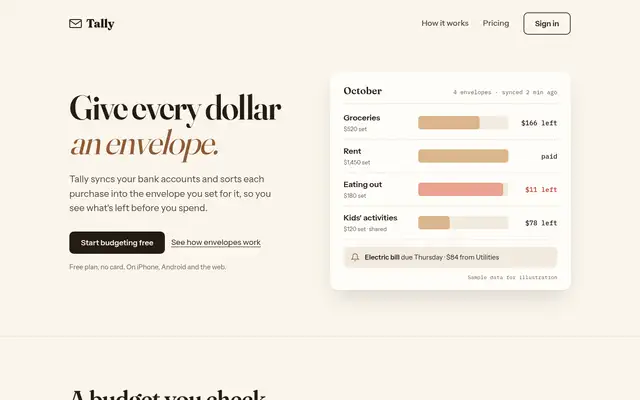
3/5 out of 5. Read the verdictNear-white neutrals, a plain system sans and Inter, two type sizes and one muted green accent. For SaaS and calm app screens.
Made by 
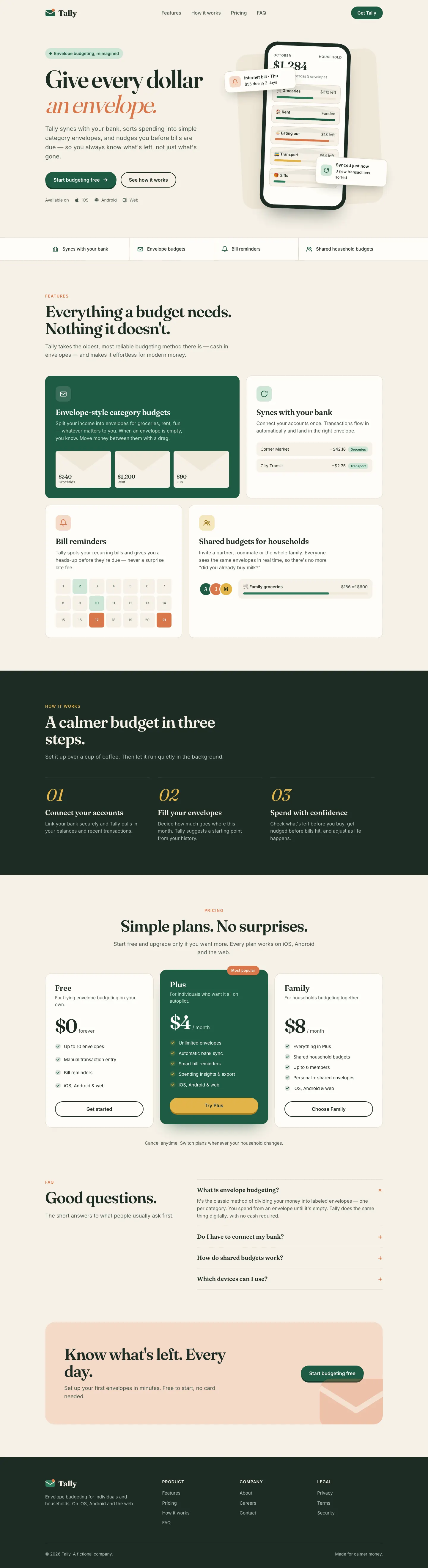
First screen only. Switch to side by side to read the full pages.
Scroll either page; the other follows.
Every skill gets the same Tally brief, alone in a clean project. How we test
Our verdict
3/5 out of 5
Passed the cut
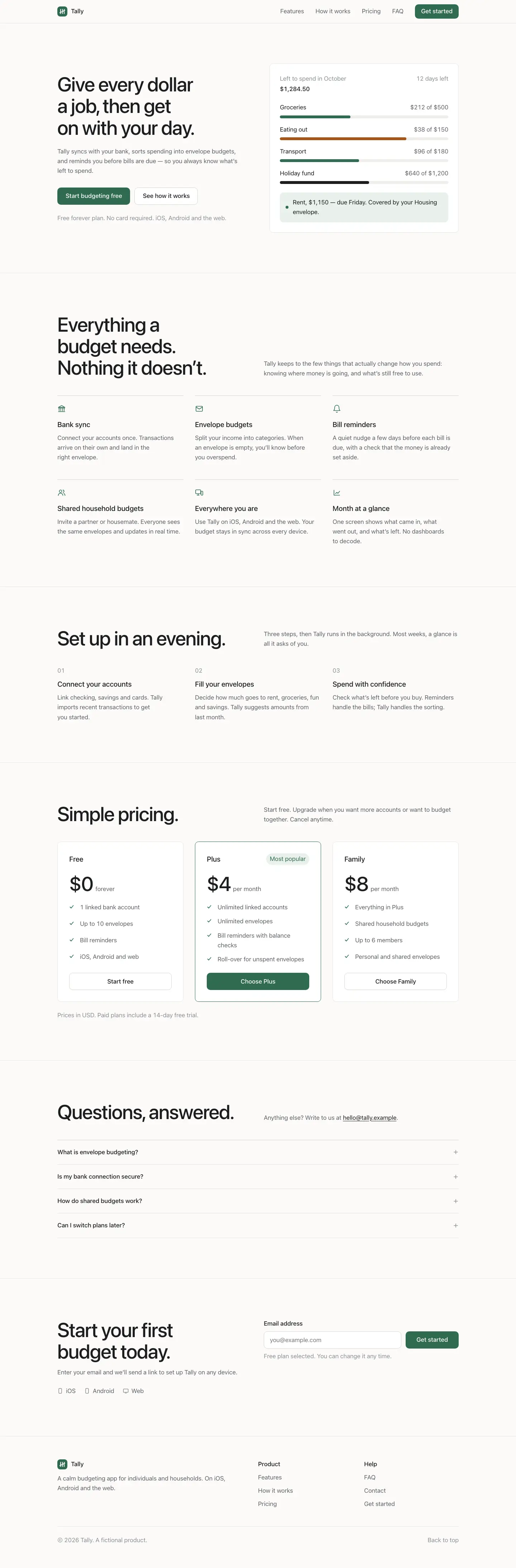
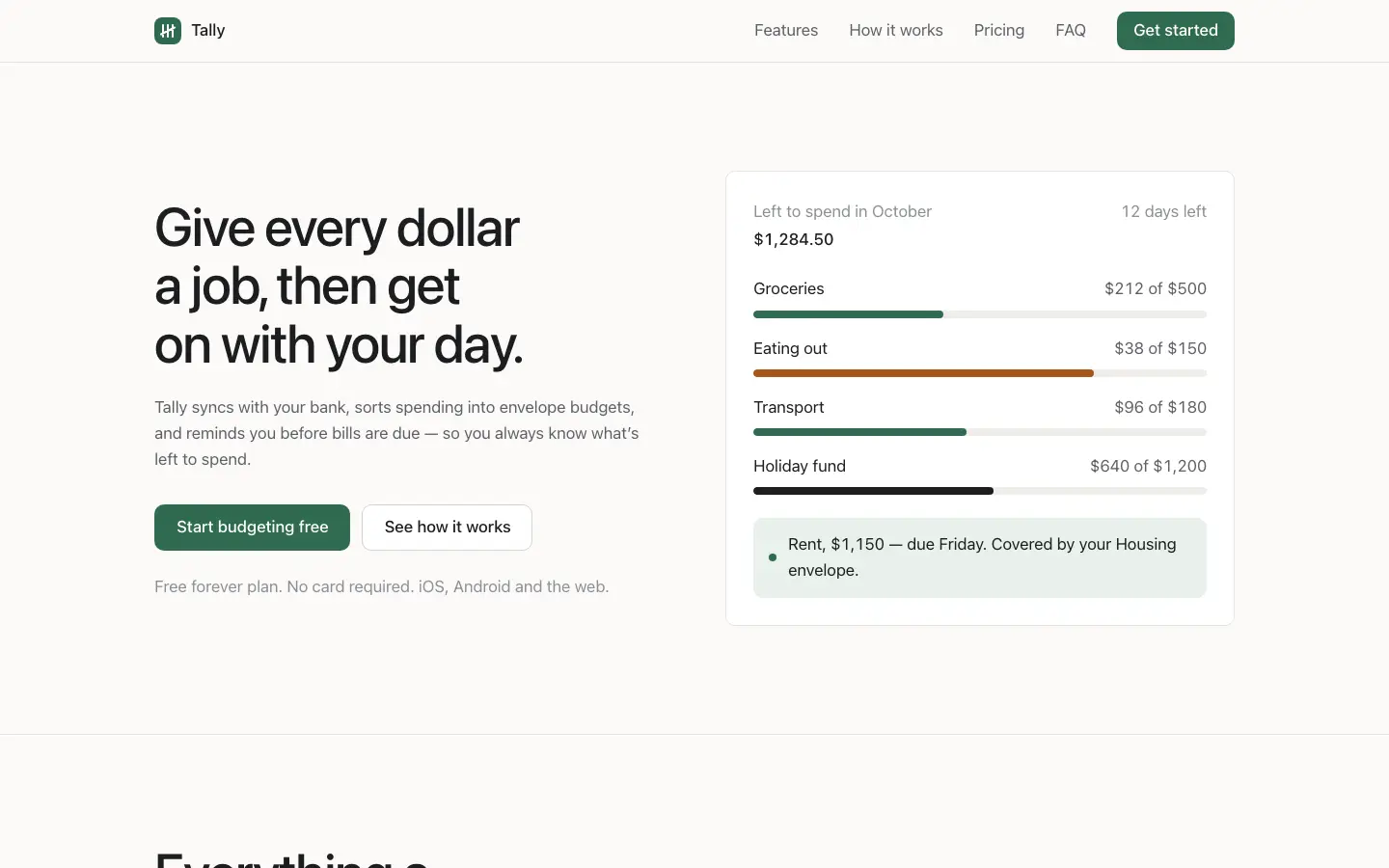
UI Principles gives Tally a restrained, neutral product look: near-white backgrounds, the system sans on the landing and Inter on the dashboard, two type sizes and one muted green used only for buttons, healthy bars and October in the chart. The hero is a plain budget card instead of a phone, and the dashboard is a clean grid of rules with black envelope bars and red only for Dining out. It is tidy, readable and works on a phone, but it is generic, with little that says Tally. Pick it to calm down a busy interface rather than to set a brand.
Compare with Editorial Designer (Atelier UI)Pick it for
- saas products
- tidying an existing interface
- calm dashboards
Skip it for
- brands that need personality
- landing pages that must stand out
Colors
Observations
- tidy but generic, with little brand character
- the landing uses the device's system font, so it looks different on each platform
Install
1 Run in your terminal
npx degit brijr/skills/ui-principles#main .claude/skills/ui-principles2 Or paste a prompt into Claude Code, Codex, Cursor or Gemini
It tells your tool to install this from its source repository.
This install is for Claude Code only; for other agents use Copy prompt or copy the skill folder.
Copies just this skill's folder into your project's .claude/skills.
Check the source for the latest instructions.
We installed the ui-principles folder from this repo.
Details
Made by
software designer and developer
- GitHub @brijr (opens in a new tab)
- brijr.dev (opens in a new tab)
- X @bridgertower (opens in a new tab)
Is this you? Claim it
- Type
- Skill
- GitHub stars
- 25*
- Updated
- 6d ago
- License
- Not listed
- Best for
- Visual direction
Test runOpus 5.5Claude Code 2.1.303Oct 20, 2026generated in 4 minabout $1.02 at API pricescommit c1df19a
* Stars are for the whole brijr/skills repository.
Made this skill?Put your score on your README, and claim this page for a link to your site. 
1. Put your score on your README
[](https://skillsfordesign.com/s/brijr-ui-principles/) The badge links here. If a retest changes the score, it updates by itself.
2. Claim this page
Get a free backlink to your site.
- A followed link, not nofollow. From the page about your skill, on a site about design skills, to your portfolio, product or studio. Search engines count it.
- Your name on the page. Credited as the maker, right under the description, where every visitor sees it.
- Free. Usually live within a few days.
How it will look
Thanks, we have it.
We'll check the repo and email you when your name is on the listing.
Similar
Same brief, other skills
Liquid Glass Design (ECC)
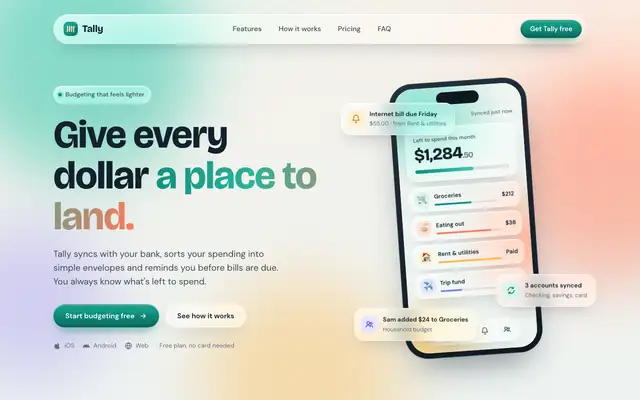
Liquid Glass Design builds Tally out of frosted glass panels floating over soft mint, peach and periwinkle light, set in Bricolage Grotesque and DM Sans. The dashboard keeps the glass in Manrope and stays readable. Pick it if you want a friendly, Apple-flavored product that looks nothing like the cream-and-serif default.
updated 2d ago
Popular Web Designs (Hermes Agent)
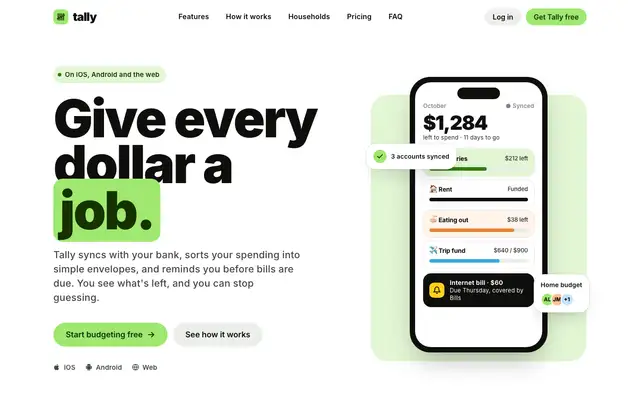
Popular Web Designs gives Tally the Wise treatment: very heavy black Inter headlines, a lime highlight box around 'job.', pill buttons, big rounded cards and a black pricing band with a lime Plus plan. The dashboard follows through with a black 'left to budget' card in huge lime numerals, lime envelope bars and a lime October bar. It is far from the default and holds together on both pages and on a phone, though the tight headline leading lets lines collide and a sync chip covers the Groceries label in the hero. Pick it when you want a bright, confident consumer fintech look and are happy to start from a known brand's style.
updated today
Impeccable
Impeccable drops the cream-and-serif default for a loud navy, orange and primary-color landing page set in heavy Archivo, then builds a calmer pine-and-lime dashboard. Pick it if you want a product page with real energy that still holds up on a dense screen.
updated 1d ago
Hallmark
Hallmark turns Tally into a cheerful yellow-and-pastel brand in Plus Jakarta Sans with big ghost numerals, and the dashboard matches it. The most consistent result in the set, but it took about 12 minutes per brief.
updated 2mo ago
Also good for these
Minimal (Awesome Design Skills)
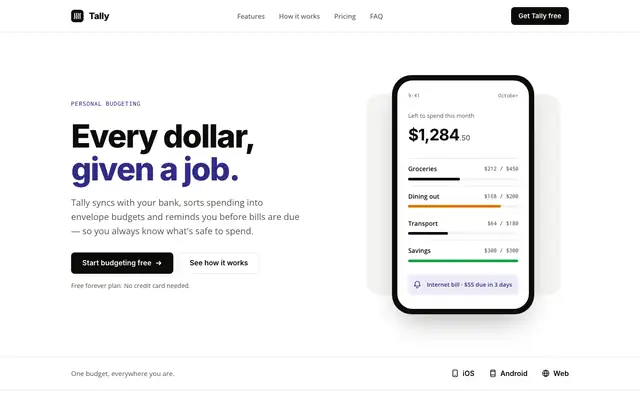
Minimal gives Tally lots of white space, a near-black and indigo palette on warm off-white, and big Inter headlines over Open Sans. The dashboard is mostly black and white, with indigo for the $640 and red for the over-budget envelope. It is calm and clean, but the mobile dashboard scrolls sideways. Pick it for products that want quiet, simple pages.
updated 4mo ago
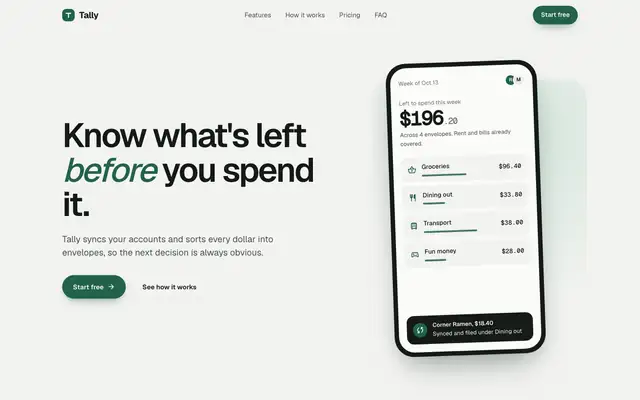
Design Taste Frontend v2, experimental (Taste Skill)
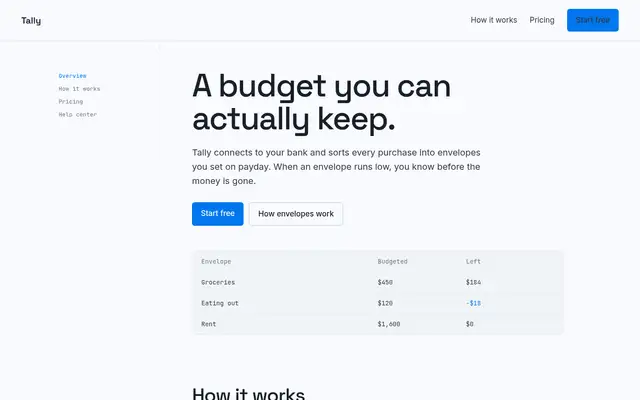
The old v2 taste skill swaps the serif for Geist on a pale grey-green canvas, with a deep green accent and an interactive budget slider in the hero. Both pages are clean and competent, with only slight distance from the baseline. Pick it if you like Taste Skill's style and want the older single-file version.
updated today
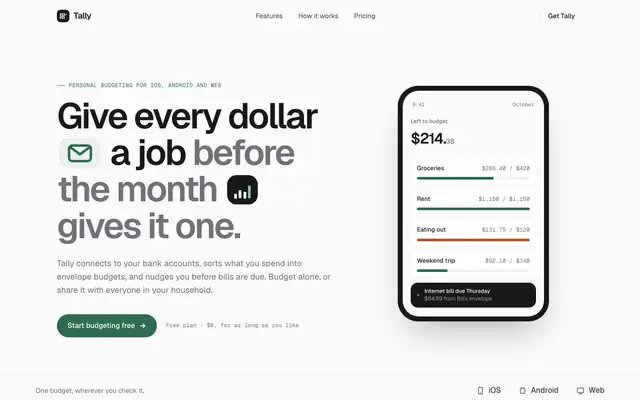
Taste Design (Stitch Skills)
Stitch's taste skill swaps the cream-and-serif default for Geist on a near-white canvas, with a deep green accent and small icon chips set right into the headline. The dashboard is calm and consistent with the landing. Pick it if you want clean, current SaaS polish and don't need a strong personality.
updated 2mo ago
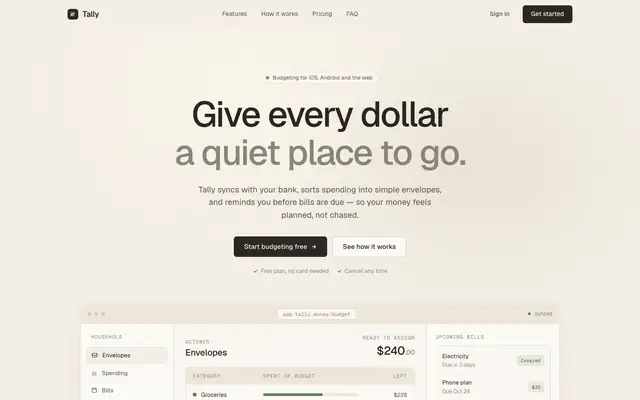
Clean Minimal Beige Light Mode (Meng To)
Clean Minimal Beige Light Mode keeps Tally soft and quiet: warm beige shells, Geist on the landing and Inter Tight on the dashboard, a muted sage accent and one dark panel for emphasis. It is closer to the default than most, but the sans type and calm grid set it apart. Pick it for understated products that want to feel calm.
updated today