
Editorial Designer gives Tally a quiet magazine look: off-white paper, very large light Inter Tight headlines with one bold word, thin rules instead of boxes and a single rust accent for things that need attention. The dashboard follows through with a huge "$640" figure, numbered sections and line-only envelope bars. It is clearly its own direction, and the dashboard is the stronger page: on a wide screen the landing headline drops below the phone plate, leaving the first screen mostly empty, and some sections hug the left edge. Pick it for calm, editorial products that want restraint.
Editorial Designer vs UI Principles
Atelier UI · brijr
Tied at 3/5 on the same brief. Pick by fit: the rows below show where each one is stronger.
Both built the Tally landing page in the same Claude Code test, and both design the Minimalist way: white space, one accent, and the confidence to leave things out. Both are best for: visual direction.
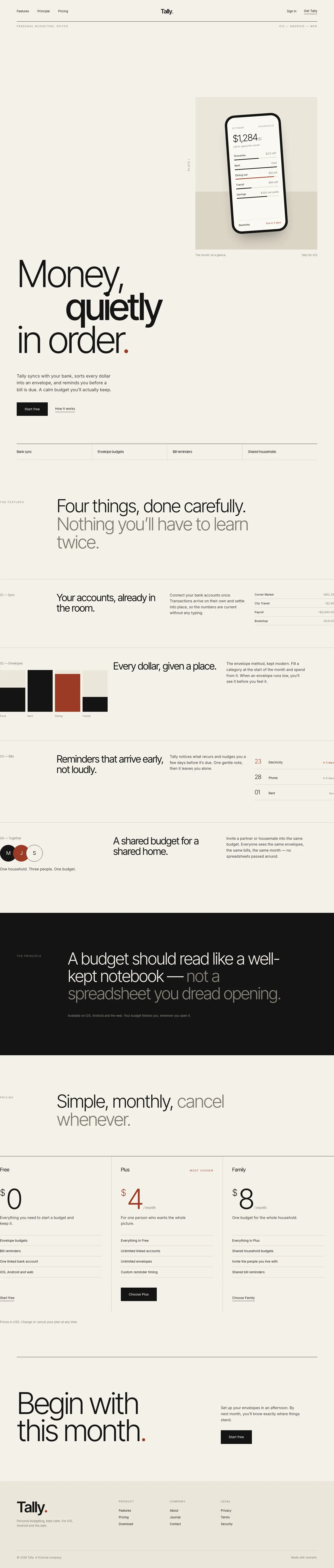
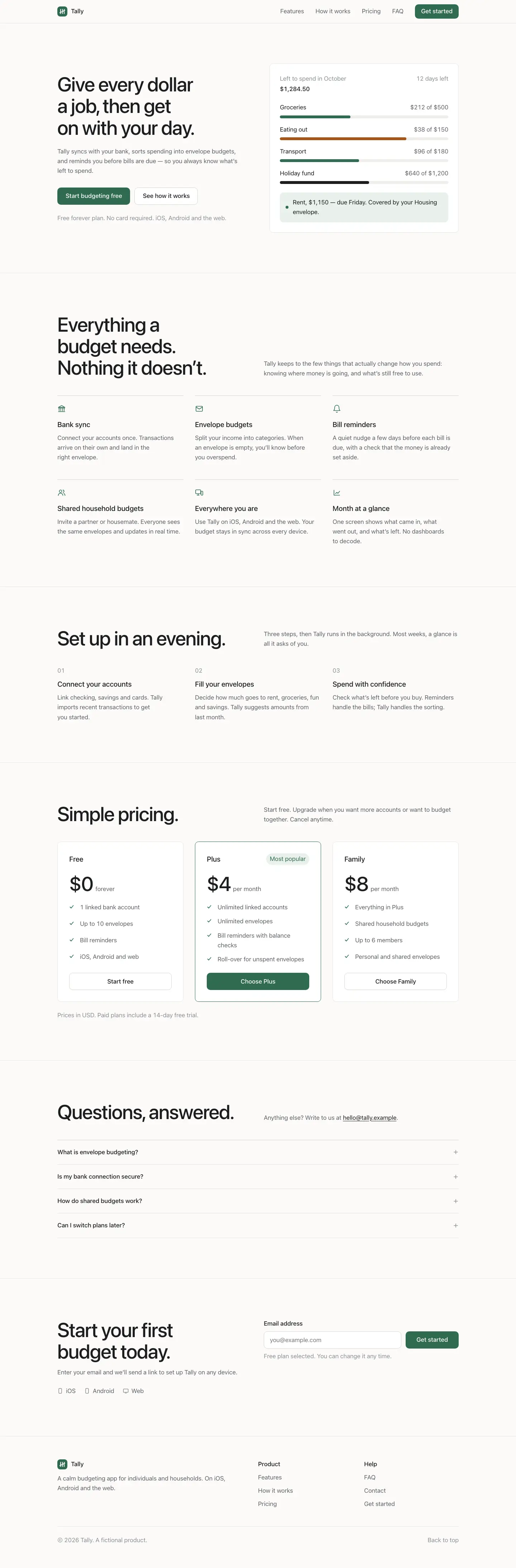

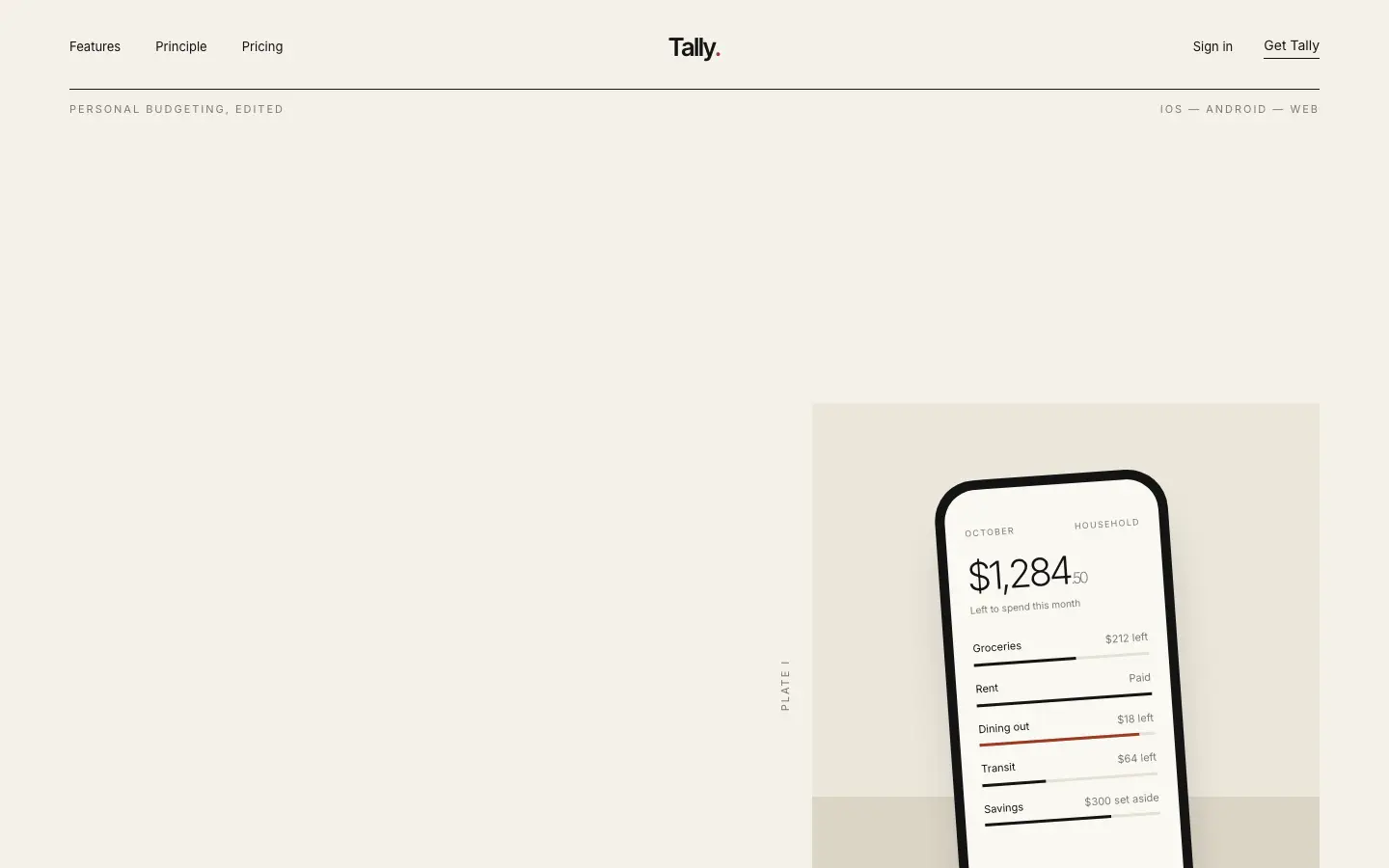
First screen only. Switch to side by side to read the full pages.
Scroll either page; the other follows.
UI Principles gives Tally a restrained, neutral product look: near-white backgrounds, the system sans on the landing and Inter on the dashboard, two type sizes and one muted green used only for buttons, healthy bars and October in the chart. The hero is a plain budget card instead of a phone, and the dashboard is a clean grid of rules with black envelope bars and red only for Dining out. It is tidy, readable and works on a phone, but it is generic, with little that says Tally. Pick it to calm down a busy interface rather than to set a brand.
Side by side
| Field | Editorial Designer (Atelier UI) | UI Principles (brijr) |
|---|---|---|
| Fonts |
|
|
| Colors |
|
|
| Pick it for |
|
|
| Skip it for |
|
|
| Observations |
|
|
Install Editorial Designer (Atelier UI)
1 Run in your terminal
npx degit heyman333/atelier-ui/skills/editorial-designer#main .claude/skills/editorial-designer2 Or paste a prompt into Claude Code, Codex, Cursor or Gemini
It tells your tool to install this from its source repository.
This install is for Claude Code only; for other agents use Copy prompt or copy the skill folder.
Copies just this skill's folder into your project's .claude/skills.
Check the source for the latest instructions.
Install UI Principles (brijr)
1 Run in your terminal
npx degit brijr/skills/ui-principles#main .claude/skills/ui-principles2 Or paste a prompt into Claude Code, Codex, Cursor or Gemini
It tells your tool to install this from its source repository.
This install is for Claude Code only; for other agents use Copy prompt or copy the skill folder.
Copies just this skill's folder into your project's .claude/skills.
Check the source for the latest instructions.