
Framed Tech gives Tally a near-black page inside one framed shell: thin edge rails, corner markers, 1px gradient borders and uppercase mono labels, with a sparse mint accent. The dashboard uses the same framed shell, mint for money left and coral for overspending. It is clean and precise, but both mobile pages scroll sideways. Note that the landing and dashboard come from two different test days. Pick it for developer and infra products.
Framed Tech Dark Border Gradient vs Frontend Design UI/UX
Meng To · ULPI
Frontend Design UI/UX (ULPI) scored higher on the same brief, 4/5. The rows below show where each one fits.
Both built the Tally landing page in the same Claude Code test, and both design the Engineer way: monospace, grids and labels. If it isn’t aligned, it isn’t done. Both are best for: visual direction.
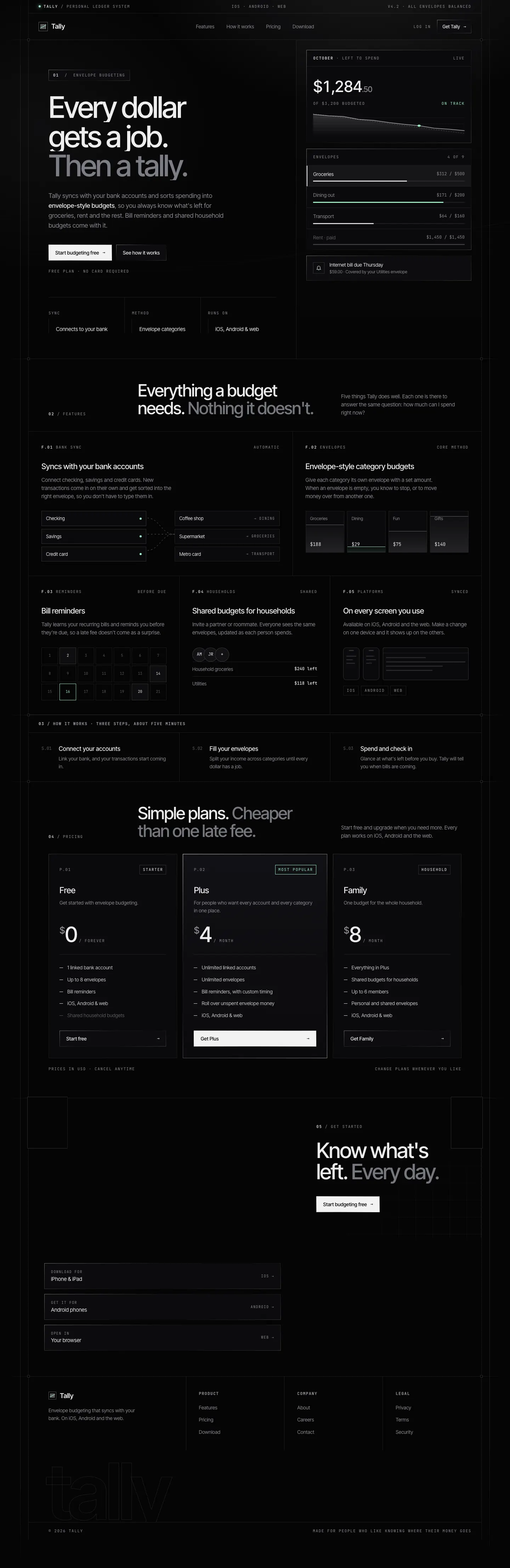
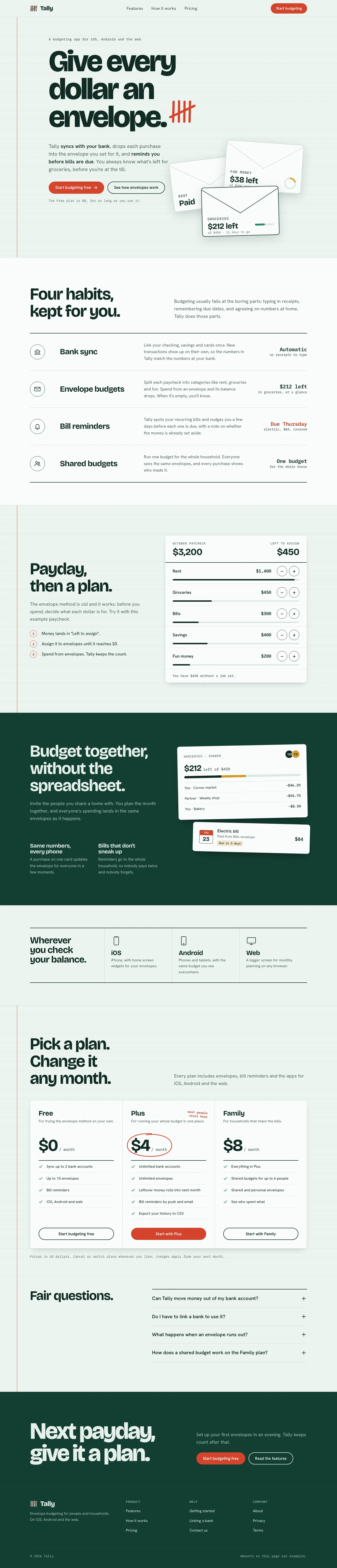
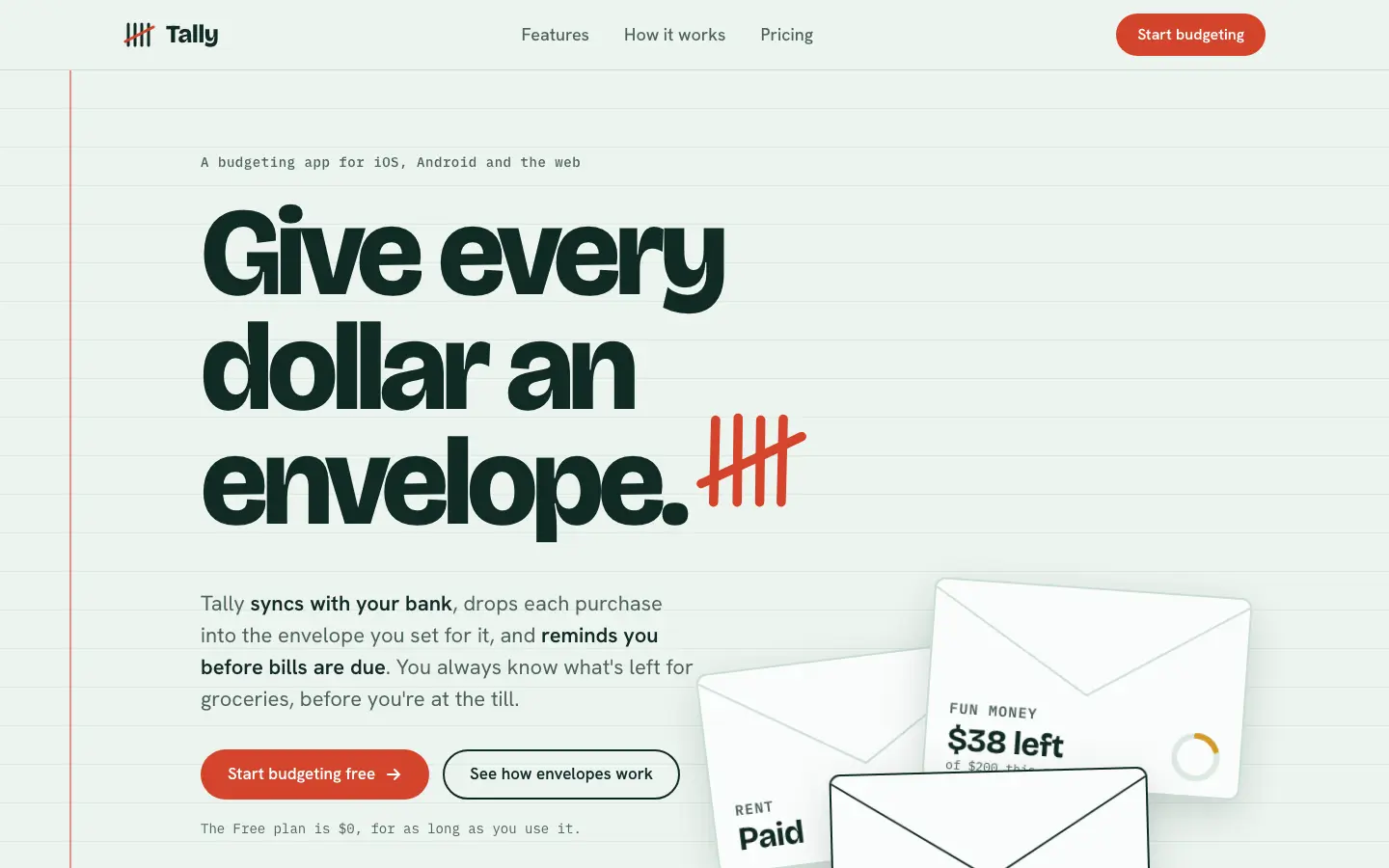
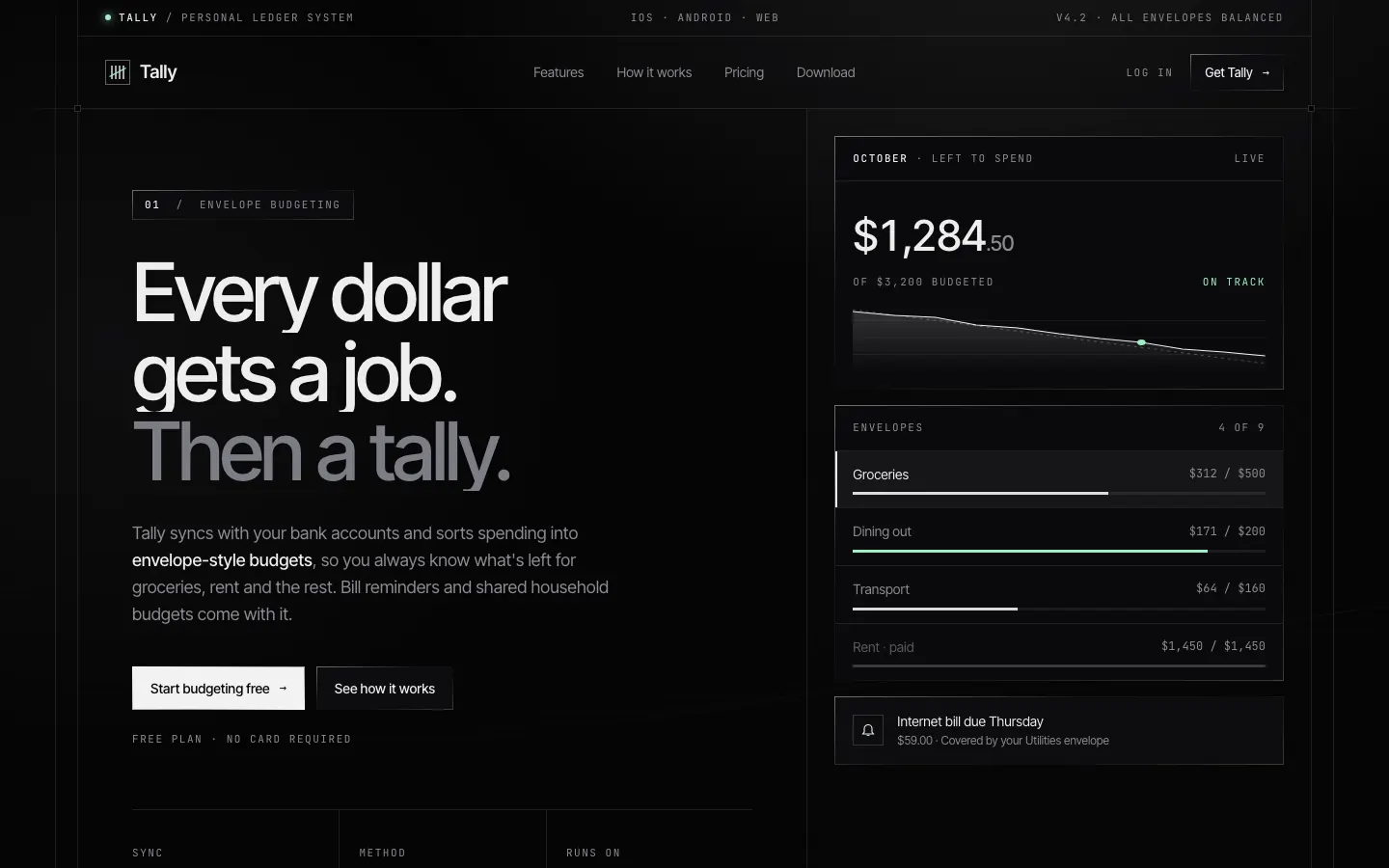
First screen only. Switch to side by side to read the full pages.
Scroll either page; the other follows.
Frontend Design UI/UX puts Tally on a ruled account-book page: pale mint paper with a red margin line, very tight Bricolage Grotesque headlines, Hanken Grotesk and IBM Plex Mono notes, a red-pen tally mark beside the headline and paper envelopes in the hero. The dashboard keeps the ledger with a near-black green sidebar, thin rules instead of cards, a huge $640 and tick-mark envelope bars that turn red past the limit marker. It is a committed idea carried across both pages, far from the default, and both work on a phone. The hero envelopes sit low and are cut by the fold at desktop width. Pick it for finance or utility apps that want a plain, crafted ledger feel.
Side by side
| Field | Framed Tech Dark Border Gradient (Meng To) | Frontend Design UI/UX (ULPI) |
|---|---|---|
| Fonts |
|
|
| Colors |
|
|
| Pick it for |
|
|
| Skip it for |
|
|
| Observations |
|
|
Install Framed Tech Dark Border Gradient (Meng To)
1 Run in your terminal
npx degit MengTo/Skills/agent-skills/web-design/framed-tech-dark-border-gradient#main .claude/skills/framed-tech-dark-border-gradient2 Or paste a prompt into Claude Code, Codex, Cursor or Gemini
It tells your tool to install this from its source repository.
This install is for Claude Code only; for other agents use Copy prompt or copy the skill folder.
Copies just this skill's folder into your project's .claude/skills.
Check the source for the latest instructions.
Install Frontend Design UI/UX (ULPI)
1 Run in your terminal
npx degit ulpi-io/skills/frontend-design-ui-ux#main .claude/skills/frontend-design-ui-ux2 Or paste a prompt into Claude Code, Codex, Cursor or Gemini
It tells your tool to install this from its source repository.
This install is for Claude Code only; for other agents use Copy prompt or copy the skill folder.
Copies just this skill's folder into your project's .claude/skills.
Check the source for the latest instructions.