
Brutalist Industrial gives Tally a declassified blueprint: huge uppercase Archivo headlines, IBM Plex Mono labels, 1px black rules around every cell, warm paper and safety orange as the only accent. The landing indexes features as F.01 to F.04, fills the Plus pricing column in orange and ends on a giant TALLY wordmark; the dashboard keeps the same voice with an OCTOBER 2026 headline, black and orange summary blocks and a ruled envelope table. A few labels collide, such as the chart's average tag and a clipped rent figure, and the hero envelope bars on the landing render empty. Pick it for products that want to look like an instrument or a technical document.
Brutalist Industrial vs Nothing Design Skill
Design Taste by Mustafa · Standalone skill
Tied at 4/5 on the same brief. Pick by fit: the rows below show where each one is stronger.
Same brief, opposite looks. Brutalist Industrial is Brutalist and Nothing Design Skill is Engineer: see how far apart two good skills can take the same page.
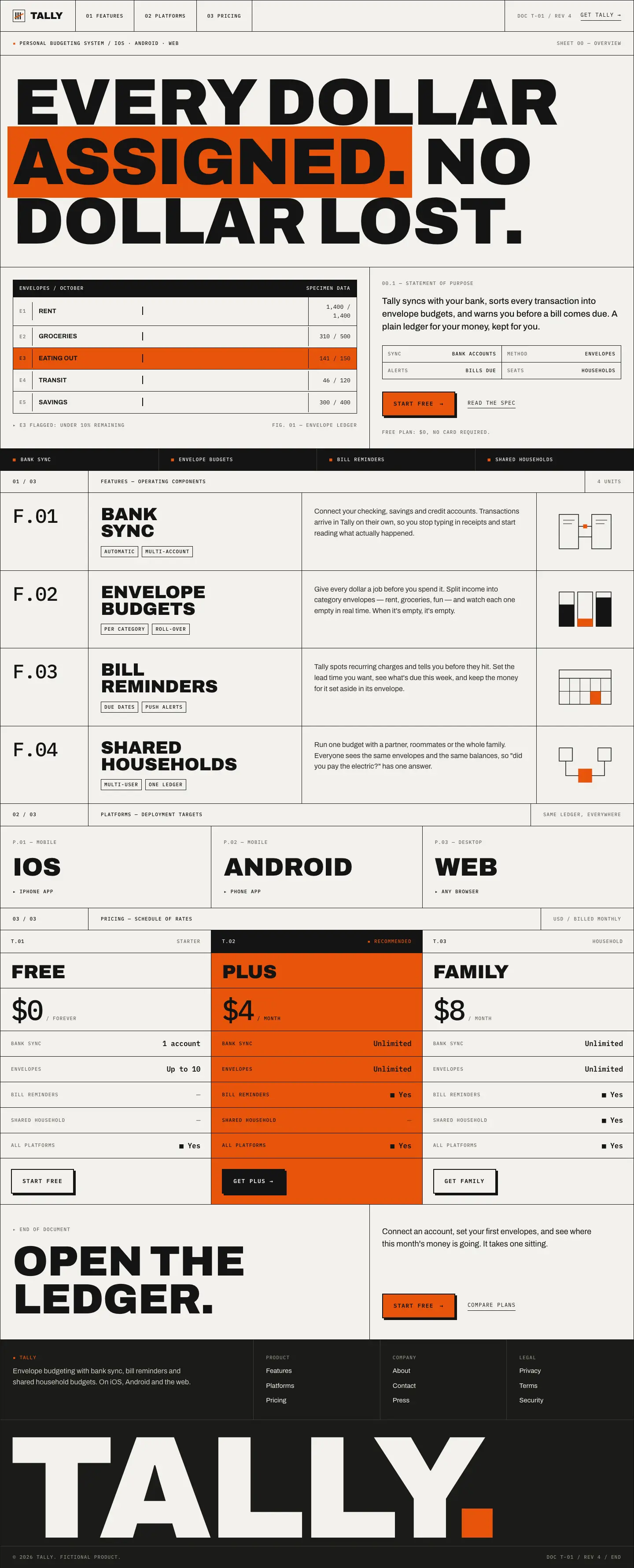
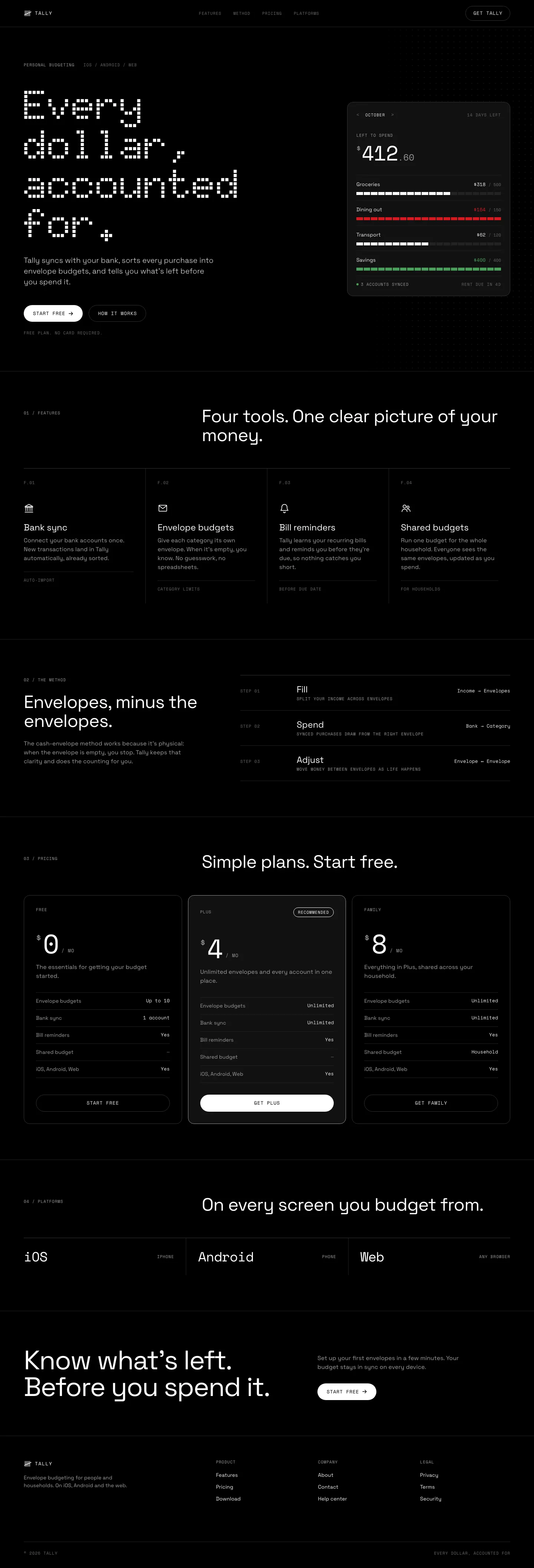
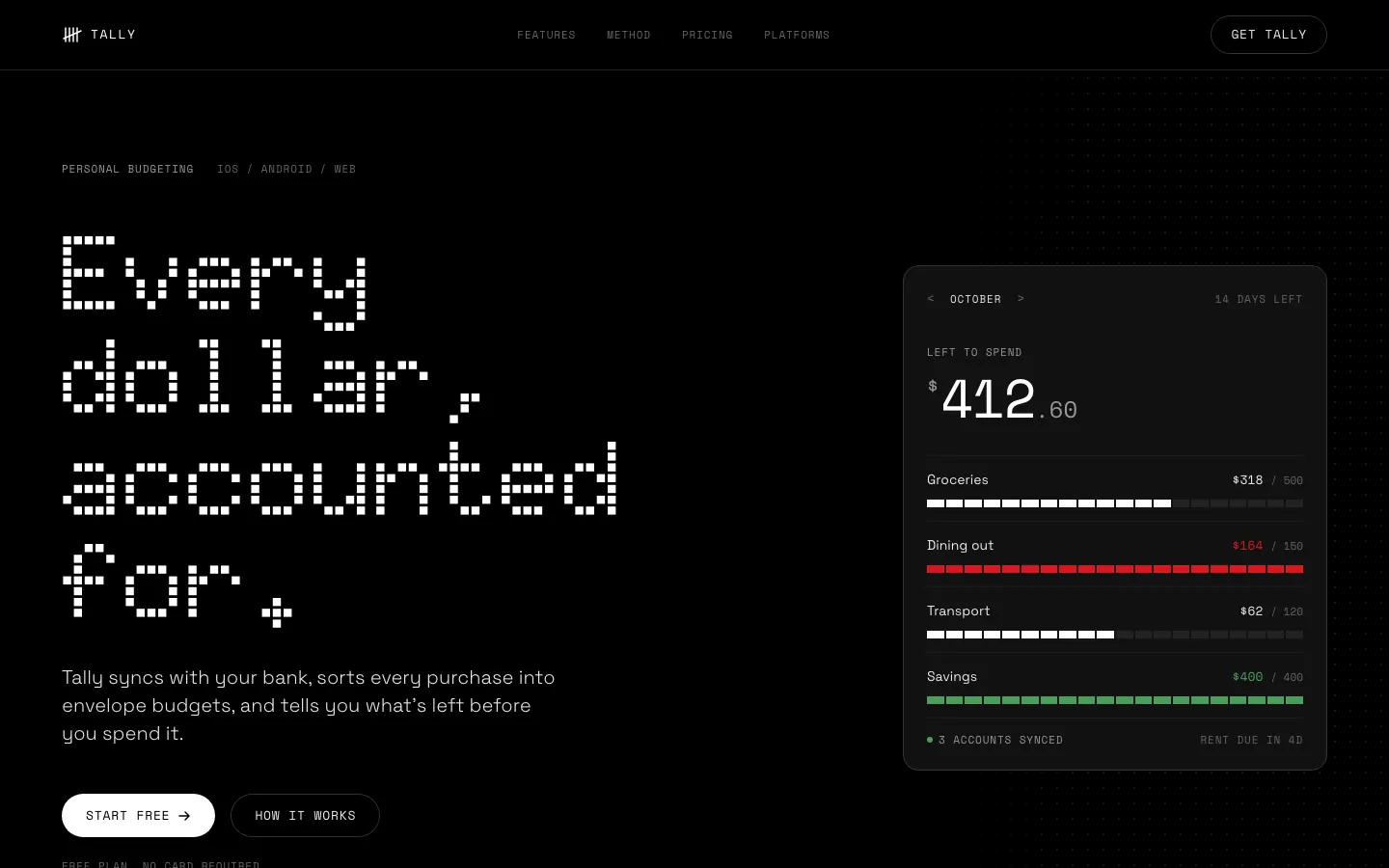
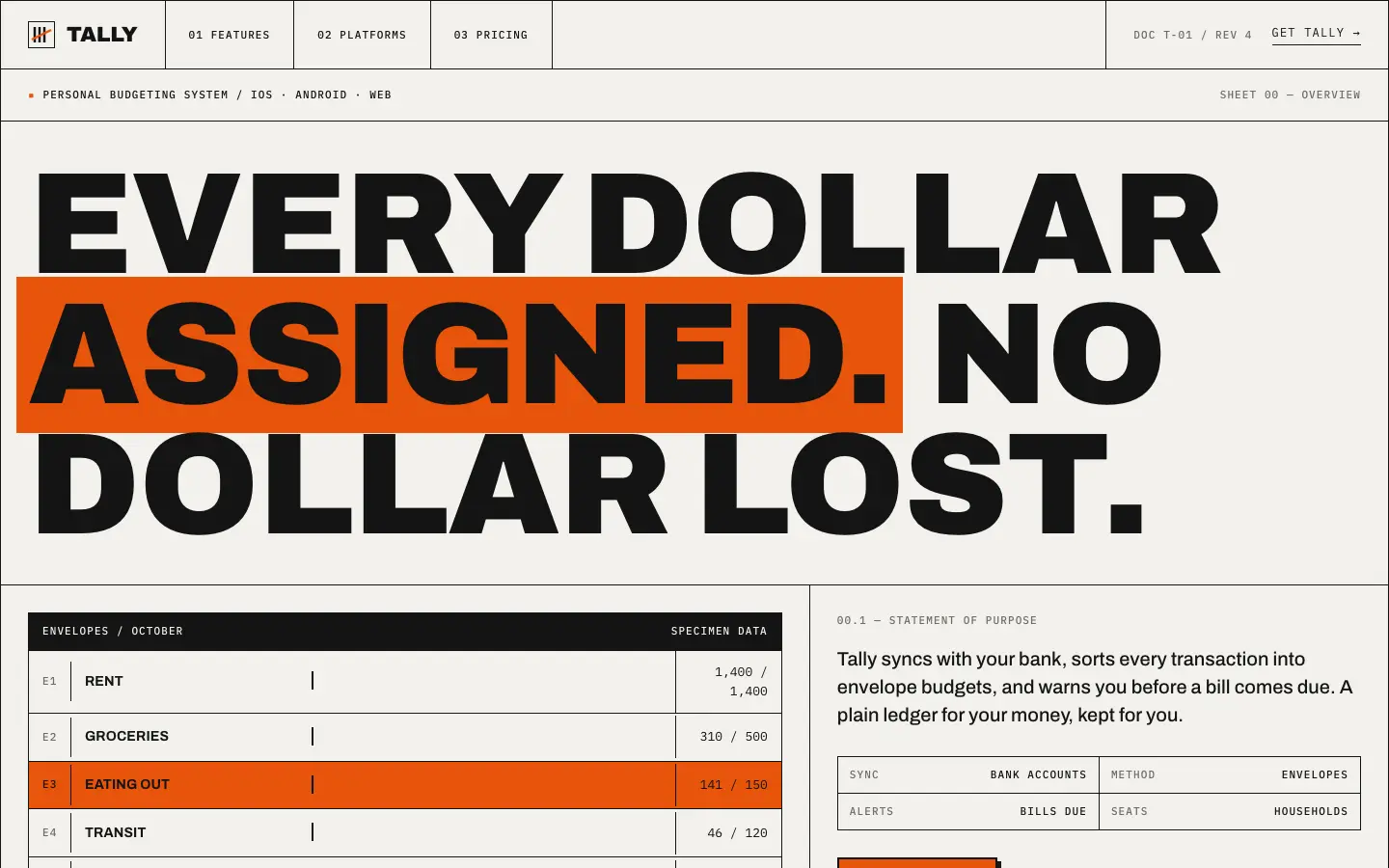
First screen only. Switch to side by side to read the full pages.
Scroll either page; the other follows.
With the skill loading properly, Nothing turns both pages into an OLED-black instrument panel with Doto dot-matrix numerals, segmented bars and one red. This time the dashboard works end to end. Small grey labels on black are the weak spot.
Side by side
| Field | Brutalist Industrial (Design Taste by Mustafa) | Nothing Design Skill |
|---|---|---|
| Fonts |
|
|
| Colors |
|
|
| Pick it for |
|
|
| Skip it for |
|
|
| Observations |
|
|
Install Brutalist Industrial (Design Taste by Mustafa)
1 Run in your terminal
npx degit madebymustafa/design-taste/skills/brutalist-industrial#main .claude/skills/brutalist-industrial2 Or paste a prompt into Claude Code, Codex, Cursor or Gemini
It tells your tool to install this from its source repository.
This install is for Claude Code only; for other agents use Copy prompt or copy the skill folder.
Copies just this skill's folder into your project's .claude/skills.
Check the source for the latest instructions.
Install Nothing Design Skill
1 Run in your terminal
git clone https://github.com/dominikmartn/nothing-design-skill.git
cp -r nothing-design-skill/nothing-design ~/.claude/skills/2 Or paste a prompt into Claude Code, Codex, Cursor or Gemini
It tells your tool to install this from its source repository.
This install is for Claude Code only; for other agents use Copy prompt or copy the skill folder.
Taken from the project README. Check the source for the latest instructions.