
Bold gives Tally a poster: huge uppercase Archivo Black headlines, thick black borders with hard offset shadows, a blue-and-yellow accent pair and a tilted phone in the hero. The dashboard keeps the same voice with a black sidebar, a big black "spent so far" card and striped red for the over-budget envelope. Both pages read clearly and work on a phone. Pick it when you want a product page that shouts.
Bold vs Nothing Design Skill
Awesome Design Skills · Standalone skill
Tied at 4/5 on the same brief. Pick by fit: the rows below show where each one is stronger.
Same brief, opposite looks. Bold is Brutalist and Nothing Design Skill is Engineer: see how far apart two good skills can take the same page.
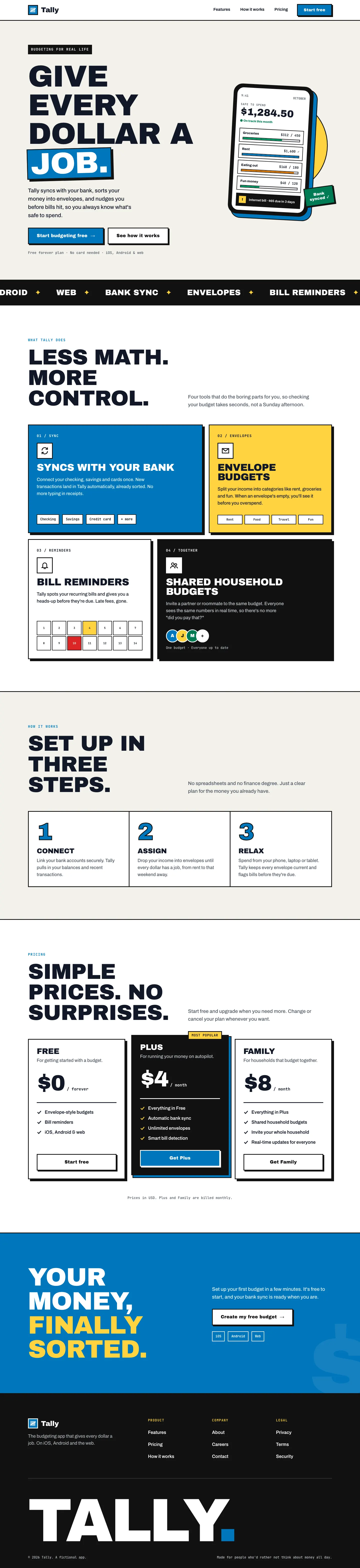
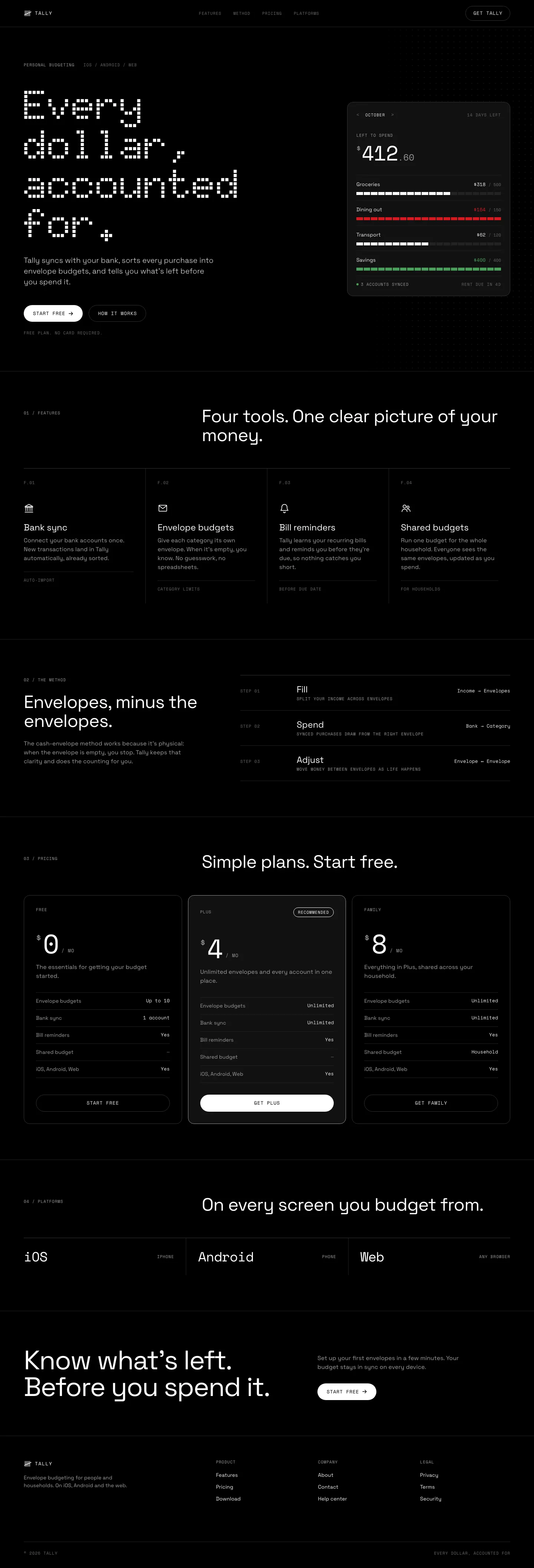
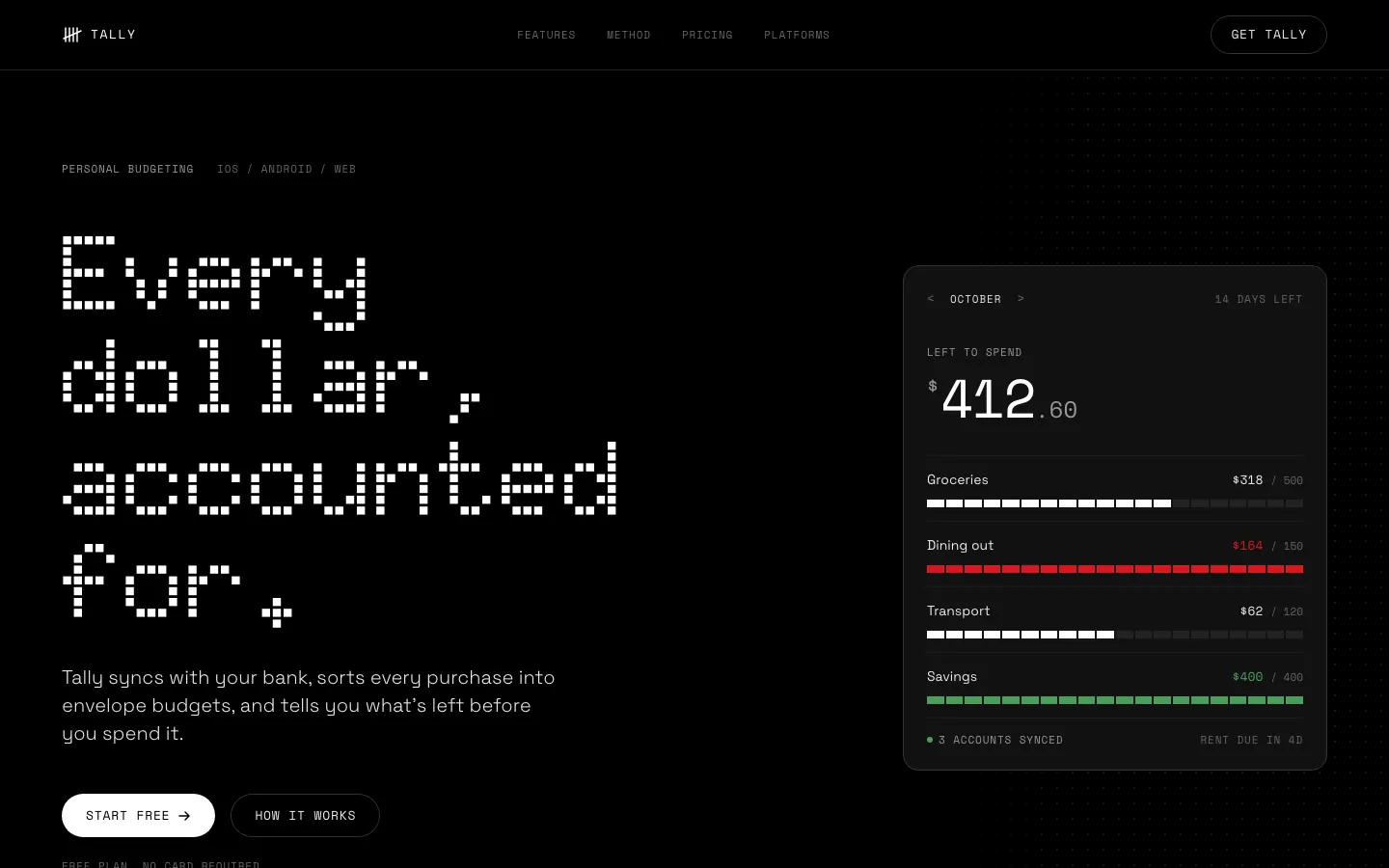
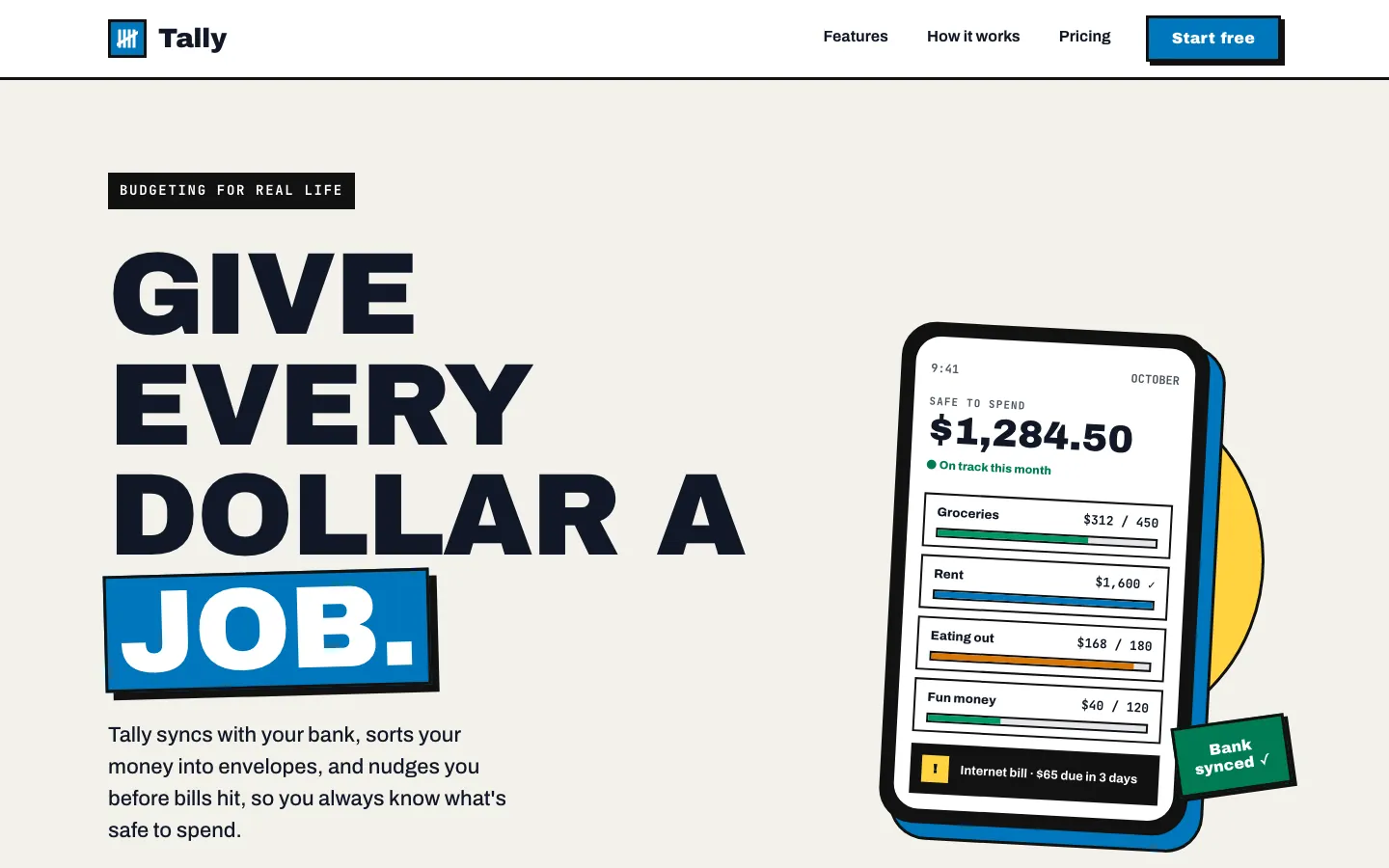
First screen only. Switch to side by side to read the full pages.
Scroll either page; the other follows.
With the skill loading properly, Nothing turns both pages into an OLED-black instrument panel with Doto dot-matrix numerals, segmented bars and one red. This time the dashboard works end to end. Small grey labels on black are the weak spot.
Side by side
| Field | Bold (Awesome Design Skills) | Nothing Design Skill |
|---|---|---|
| Fonts |
|
|
| Colors |
|
|
| Pick it for |
|
|
| Skip it for |
|
|
| Observations |
|
|
Install Bold (Awesome Design Skills)
1 Run in your terminal
npx degit bergside/awesome-design-skills/skills/bold#main .claude/skills/bold2 Or paste a prompt into Claude Code, Codex, Cursor or Gemini
It tells your tool to install this from its source repository.
This install is for Claude Code only; for other agents use Copy prompt or copy the skill folder.
Copies just this skill's folder into your project's .claude/skills.
Check the source for the latest instructions.
Install Nothing Design Skill
1 Run in your terminal
git clone https://github.com/dominikmartn/nothing-design-skill.git
cp -r nothing-design-skill/nothing-design ~/.claude/skills/2 Or paste a prompt into Claude Code, Codex, Cursor or Gemini
It tells your tool to install this from its source repository.
This install is for Claude Code only; for other agents use Copy prompt or copy the skill folder.
Taken from the project README. Check the source for the latest instructions.