
Baseline UI (UI Skills)
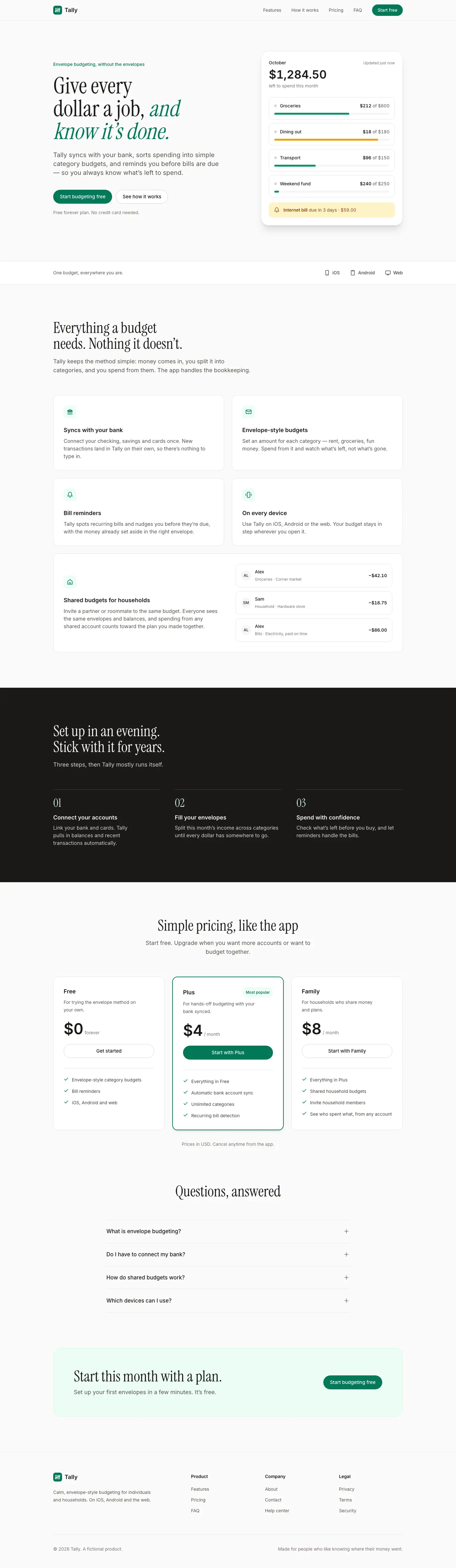
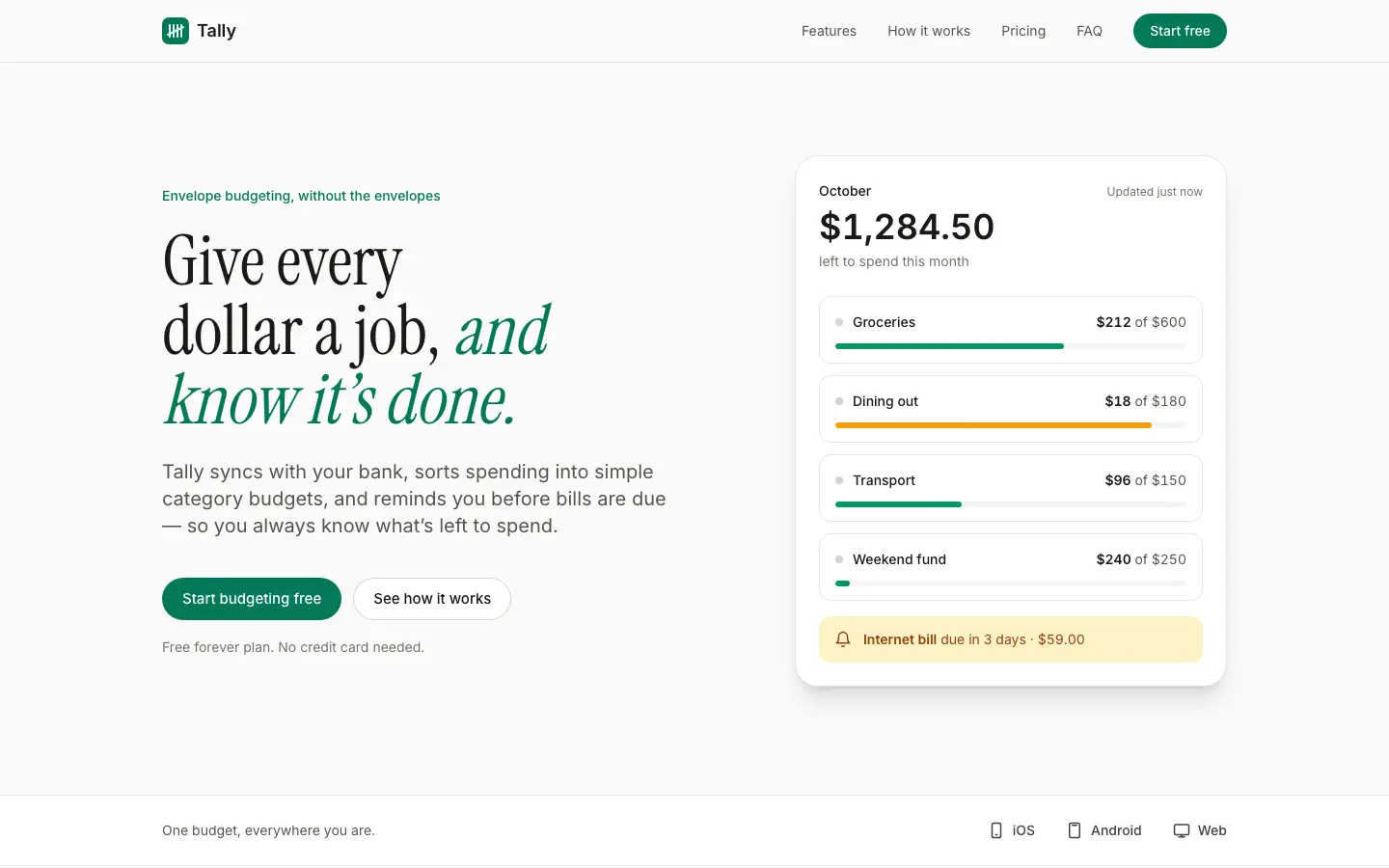
3/5 out of 5. Read the verdictOff-white stone greys, condensed Instrument Serif headlines over Inter and one emerald accent. For SaaS cleanups and quick polish.
Made by 
First screen only. Switch to side by side to read the full pages.
Scroll either page; the other follows.
Every skill gets the same Tally brief, alone in a clean project. How we test
Our verdict
3/5 out of 5
Passed the cut
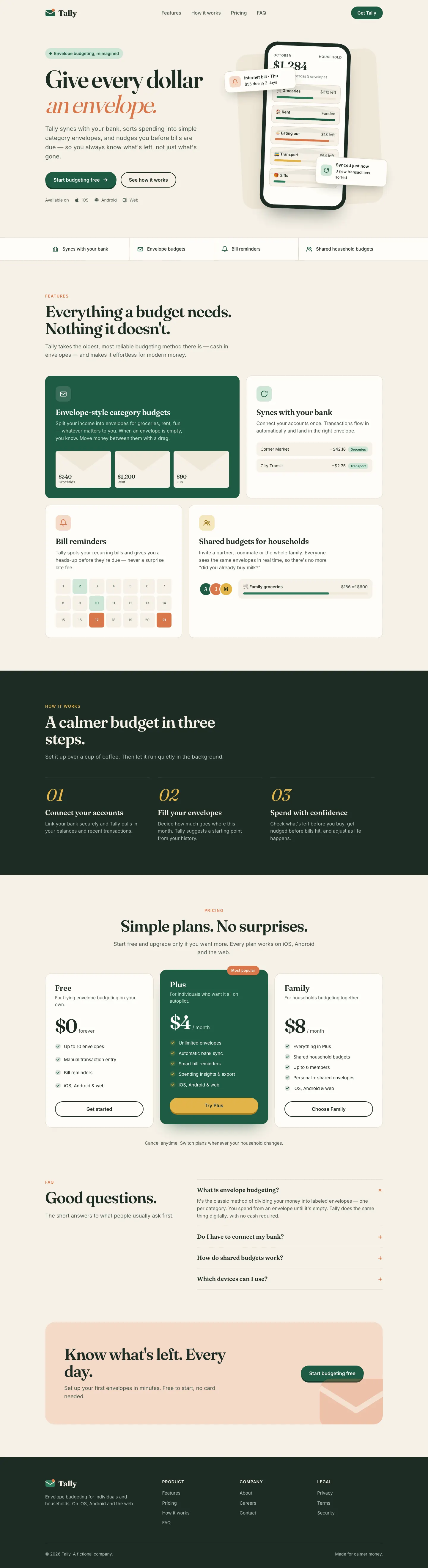
Baseline UI gives Tally an off-white stone landing page with condensed Instrument Serif headlines, Inter body text, an emerald accent and a plain white app card with no floating overlays. The dashboard drops the serif for an all-Inter zinc layout with a black primary button, grey bars for past months and red only on the over-budget envelope. Both pages are orderly and readable, but the look is close to a stock Tailwind app, and the dashboard in particular has little character of its own. Pick it when you want a quick cleanup pass rather than a brand.
Compare with Minimalist UI (Taste Skill)Pick it for
- quick polish passes
- saas cleanups
- neutral product dashboards
Skip it for
- setting a brand look
- expressive marketing pages
Typography
Colors
Observations
- the dashboard is close to a stock tailwind layout
- the phone dashboard's nav row scrolls sideways
Install
1 Run in your terminal
npx degit ibelick/ui-skills/skills/baseline-ui#main .claude/skills/baseline-ui2 Or paste a prompt into Claude Code, Codex, Cursor or Gemini
It tells your tool to install this from its source repository.
This install is for Claude Code only; for other agents use Copy prompt or copy the skill folder.
Copies just this skill's folder into your project's .claude/skills.
Check the source for the latest instructions.
We installed the baseline-ui folder from this repo.
Details
Made by
- GitHub @ibelick (opens in a new tab)
- ibelick.com (opens in a new tab)
- X @ibelick (opens in a new tab)
Is this you? Claim it
- Type
- Skill
- GitHub stars
- 9,922*
- Updated
- today
- License
- MIT
- Best for
- Audit
Test runOpus 5.5Claude Code 2.1.303Oct 20, 2026generated in 4 minabout $1.05 at API pricescommit 2a7c966
* Stars are for the whole ibelick/ui-skills repository.
Made this skill?Put your score on your README, and claim this page for a link to your site. 
1. Put your score on your README
[](https://skillsfordesign.com/s/ui-skills-baseline-ui/) The badge links here. If a retest changes the score, it updates by itself.
2. Claim this page
Get a free backlink to your site.
- A followed link, not nofollow. From the page about your skill, on a site about design skills, to your portfolio, product or studio. Search engines count it.
- Your name on the page. Credited as the maker, right under the description, where every visitor sees it.
- Free. Usually live within a few days.
How it will look
Thanks, we have it.
We'll check the repo and email you when your name is on the listing.
Similar
Same brief, other skills
No AI Design Slop (Meng To)
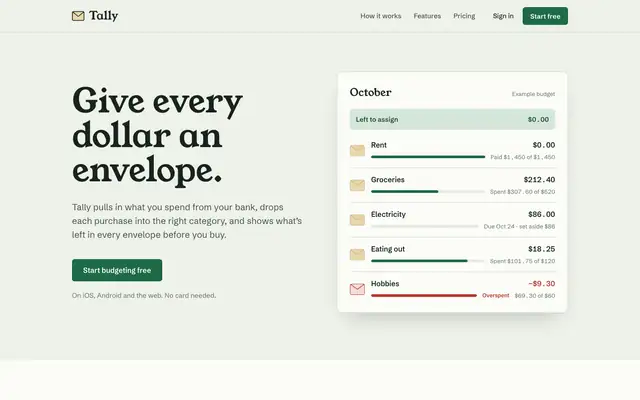
No AI Design Slop moves off the default with sage paper, Young Serif headlines, Schibsted Grotesk and manila-envelope cards that suit a budgeting app. The dashboard switches to Newsreader and Public Sans but keeps the sage and green. Pick it if you want warmth with more character than most of this batch.
updated today
UX/UI Agent Skills
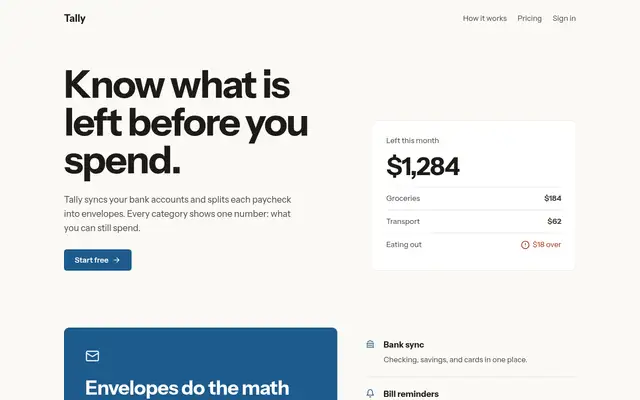
Once loaded, UX/UI Agent Skills pulls three of its skills (design-screen, design-doctrine, data-dashboard) and produces a careful, well-reasoned version of the default: Newsreader serif, ink green and ochre, and a dashboard that explains pace and what is unassigned. Solid work, though it still reads as the familiar cream-and-green look.
updated 7d ago
Apple Design Skill
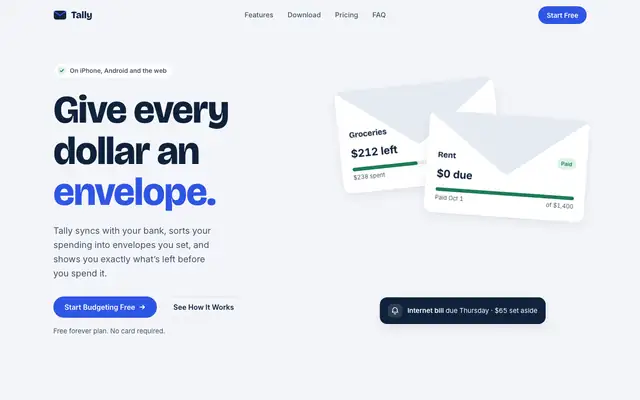
This Apple design skill moves Tally to a cool palette: blue-white paper, navy type and a cobalt accent, with folded-envelope illustrations in the hero. The dashboard is a tidy Inter layout with JetBrains Mono figures. Pick it if you want a clean, Apple-adjacent product that nobody will call off-brand.
updated 2d ago
Refactoring UI (s0xDk)
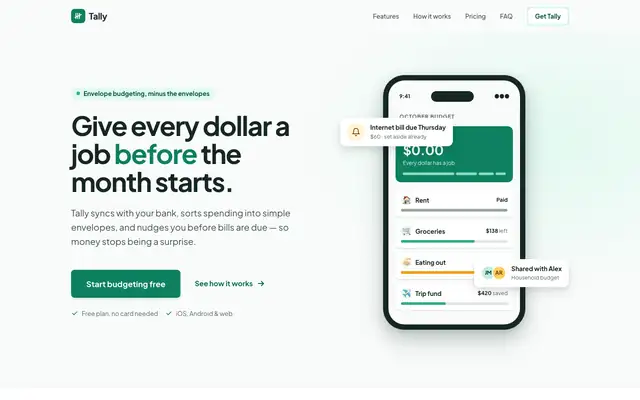
Refactoring UI gave Tally a careful, systematic look: Plus Jakarta Sans, an evergreen palette with green-tinted greys and proper spacing, type and shadow scales on the landing, and an indigo app on cool grey for the dashboard. Color is used for meaning, and over-budget states get an icon and a tag as well. It is clean and well built, though the two pages use different palettes. Pick it to tighten an interface rather than to set a brand.
updated 2mo ago
Also good for these
AI Slop (OpenCode Power Pack)
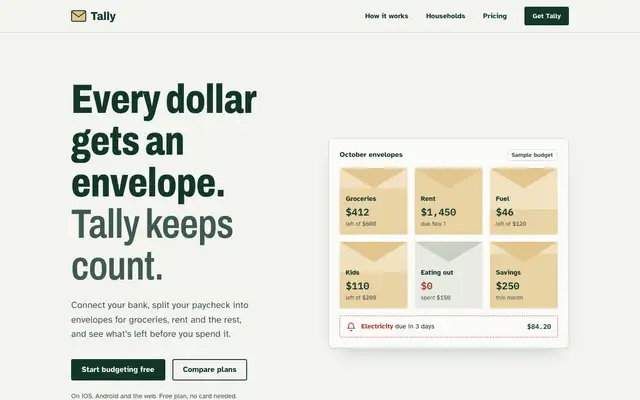
AI Slop gives Tally a plain, practical landing page: heavy condensed Archivo headlines in ledger green #12372a on pale gray, a grid of manila envelopes with the remaining amount on each, square buttons and a dark green how-it-works band with line icons. The dashboard switches to IBM Plex Sans with Plex Mono figures and a written-out sum ($5,400 minus $4,760 equals $640). It moves well away from the default, though the dashboard is tidy rather than distinctive and keeps the green palette. Pick it for straightforward product pages that should feel honest and useful.
updated today
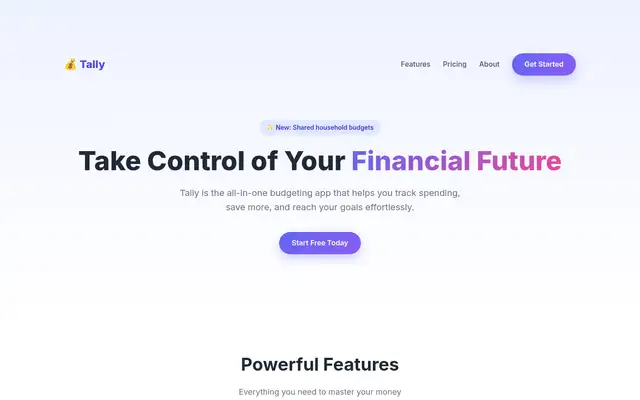
Emil Kowalski Skills
Emil's design-eng skill keeps a cream-and-forest landing page in Instrument Serif with a tilted phone, and builds a clean near-white Geist dashboard. The landing page repeats the baseline's hero overlap.
updated 6d ago
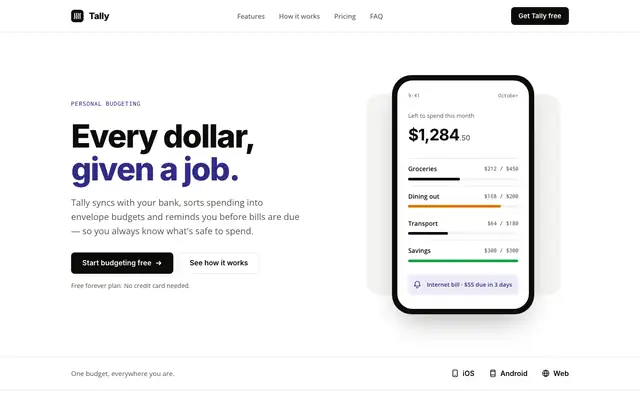
Minimal (Awesome Design Skills)
Minimal gives Tally lots of white space, a near-black and indigo palette on warm off-white, and big Inter headlines over Open Sans. The dashboard is mostly black and white, with indigo for the $640 and red for the over-budget envelope. It is calm and clean, but the mobile dashboard scrolls sideways. Pick it for products that want quiet, simple pages.
updated 4mo ago
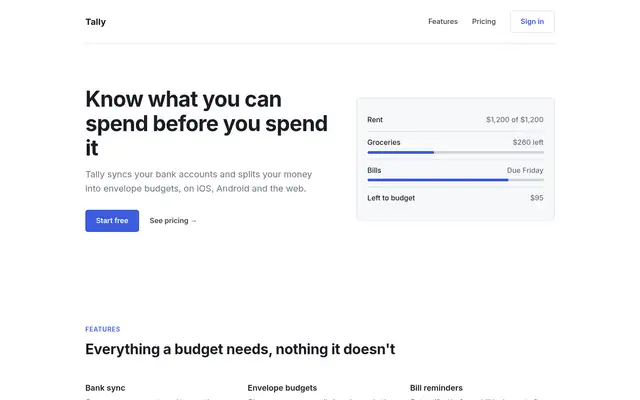
Refactoring UI Skills
Refactoring UI turns Tally into a clean, generic Tailwind-style SaaS: Plus Jakarta Sans, a grey scale and emerald, then Inter and slate with teal on the dashboard. Tidy, but anonymous, and the hero card still covers the balance.
updated 6mo ago