 Skills for Design


Antislop UI
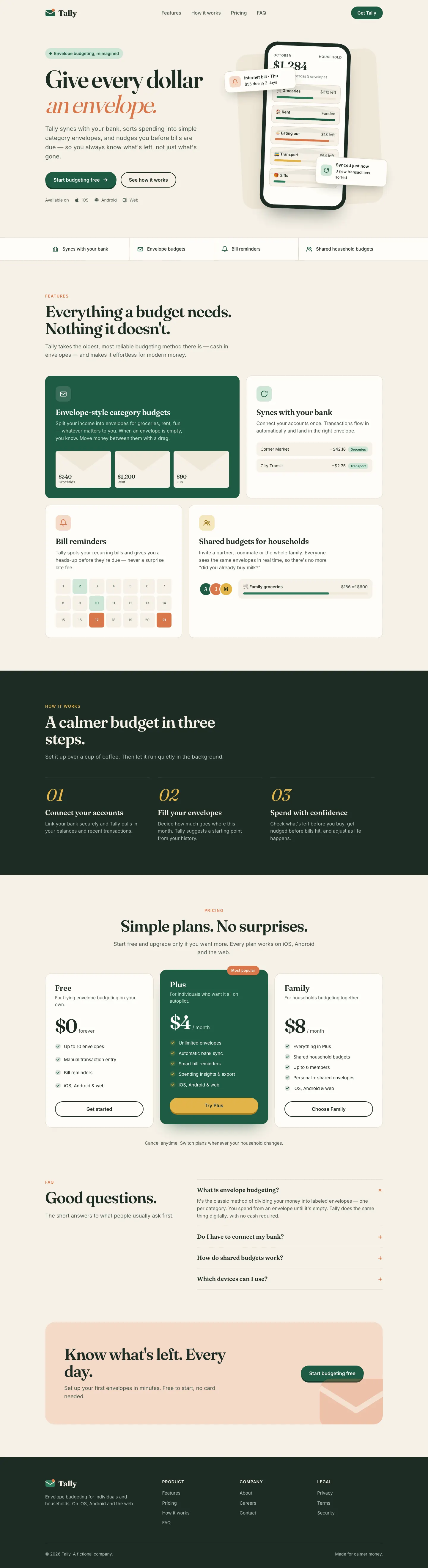
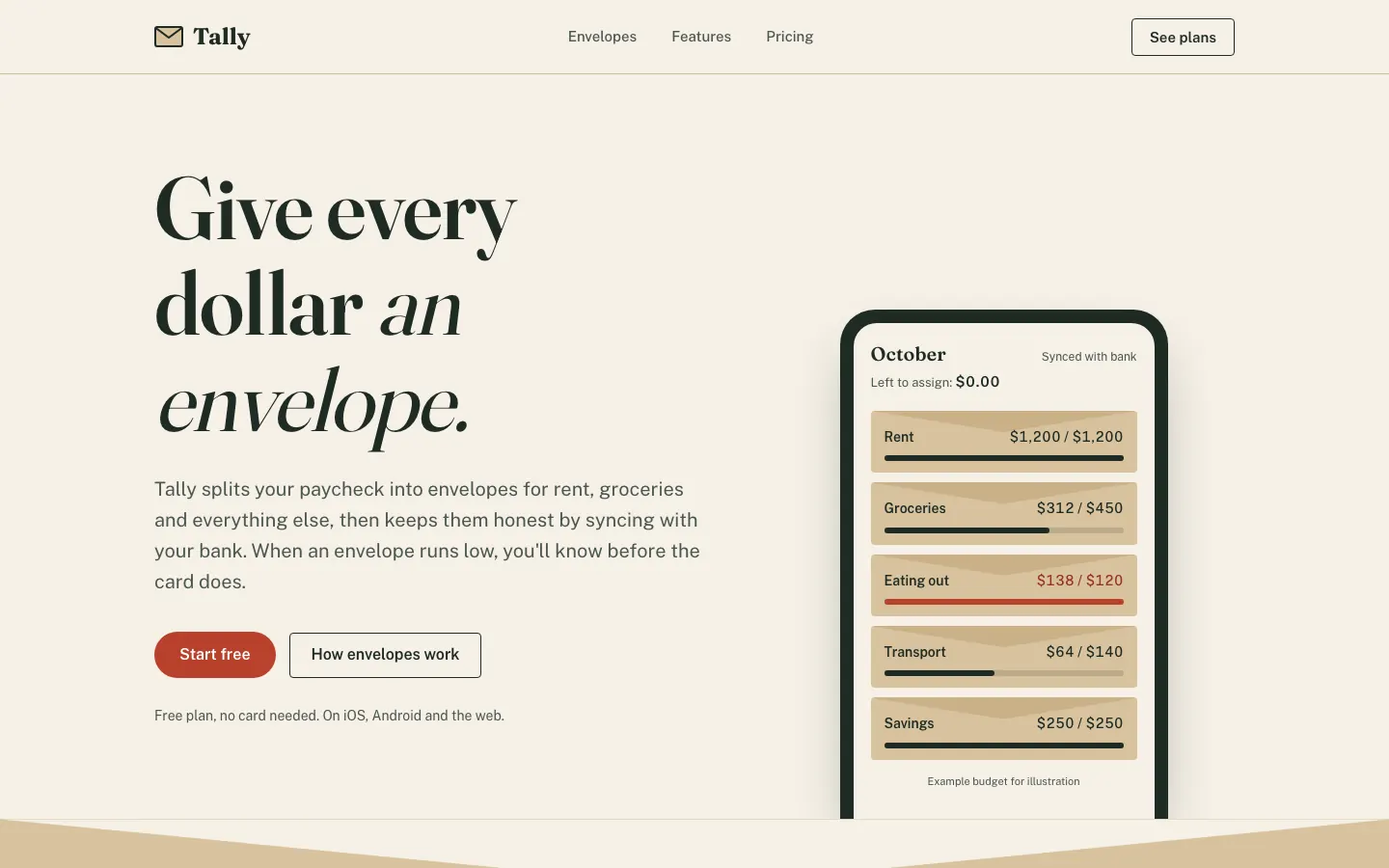
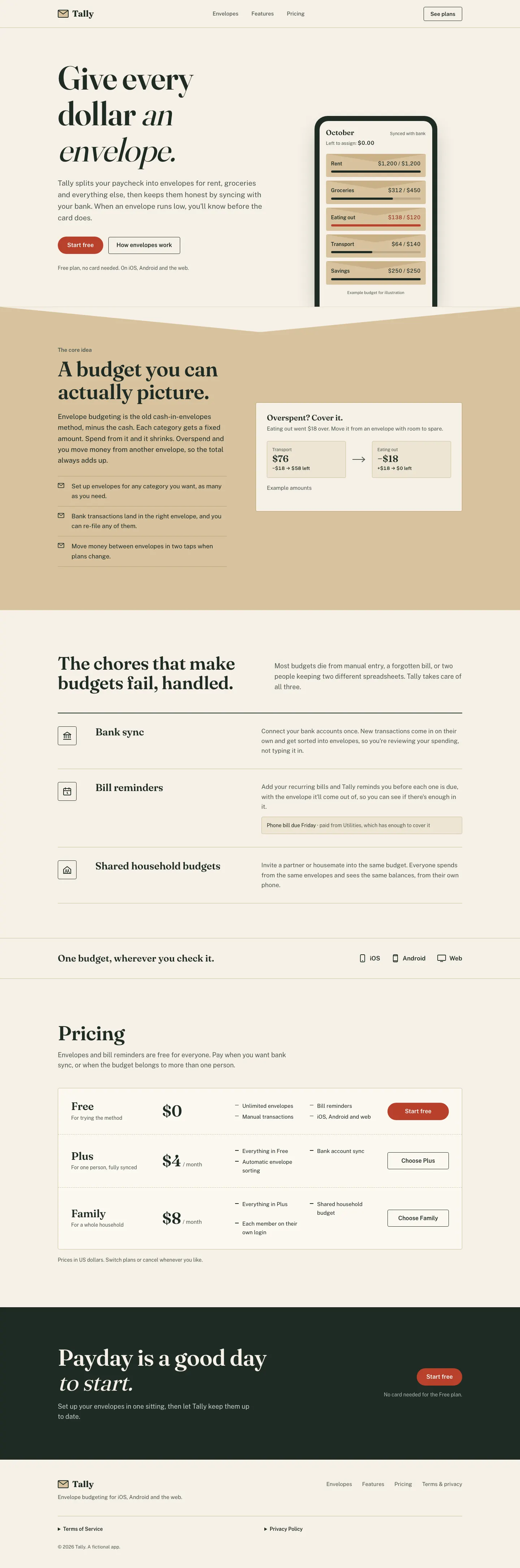
Antislop UI flattens the default into a kraft-and-stamp-red paper look with 4 px corners and flat pricing rows.
How to install
Works with Claude Code, Codex, Cursor, Gemini and more
npx degit miqdadbadjuber/anti-slop/skills/antislop-ui#main .claude/skills/antislop-uiThis install is for Claude Code only; for other agents use Copy prompt or copy the skill folder.
Taken from the project README. Check the source for the latest instructions.
What it does
Antislop UI flattens the default into a kraft-and-stamp-red paper look with 4 px corners and flat pricing rows.
- Type
- Skill
- Tasks
- Visual direction, Landing pages
- Source
- GitHub
- Stars
- 6,314, as of Oct 17, 2026
- Updated
- Unknown
- License
- Not listed
Before / after
Same two briefs for every skill: a Tally landing page and a Tally dashboard. The before is the shared baseline, with no skill installed. The after is this skill in Claude Code, in a clean project, with only this skill installed. Desktop is 1440 wide. Mobile is 390. How we test
Tested in Claude Code · Opus 5.5 · Oct 17, 2026
Claude Code 2.1.302. 5 min 18 s. Skills invoked: antislop-ui.
Same briefs, other skills
Impeccable
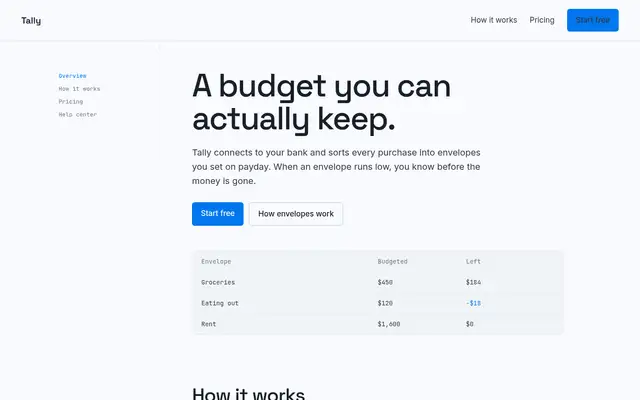
Impeccable drops the cream-and-serif default for a loud navy, orange and primary-color landing page set in heavy Archivo, then builds a calmer pine-and-lime dashboard. Pick it if you want a product page with real energy that still holds up on a dense screen.
Hallmark
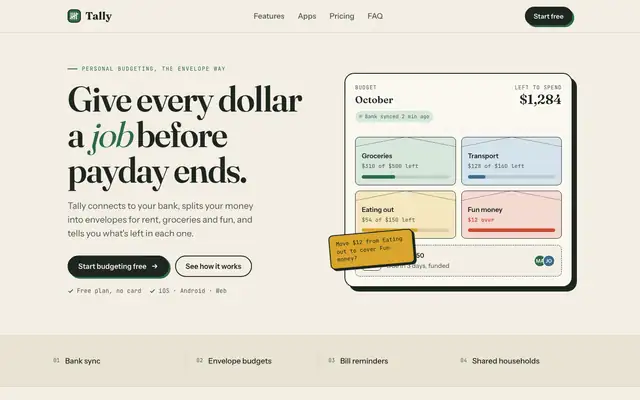
Hallmark turns Tally into a cheerful yellow-and-pastel brand in Plus Jakarta Sans with big ghost numerals, and the dashboard matches it. The most consistent result in the set, but it took about 12 minutes per brief.
ECC Frontend Design Direction
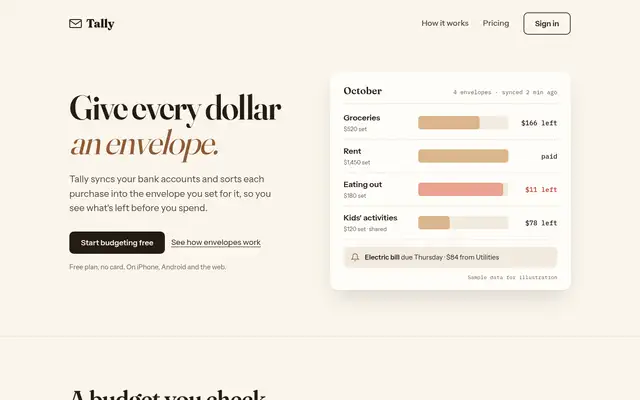
ECC keeps a Fraunces and cream landing page but adds mono labels and a tilted sticky note. The IBM Plex dashboard is more useful than the baseline's, with a sync alert, search and person filters.
frontend-design (Anthropic)
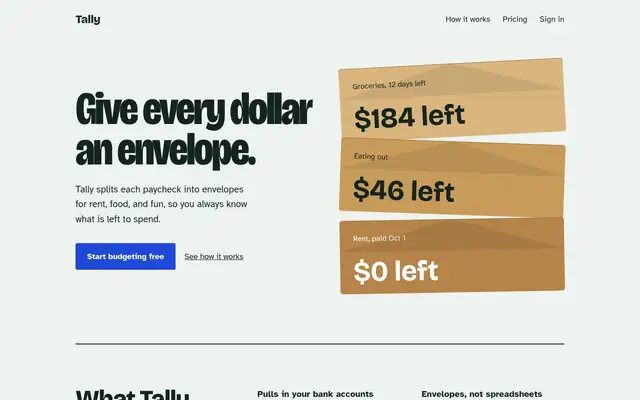
Anthropic's frontend-design gives Tally a mint-and-pastel landing page and a navy-and-manila ledger dashboard, both clearly new. The mobile landing page is wider than the phone, which caps the score.
Related
web-designer
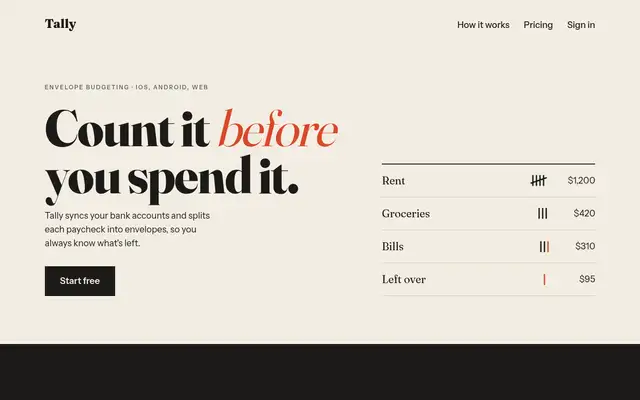
Web Designer makes a sharper editorial take on the default: thin high-contrast Fraunces, kraft envelope cards, a stamp-red accent and a postmark. The palette is still the baseline's, and the mobile dashboard scrolls sideways.
ECC Frontend Design Direction
ECC keeps a Fraunces and cream landing page but adds mono labels and a tilted sticky note. The IBM Plex dashboard is more useful than the baseline's, with a sync alert, search and person filters.
frontend-design (Anthropic)
Anthropic's frontend-design gives Tally a mint-and-pastel landing page and a navy-and-manila ledger dashboard, both clearly new. The mobile landing page is wider than the phone, which caps the score.
Taste Skill (design-taste-frontend)
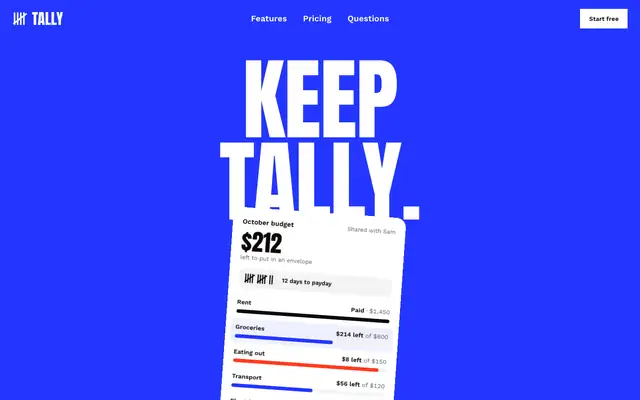
Taste makes the boldest landing page in the set, a white Swiss poster with giant Anton type, electric blue and red. The dashboard looks like a different skill made it, and it scrolls sideways on a phone.
The letter is weekly. The signup on the home page is a placeholder and does not send.