
Once loaded, UX/UI Agent Skills pulls three of its skills (design-screen, design-doctrine, data-dashboard) and produces a careful, well-reasoned version of the default: Newsreader serif, ink green and ochre, and a dashboard that explains pace and what is unassigned. Solid work, though it still reads as the familiar cream-and-green look.
UX/UI Agent Skills vs Top Design
Standalone skill · wondelai
Tied at 3/5 on the same brief. Pick by fit: the rows below show where each one is stronger.
Both built the Tally landing page in the same Claude Code test, and both design the Print Romantic way: cream paper, serif headlines, nothing shouting.
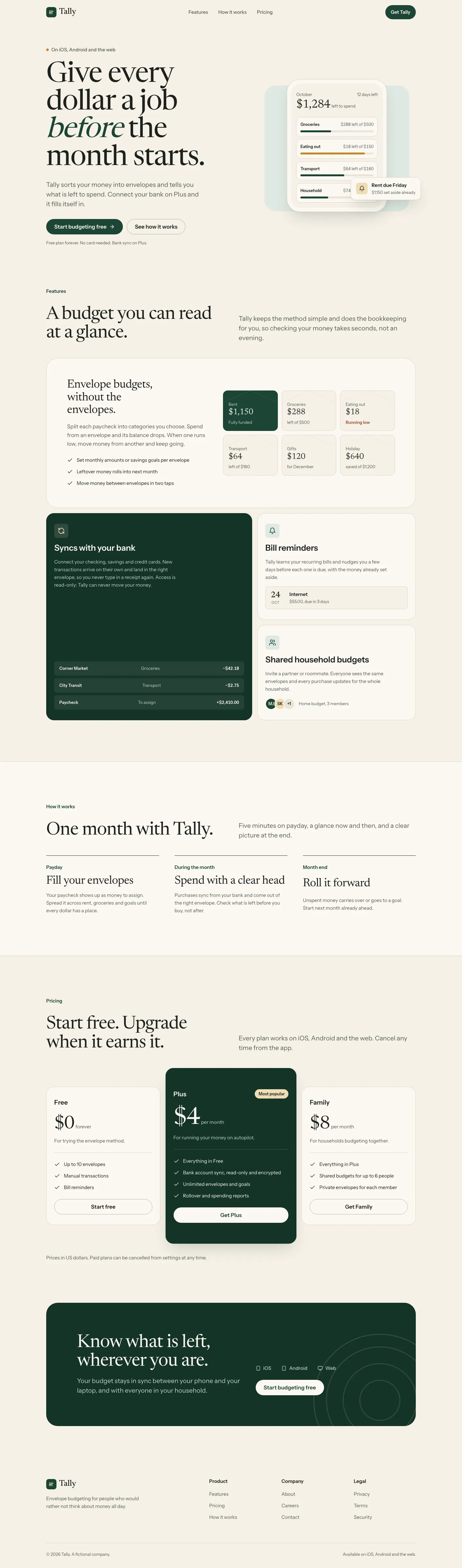

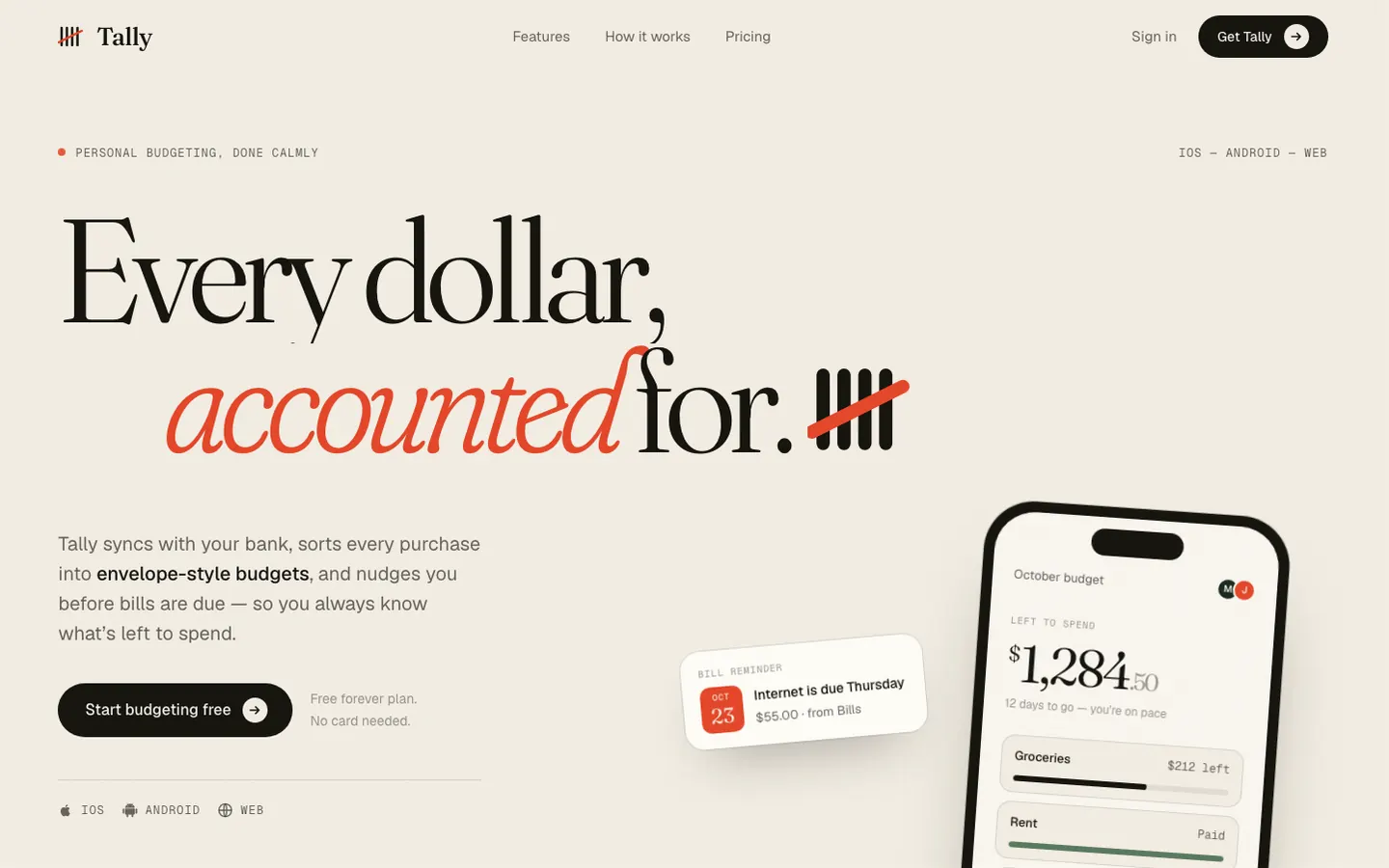

First screen only. Switch to side by side to read the full pages.
Scroll either page; the other follows.
Top Design treats Tally like a printed ledger: warm paper, a very large Fraunces headline ("Every dollar, accounted for.") with a red tally mark that draws itself, and the same mark as the logo. The dashboard sets "$640." huge in Instrument Serif over a single split bar, with one persimmon accent. It is elegant and has a clear idea, though the warm paper and serif are near the default. Pick it for premium, editorial product pages.
Side by side
| Field | UX/UI Agent Skills | Top Design (wondelai) |
|---|---|---|
| Fonts |
|
|
| Colors |
|
|
| Pick it for |
|
|
| Skip it for |
|
|
| Observations |
|
|
Install UX/UI Agent Skills
1 Run in your terminal
/plugin marketplace add plugin87/ux-ui-agent-skills
/plugin install ux-ui-agent-skills@ux-ui-agent-skills2 Or paste a prompt into Claude Code, Codex, Cursor or Gemini
It tells your tool to install this from its source repository.
Plugin install is Claude Code only; for other agents use Copy prompt or copy the skill folder.
Taken from the project README. Check the source for the latest instructions.
Install Top Design (wondelai)
1 Run in your terminal
npx degit wondelai/skills/plugins/ux-design/skills/top-design#main .claude/skills/top-design2 Or paste a prompt into Claude Code, Codex, Cursor or Gemini
It tells your tool to install this from its source repository.
This install is for Claude Code only; for other agents use Copy prompt or copy the skill folder.
Copies just this skill's folder into your project's .claude/skills.
Check the source for the latest instructions.