
Refactoring UI gave Tally a careful, systematic look: Plus Jakarta Sans, an evergreen palette with green-tinted greys and proper spacing, type and shadow scales on the landing, and an indigo app on cool grey for the dashboard. Color is used for meaning, and over-budget states get an icon and a tag as well. It is clean and well built, though the two pages use different palettes. Pick it to tighten an interface rather than to set a brand.
Refactoring UI vs Styleseed
s0xDk · Standalone skill
Tied at 3/5 on the same brief. Pick by fit: the rows below show where each one is stronger.
Both built the Tally landing page in the same Claude Code test, and both design the Minimalist way: white space, one accent, and the confidence to leave things out. Both are best for: design systems.

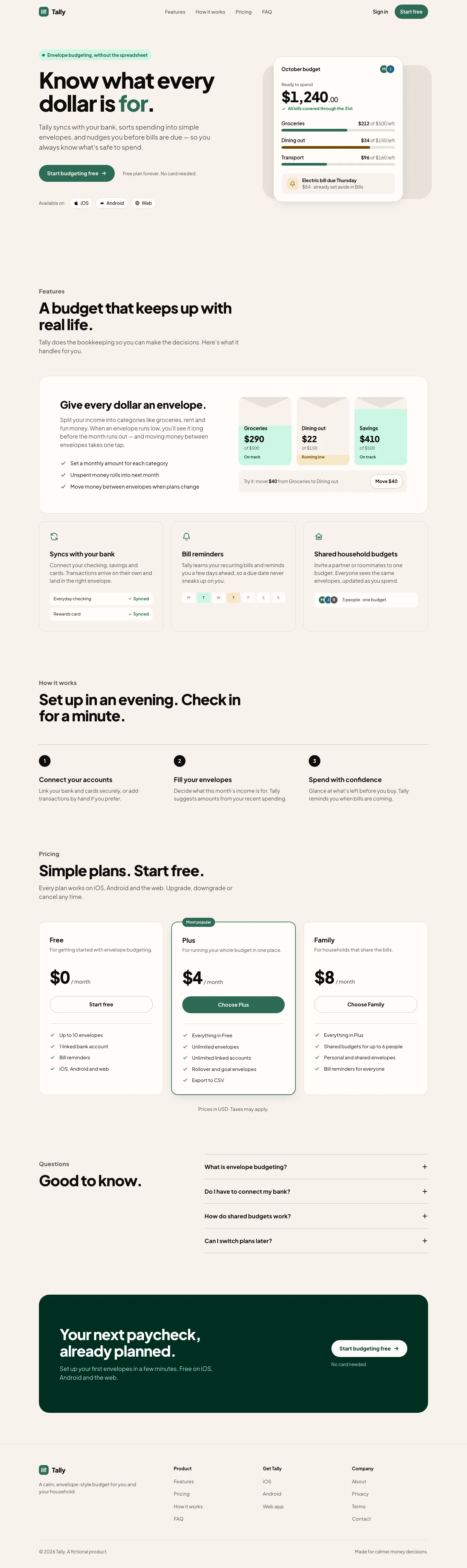


First screen only. Switch to side by side to read the full pages.
Scroll either page; the other follows.
Styleseed
3/5
StyleSeed gives Tally a warm blush canvas, Plus Jakarta Sans and a deep green primary, with a full token set behind it. It's clean, with slight distance from the baseline, and the dashboard in Manrope matches. It was the longest run in the batch. Pick it if you want a design-system workflow more than a bold look.
Side by side
| Field | Refactoring UI (s0xDk) | Styleseed |
|---|---|---|
| Fonts |
|
|
| Colors |
|
|
| Pick it for |
|
|
| Skip it for |
|
|
| Observations |
|
|
Install Refactoring UI (s0xDk)
1 Run in your terminal
npx degit s0xDk/refactoring-ui-skill#main .claude/skills/refactoring-ui2 Or paste a prompt into Claude Code, Codex, Cursor or Gemini
It tells your tool to install this from its source repository.
This install is for Claude Code only; for other agents use Copy prompt or copy the skill folder.
Copies just this skill's folder into your project's .claude/skills.
Check the source for the latest instructions.
Install Styleseed
1 Run in your terminal
claude plugin marketplace add bitjaru/styleseed
claude plugin install styleseed@styleseed2 Or paste a prompt into Claude Code, Codex, Cursor or Gemini
It tells your tool to install this from its source repository.
Plugin install is Claude Code only; for other agents use Copy prompt or copy the skill folder.
Taken from the project README. Check the source for the latest instructions.