
Agency Grid Layout Minimal turns Tally into a Swiss-style studio page: grey paper, huge light Inter Tight headlines with a darker second line, hairline rules and JetBrains Mono labels. The dashboard is the same: a giant "$640 left to budget", thin progress lines and one black bar in the chart. Pick it if you want a calm, typographic product page that looks designed rather than templated.
Agency Grid Layout Minimal vs Illustration: Outlined Cartoon
Meng To · Meng To
Tied at 4/5 on the same brief. Pick by fit: the rows below show where each one is stronger.
Same brief, opposite looks. Agency Grid Layout Minimal is Minimalist and Illustration: Outlined Cartoon is Maximalist: see how far apart two good skills can take the same page.
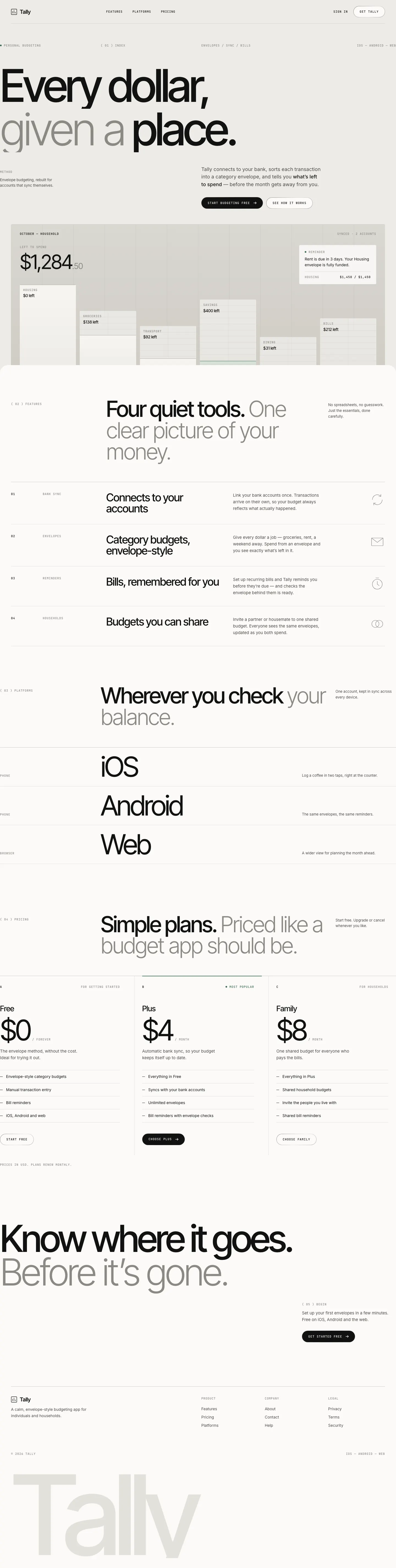
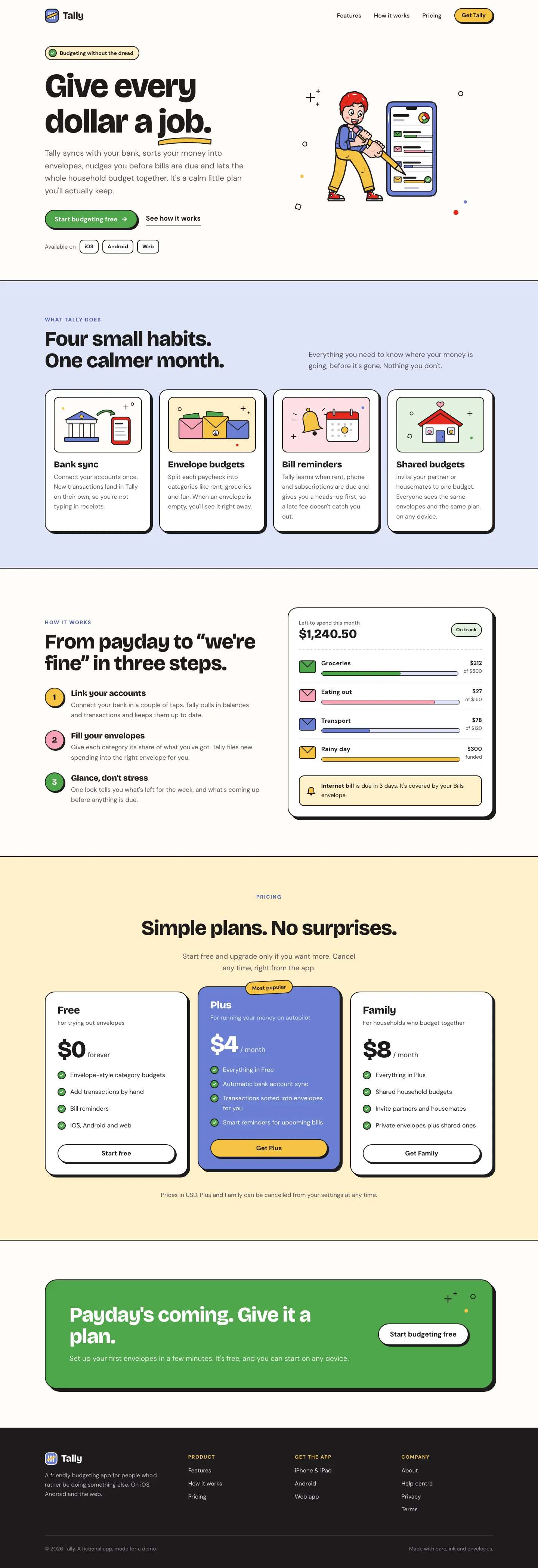
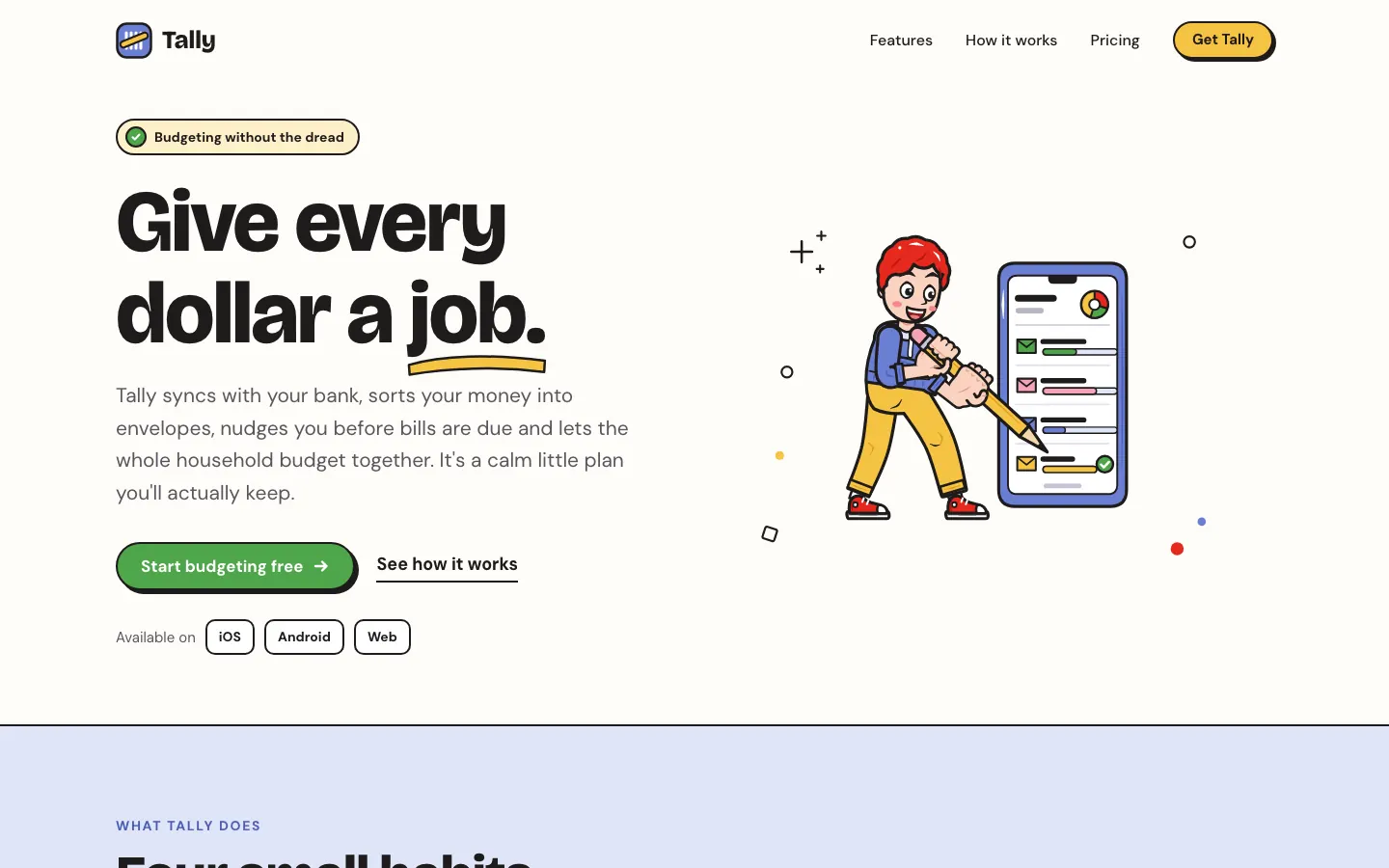

First screen only. Switch to side by side to read the full pages.
Scroll either page; the other follows.
The Outlined Cartoon skill draws its own SVG people and objects, with thick black outlines and flat yellow, periwinkle, red and green fills, and builds the whole page around them: chunky Bricolage Grotesque, hard offset shadows and sticker-like cards. The dashboard keeps the cartoon, down to a little character in the summary card. Pick it if you want a friendly, playful product that looks hand-made.
Side by side
| Field | Agency Grid Layout Minimal (Meng To) | Illustration: Outlined Cartoon (Meng To) |
|---|---|---|
| Fonts |
|
|
| Colors |
|
|
| Pick it for |
|
|
| Skip it for |
|
|
| Observations |
|
|
Install Agency Grid Layout Minimal (Meng To)
1 Run in your terminal
npx degit MengTo/Skills/agent-skills/web-design/agency-grid-layout-minimal#main .claude/skills/agency-grid-layout-minimal2 Or paste a prompt into Claude Code, Codex, Cursor or Gemini
It tells your tool to install this from its source repository.
This install is for Claude Code only; for other agents use Copy prompt or copy the skill folder.
Copies just this skill's folder into your project's .claude/skills.
Check the source for the latest instructions.
Install Illustration: Outlined Cartoon (Meng To)
1 Run in your terminal
npx degit MengTo/Skills/agent-skills/illustration/illustration-outlined-cartoon#main .claude/skills/illustration-outlined-cartoon2 Or paste a prompt into Claude Code, Codex, Cursor or Gemini
It tells your tool to install this from its source repository.
This install is for Claude Code only; for other agents use Copy prompt or copy the skill folder.
Copies just this skill's folder into your project's .claude/skills.
Check the source for the latest instructions.