
3D Wood Lighting Scorecard gives Tally a warm still life: a dark walnut desk lit by one window in the hero, with a phone and paper envelopes casting soft shadows, then cream sections with Fraunces and amber. The dashboard is paper and walnut with an amber current month. It is warm and clean, but it is CSS rather than 3D, and on the dashboard the agent said it did not use the skill. Pick it for cozy, warm brands.
3D Wood Lighting Scorecard vs Framed Grid Layout
Meng To · Meng To
Tied at 3/5 on the same brief. Pick by fit: the rows below show where each one is stronger.
Both built the Tally landing page in the same Claude Code test, and both design the Print Romantic way: cream paper, serif headlines, nothing shouting. Both are best for: visual direction.

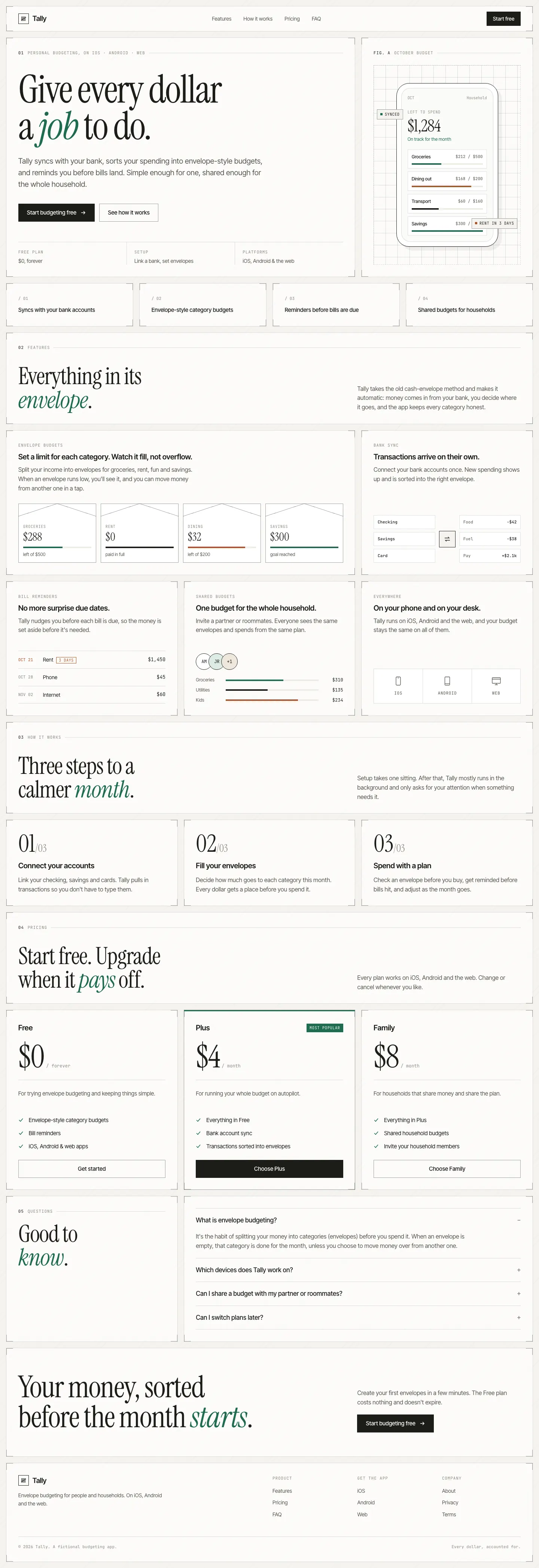


First screen only. Switch to side by side to read the full pages.
Scroll either page; the other follows.
Framed Grid Layout puts every part of Tally inside thin ruled frames with corner brackets, on a pale off-white page, with Instrument Serif italics, Inter Tight and lots of mono labels. The dashboard is neat and technical, with a deep green accent and a rust warning color. Pick it if you like an architectural, blueprint-tidy look.
Side by side
| Field | 3D Wood Lighting Scorecard (Meng To) | Framed Grid Layout (Meng To) |
|---|---|---|
| Fonts |
|
|
| Colors |
|
|
| Pick it for |
|
|
| Skip it for |
|
|
| Observations |
|
|
Install 3D Wood Lighting Scorecard (Meng To)
1 Run in your terminal
npx degit MengTo/Skills/agent-skills/3d/3d-wood-lighting-scorecard#main .claude/skills/3d-wood-lighting-scorecard2 Or paste a prompt into Claude Code, Codex, Cursor or Gemini
It tells your tool to install this from its source repository.
This install is for Claude Code only; for other agents use Copy prompt or copy the skill folder.
Copies just this skill's folder into your project's .claude/skills.
Check the source for the latest instructions.
Install Framed Grid Layout (Meng To)
1 Run in your terminal
npx degit MengTo/Skills/agent-skills/web-design/framed-grid-layout#main .claude/skills/framed-grid-layout2 Or paste a prompt into Claude Code, Codex, Cursor or Gemini
It tells your tool to install this from its source repository.
This install is for Claude Code only; for other agents use Copy prompt or copy the skill folder.
Copies just this skill's folder into your project's .claude/skills.
Check the source for the latest instructions.