
mager's Frontend Design gives Tally a paper-ledger landing: Fraunces headlines with tomato-red italics, JetBrains Mono labels, a stack of tilted mustard, sage and plum envelopes with hard offset shadows, and a black marquee strip of italic feature names. The dashboard keeps the paper, Fraunces and mono figures under a double-ruled masthead, but swaps the tomato for forest green and looks much like the default. The landing has real character, yet the cream and serif base still sits close to plain Opus, and the phone dashboard scrolls sideways. Pick it for warm consumer products that want a tactile, hand-made feel.
Frontend Design vs UI Designer
mager · Conrad
Tied at 3/5 on the same brief. Pick by fit: the rows below show where each one is stronger.
Both built the Tally landing page in the same Claude Code test, and both design the Print Romantic way: cream paper, serif headlines, nothing shouting. Both are best for: visual direction.
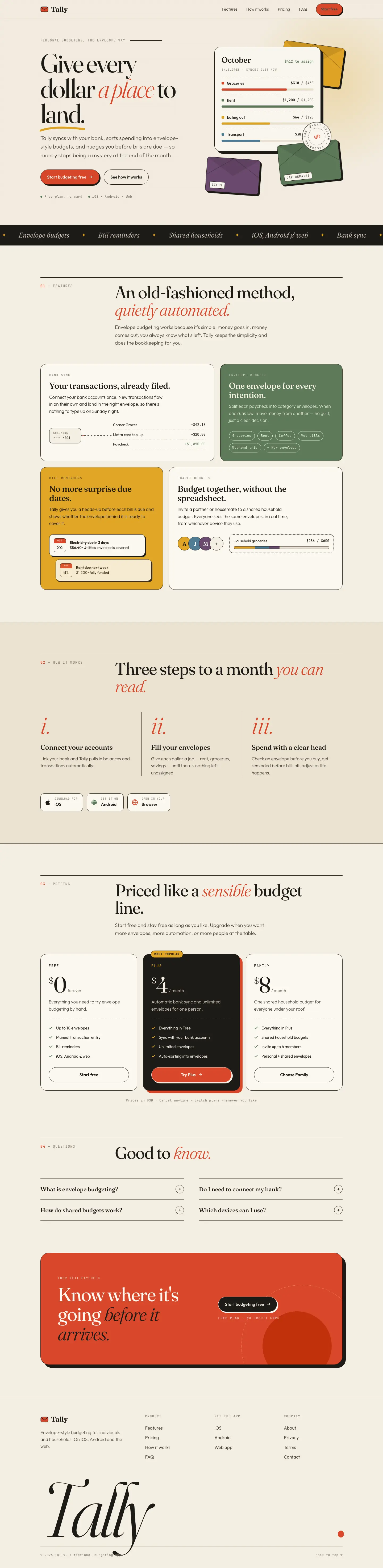
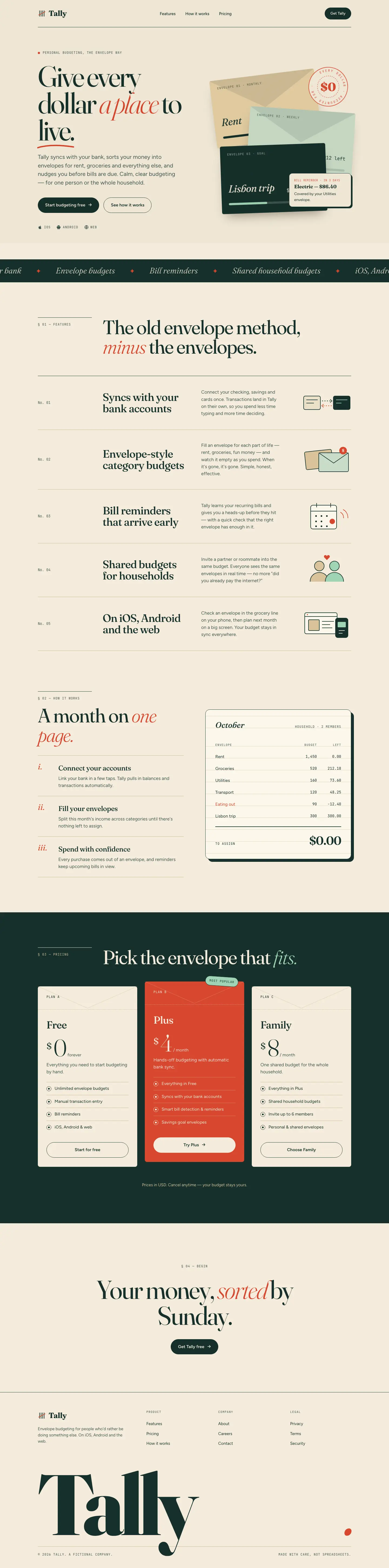
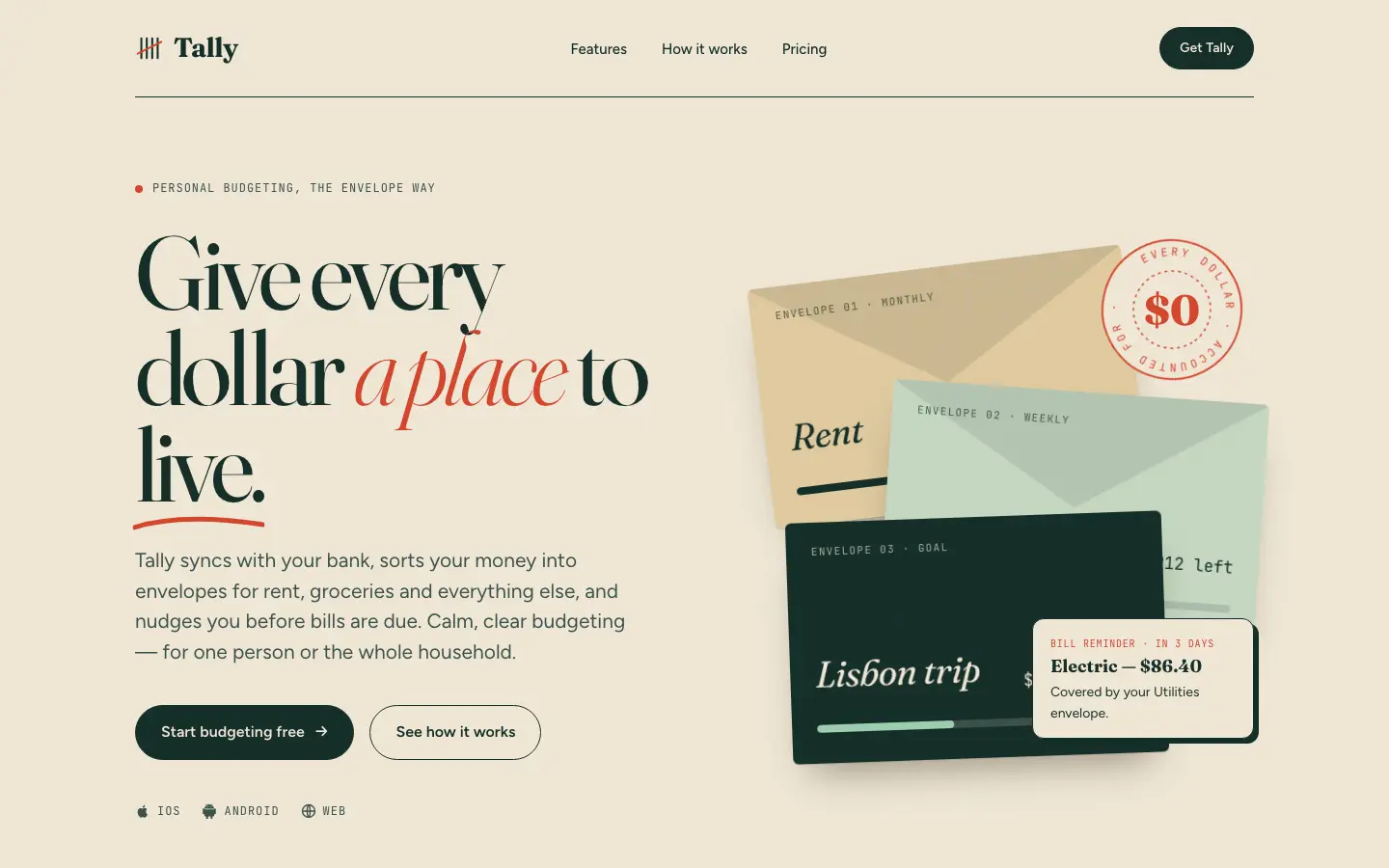
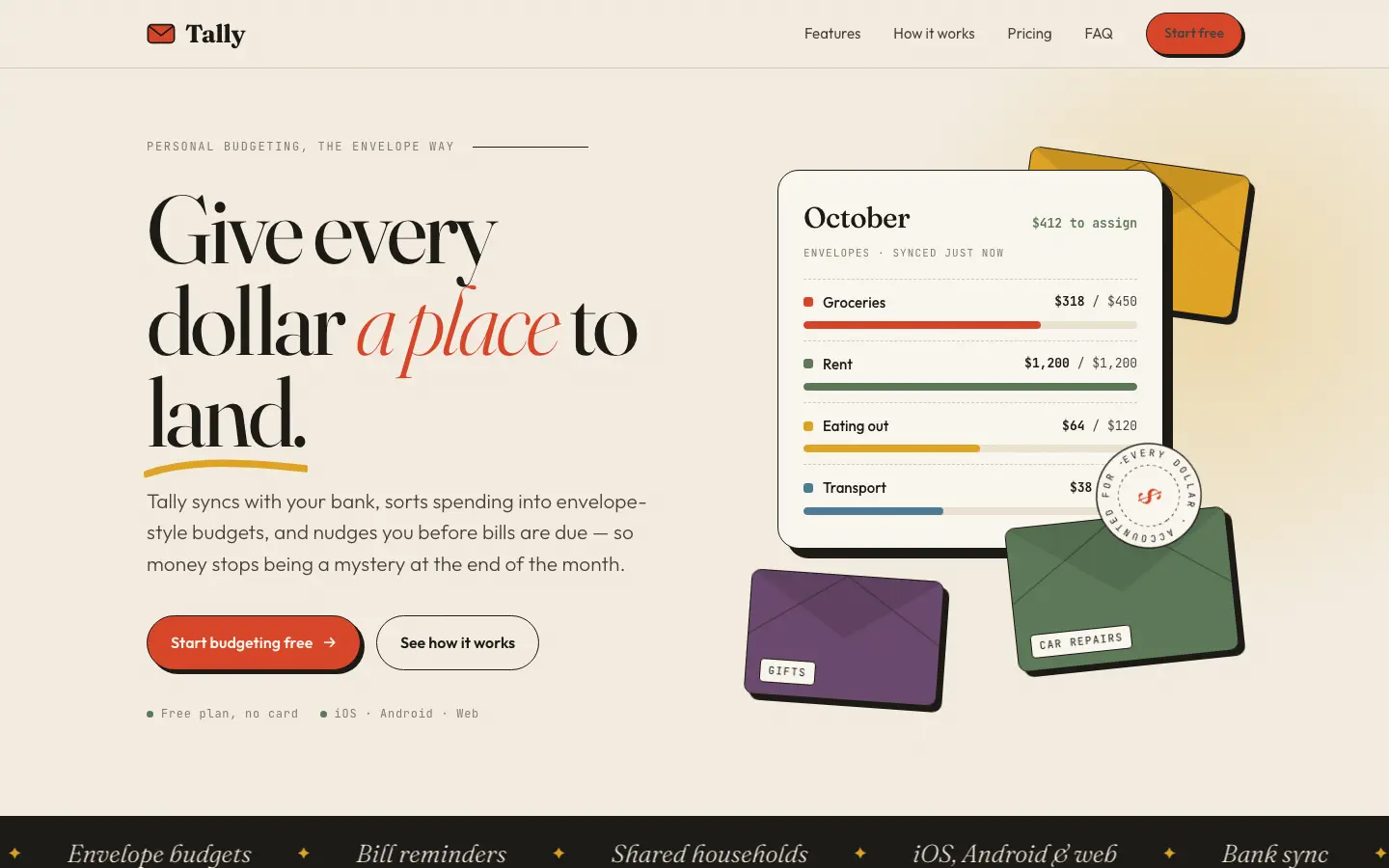
First screen only. Switch to side by side to read the full pages.
Scroll either page; the other follows.
Conrad's UI Designer gives Tally a kraft-paper landing page: tight Fraunces headlines with an italic red 'a place', a stack of colored paper envelopes under a rotating '$0' rubber stamp, a ledger-row feature list and a red featured pricing envelope on a dark green band. The dashboard moves to Young Serif and Bricolage Grotesque with a forest green sidebar, envelope-shaped cards and a striped over-budget state. The details are crafted, but the palette stays in the cream, serif and forest green family of the default, a reminder card covers an envelope amount, and the phone landing page scrolls sideways. Pick it for warm consumer brands that want handmade touches.
Side by side
| Field | Frontend Design (mager) | UI Designer (Conrad) |
|---|---|---|
| Fonts |
|
|
| Colors |
|
|
| Pick it for |
|
|
| Skip it for |
|
|
| Observations |
|
|
Install Frontend Design (mager)
1 Run in your terminal
npx degit mager/frontend-design#main .claude/skills/frontend-design-mager2 Or paste a prompt into Claude Code, Codex, Cursor or Gemini
It tells your tool to install this from its source repository.
This install is for Claude Code only; for other agents use Copy prompt or copy the skill folder.
Copies just this skill's folder into your project's .claude/skills.
Check the source for the latest instructions.
Install UI Designer (Conrad)
1 Run in your terminal
npx degit daniel-dan-conrad/ui-designer-skill#main .claude/skills/ui-designer2 Or paste a prompt into Claude Code, Codex, Cursor or Gemini
It tells your tool to install this from its source repository.
This install is for Claude Code only; for other agents use Copy prompt or copy the skill folder.
Copies just this skill's folder into your project's .claude/skills.
Check the source for the latest instructions.