
Frontend Design Deslop gives Tally a printed cheque: banknote green on pale mint, wide Archivo headlines over IBM Plex Serif text, a guilloche-patterned budget slip with a red PAID stamp, a bill timeline on a green band and pricing as tear-off cheques. The dashboard is an account book with an ink-green sidebar, mono figures and the month set out as a sum, but its Fraunces headings and green cards drift back toward the default. The landing page also scrolls sideways on a phone, where the nav runs out of room. Pick it for fintech or banking products that want a paper-money motif.
Frontend Design Deslop vs UI Craft: Dense Dashboard
Tied at 3/5 on the same brief. Pick by fit: the rows below show where each one is stronger.
Both built the Tally landing page in the same Claude Code test, and both design the Engineer way: monospace, grids and labels. If it isn’t aligned, it isn’t done.
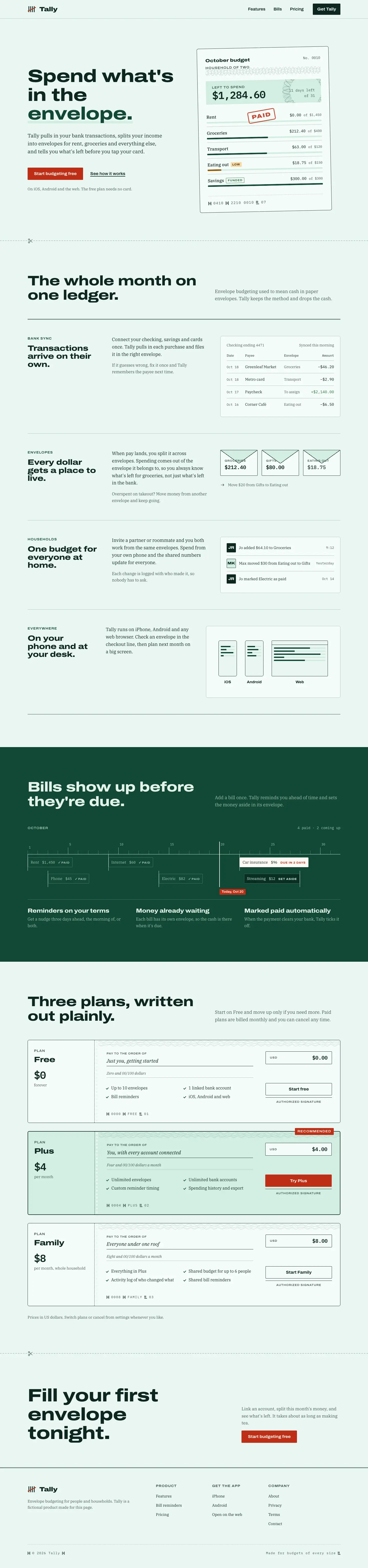
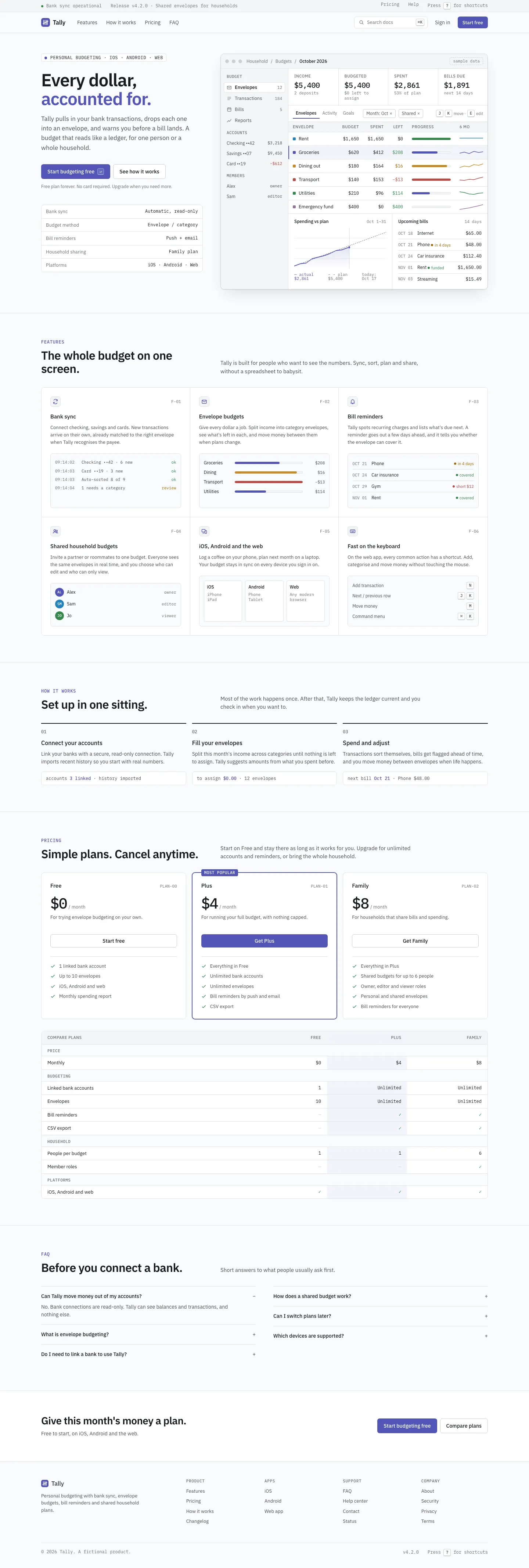
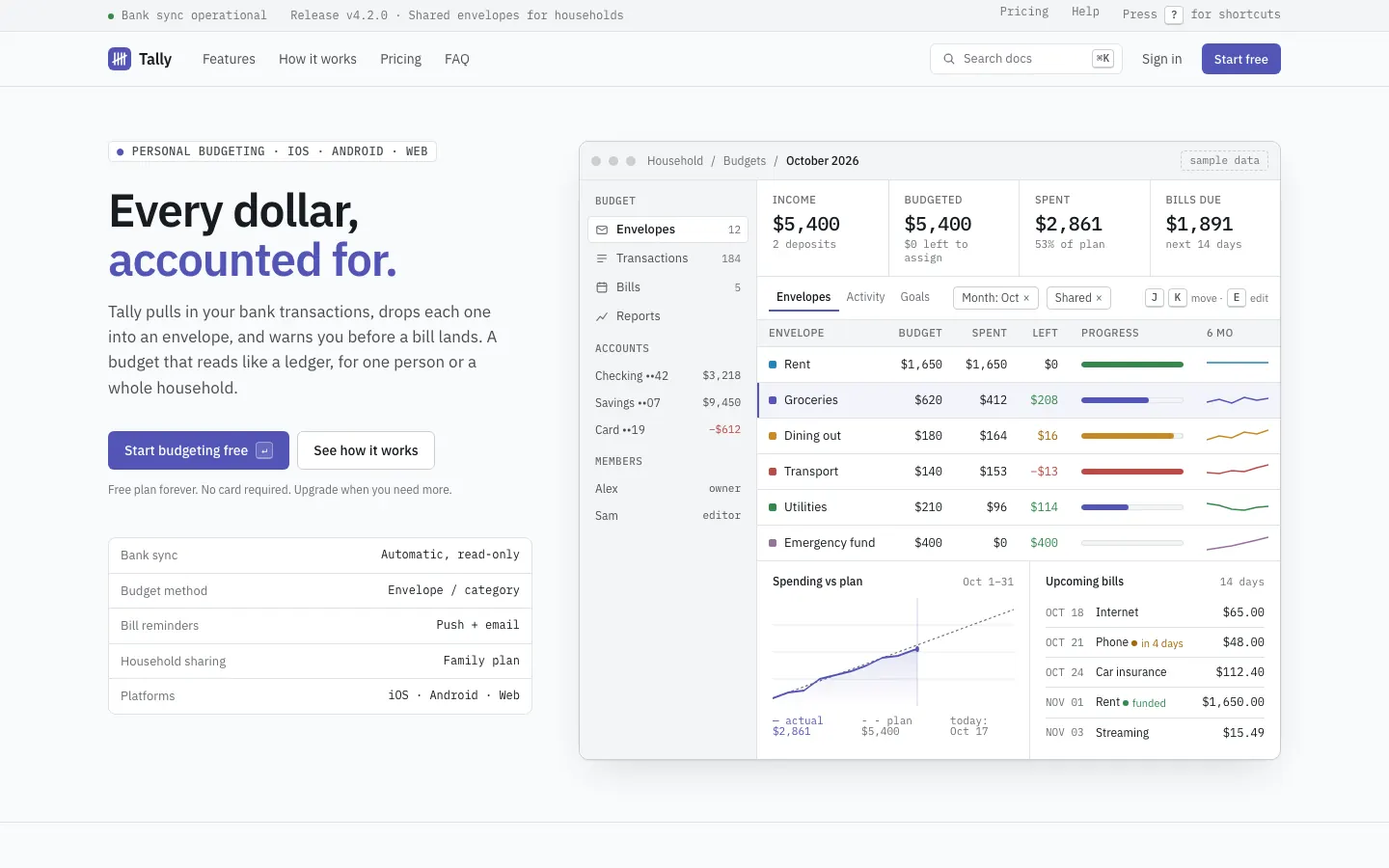
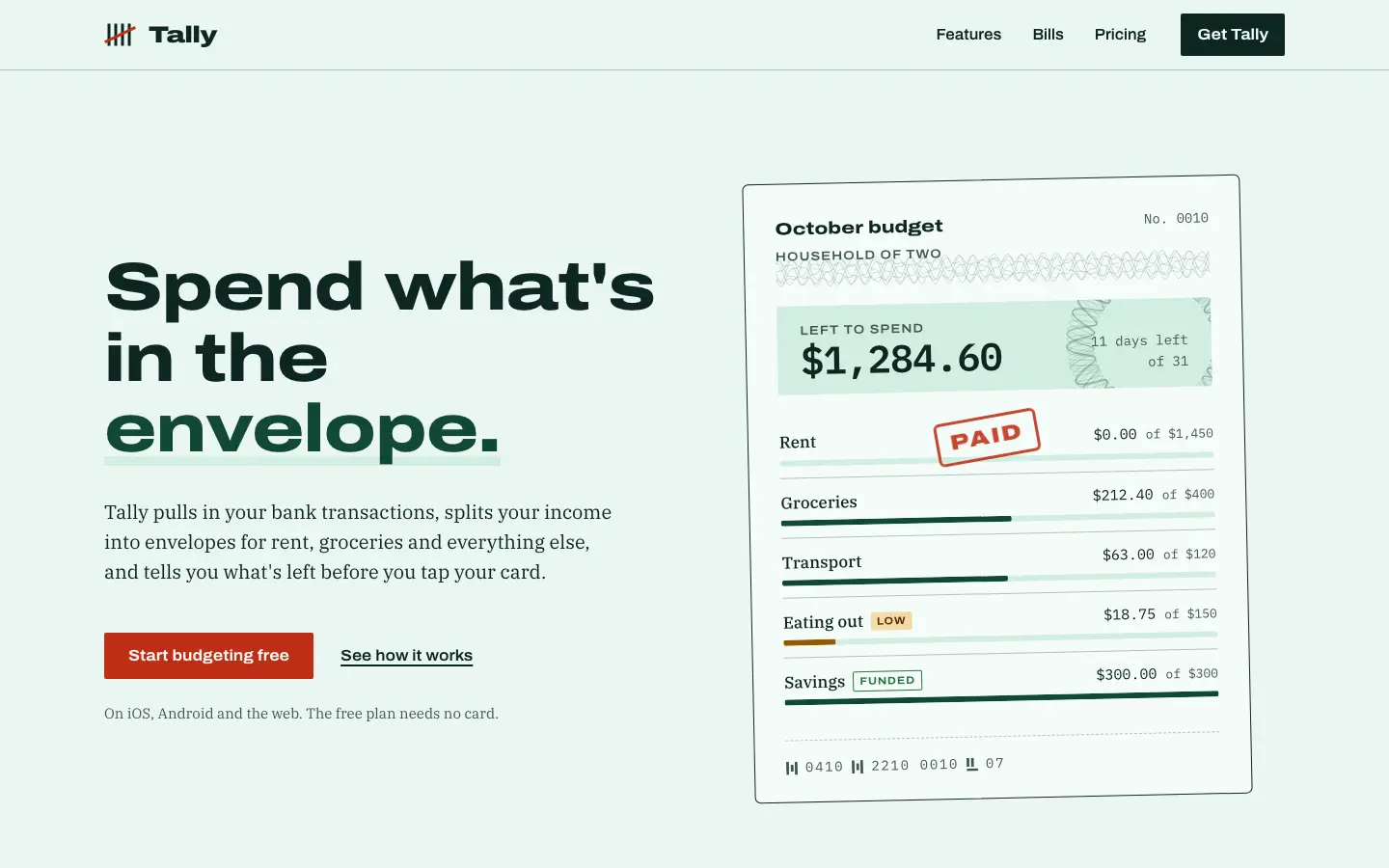
First screen only. Switch to side by side to read the full pages.
Scroll either page; the other follows.
UI Craft builds the best dense dashboard in the set: Linear-style IBM Plex on cool grey, with filters, a line chart and a who-spent-what view, all above the fold. The mobile dashboard scrolls sideways, which caps the score.
Side by side
| Field | Frontend Design Deslop | UI Craft: Dense Dashboard |
|---|---|---|
| Fonts |
|
|
| Colors |
|
|
| Pick it for |
|
|
| Skip it for |
|
|
| Observations |
|
|
Install Frontend Design Deslop
1 Run in your terminal
npx degit samber/cc-skills/skills/frontend-design-deslop#main .claude/skills/frontend-design-deslop2 Or paste a prompt into Claude Code, Codex, Cursor or Gemini
It tells your tool to install this from its source repository.
This install is for Claude Code only; for other agents use Copy prompt or copy the skill folder.
Copies just this skill's folder into your project's .claude/skills.
Check the source for the latest instructions.
Install UI Craft: Dense Dashboard
1 Run in your terminal
npx degit educlopez/ui-craft/skills/ui-craft-dense-dashboard#main .claude/skills/ui-craft-dense-dashboard2 Or paste a prompt into Claude Code, Codex, Cursor or Gemini
It tells your tool to install this from its source repository.
This install is for Claude Code only; for other agents use Copy prompt or copy the skill folder.
Taken from the project README. Check the source for the latest instructions.