
Mustafa's Design Taste gives Tally a quiet paper ledger: light Fraunces headlines with italic emphasis, Instrument Sans text, IBM Plex Mono labels, hairline rules, square buttons and one ledger green on warm paper. The dashboard follows in Newsreader, with a large $640.00 figure, ruled envelope rows with pace ticks and a rust over-budget bar. It is more deliberate and editorial than the default, but its cream, serif and forest-green palette stays very close to it. Pick it for finance or editorial products that want a calm, print-like feel.
Design Taste vs Frontend Design
Mustafa · OpenDesign
Tied at 3/5 on the same brief. Pick by fit: the rows below show where each one is stronger.
Both built the Tally landing page in the same Claude Code test, and both design the Print Romantic way: cream paper, serif headlines, nothing shouting. Both are best for: visual direction.
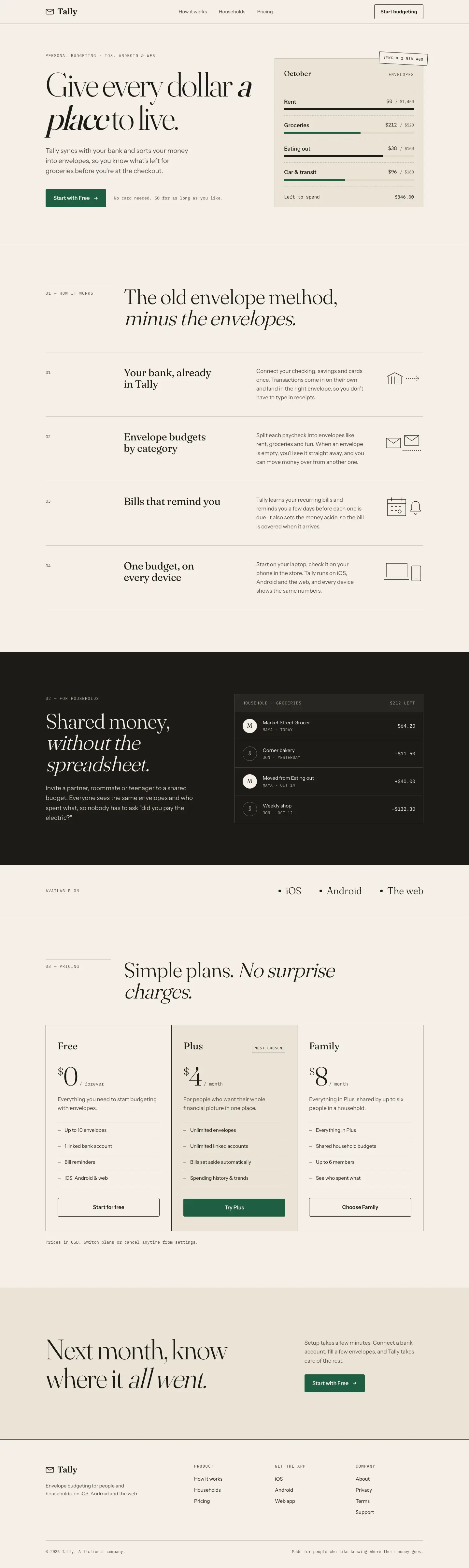
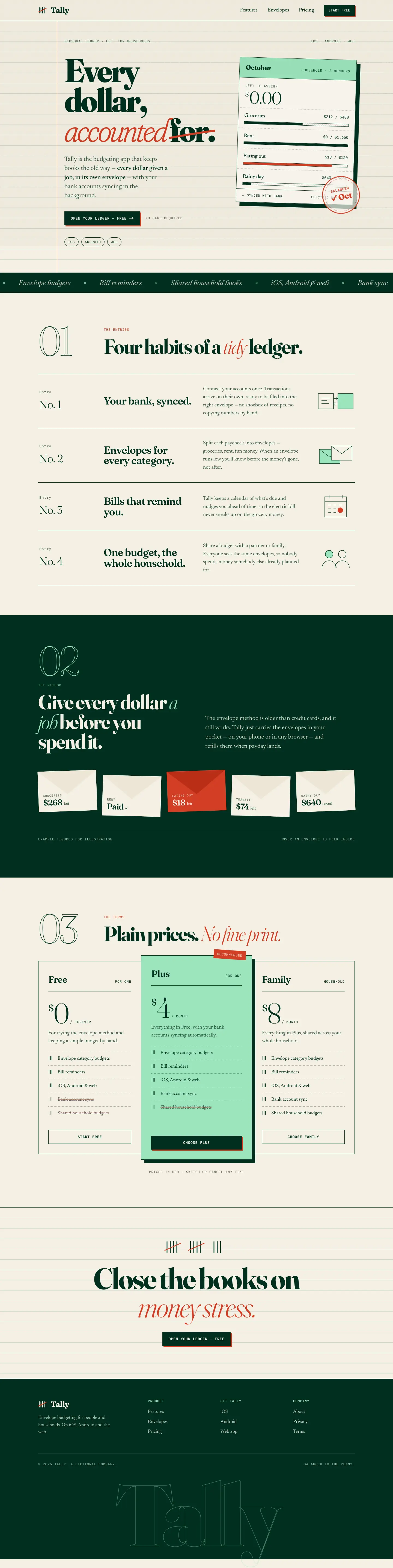
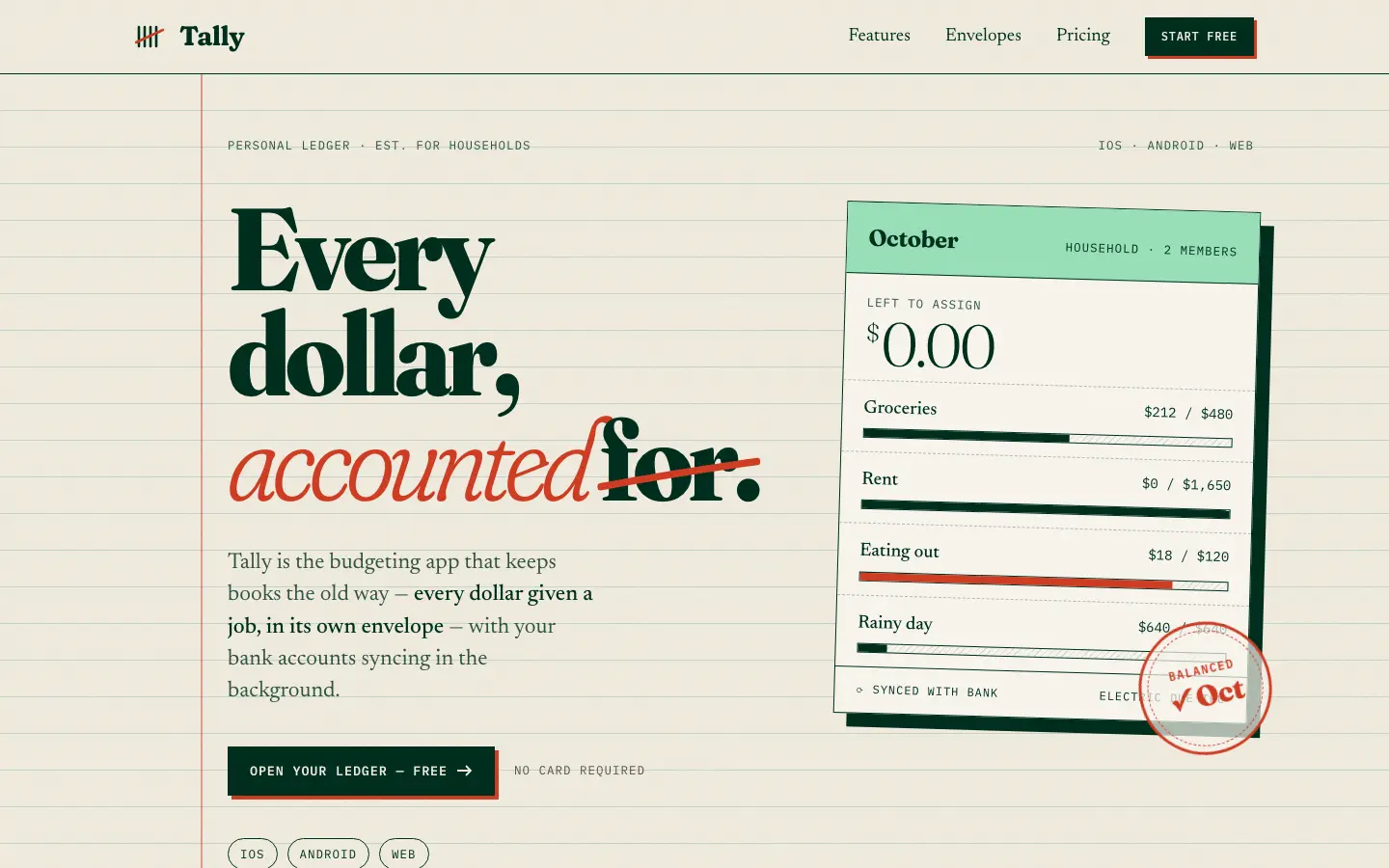
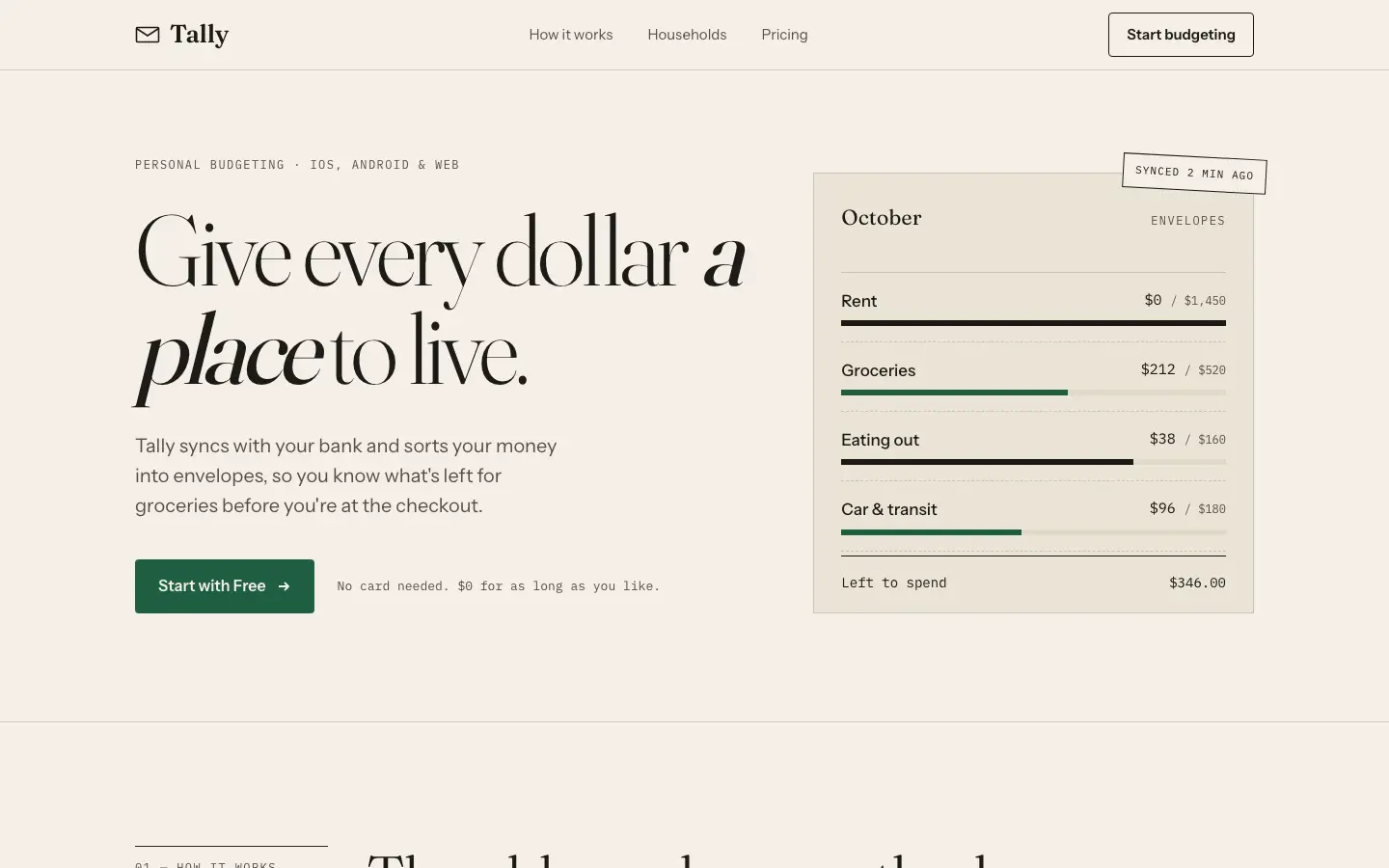
First screen only. Switch to side by side to read the full pages.
Scroll either page; the other follows.
OpenDesign's Frontend Design turns Tally into an accountant's ledger: ruled cream paper with a red margin line, black-weight Fraunces with a struck-through 'for.', a tilted ledger card with a mint header and a red 'Balanced Oct' stamp, Newsreader body text and IBM Plex Mono labels. The dashboard keeps the idea with a sentence-style summary, hatched chart bars and calendar-tile bills. It is the most committed take in this group, but the cream, serif and forest green base stays near the default, and the stamp covers the card's footer text. Pick it for a finance product that wants a clear, crafted concept.
Side by side
| Field | Design Taste (Mustafa) | Frontend Design (OpenDesign) |
|---|---|---|
| Fonts |
|
|
| Colors |
|
|
| Pick it for |
|
|
| Skip it for |
|
|
| Observations |
|
|
Install Design Taste (Mustafa)
1 Run in your terminal
npx degit madebymustafa/design-taste/skills/design-taste#main .claude/skills/design-taste2 Or paste a prompt into Claude Code, Codex, Cursor or Gemini
It tells your tool to install this from its source repository.
This install is for Claude Code only; for other agents use Copy prompt or copy the skill folder.
Copies just this skill's folder into your project's .claude/skills.
Check the source for the latest instructions.
Install Frontend Design (OpenDesign)
1 Run in your terminal
npx degit manalkaff/opendesign/skills/frontend-design#main .claude/skills/frontend-design-manalkaff2 Or paste a prompt into Claude Code, Codex, Cursor or Gemini
It tells your tool to install this from its source repository.
This install is for Claude Code only; for other agents use Copy prompt or copy the skill folder.
Copies just this skill's folder into your project's .claude/skills.
Check the source for the latest instructions.