
Vintage builds Tally as a Windows 95 desktop: a grainy teal background, beveled silver windows, Silkscreen pixel headings and JetBrains Mono text. Features, pricing and the FAQ each sit in their own window, and the dashboard adds a title bar, LCD-style readouts and segmented progress bars. It is the most fully committed theme in this batch, and it still works on a phone. Pick it for retro, playful or nostalgic brands.
Vintage vs Awwwards
Awesome Design Skills · juliobsz
Tied at 4/5 on the same brief. Pick by fit: the rows below show where each one is stronger.
Both built the Tally landing page in the same Claude Code test, and both design the Engineer way: monospace, grids and labels. If it isn’t aligned, it isn’t done. Both are best for: visual direction.
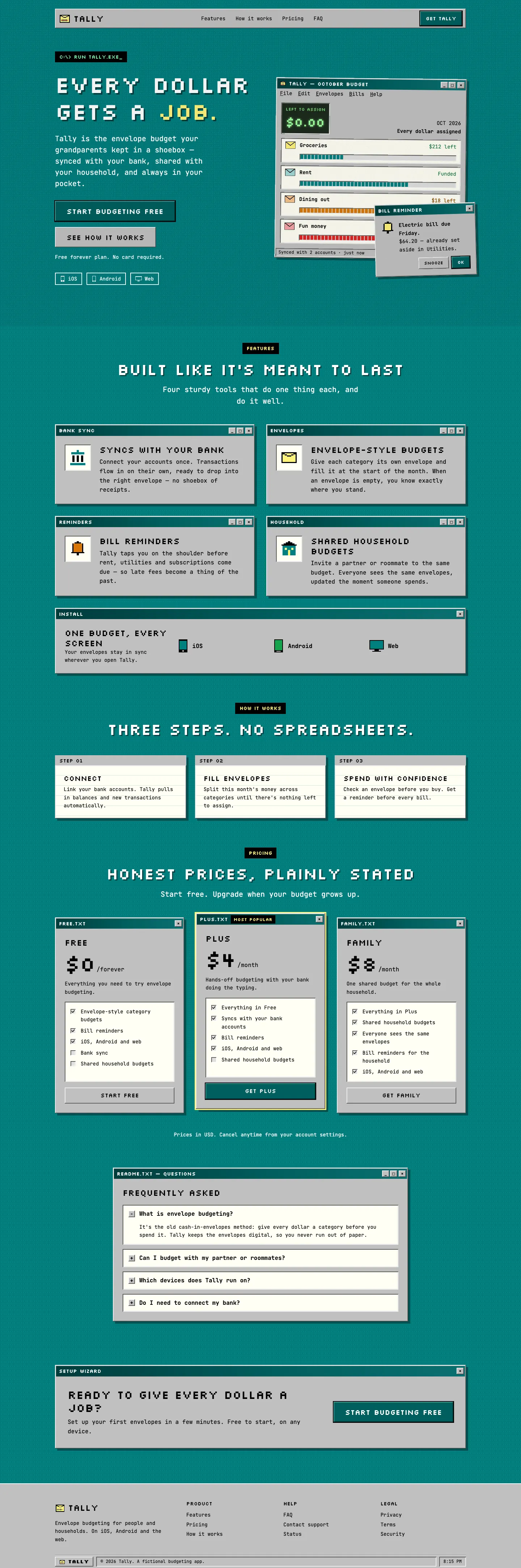
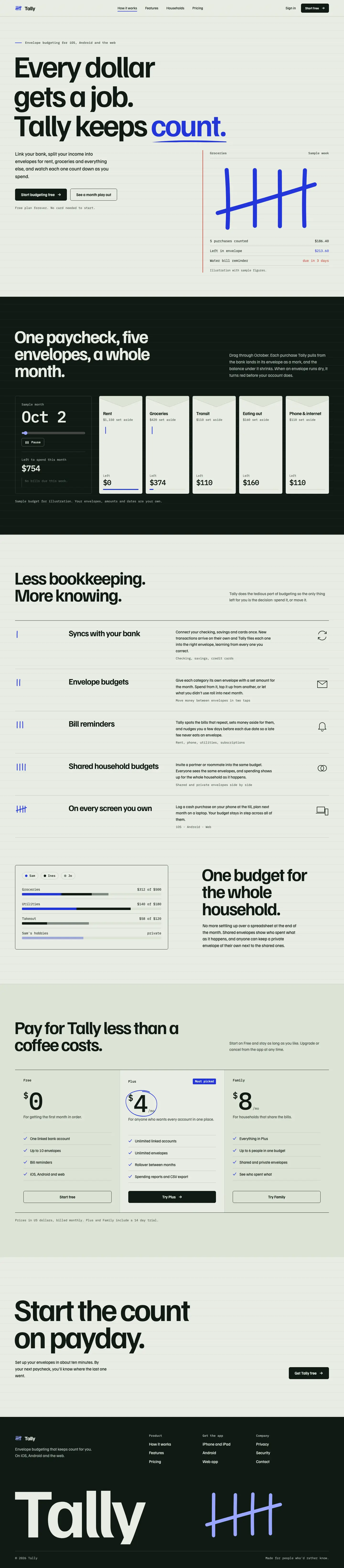
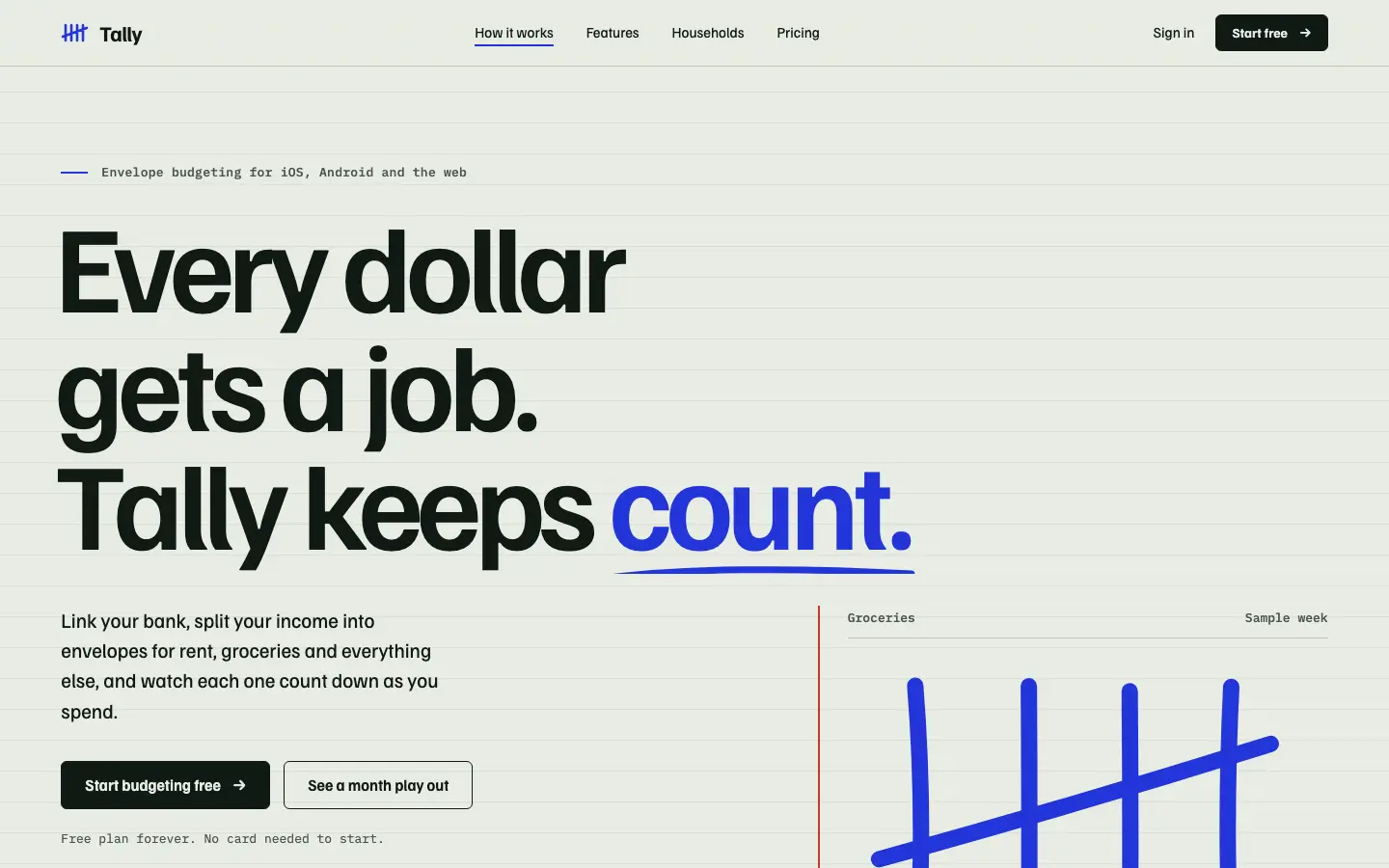

First screen only. Switch to side by side to read the full pages.
Scroll either page; the other follows.
Awwwards puts Tally on ruled sage-gray ledger paper with a red margin line, huge tight Familjen Grotesk headlines, IBM Plex Mono labels and blue ballpoint tally marks that draw themselves in the hero. The landing adds a playable month of envelopes on black and a giant footer wordmark. The Geist dashboard carries the idea with an electric-blue 'left to budget' panel, hatched bars and tally textures. It is one of the clearest concepts in the set and reads well on a phone. Pick it for launches and product pages that need a memorable idea.
Side by side
| Field | Vintage (Awesome Design Skills) | Awwwards (juliobsz) |
|---|---|---|
| Fonts |
|
|
| Colors |
|
|
| Pick it for |
|
|
| Skip it for |
|
|
| Observations |
|
|
Install Vintage (Awesome Design Skills)
1 Run in your terminal
npx degit bergside/awesome-design-skills/skills/vintage#main .claude/skills/vintage2 Or paste a prompt into Claude Code, Codex, Cursor or Gemini
It tells your tool to install this from its source repository.
This install is for Claude Code only; for other agents use Copy prompt or copy the skill folder.
Copies just this skill's folder into your project's .claude/skills.
Check the source for the latest instructions.
Install Awwwards (juliobsz)
1 Run in your terminal
npx degit juliobsz/skills/awwwards#main .claude/skills/awwwards2 Or paste a prompt into Claude Code, Codex, Cursor or Gemini
It tells your tool to install this from its source repository.
This install is for Claude Code only; for other agents use Copy prompt or copy the skill folder.
Copies just this skill's folder into your project's .claude/skills.
Check the source for the latest instructions.