
Lingo makes Tally look like a language-learning app: Nunito everywhere, bright green buttons with a chunky 3D bottom edge, rounded cards and a friendly envelope mascot. The dashboard has a smiling coin next to the "Left to budget" card and color-coded envelope icons. It is cheerful and very consistent across both pages. Pick it for friendly consumer products aimed at beginners.
Lingo vs Technical Wireframe Info Layout
Awesome Design Skills · Meng To
Tied at 4/5 on the same brief. Pick by fit: the rows below show where each one is stronger.
Same brief, opposite looks. Lingo is Maximalist and Technical Wireframe Info Layout is Engineer: see how far apart two good skills can take the same page.
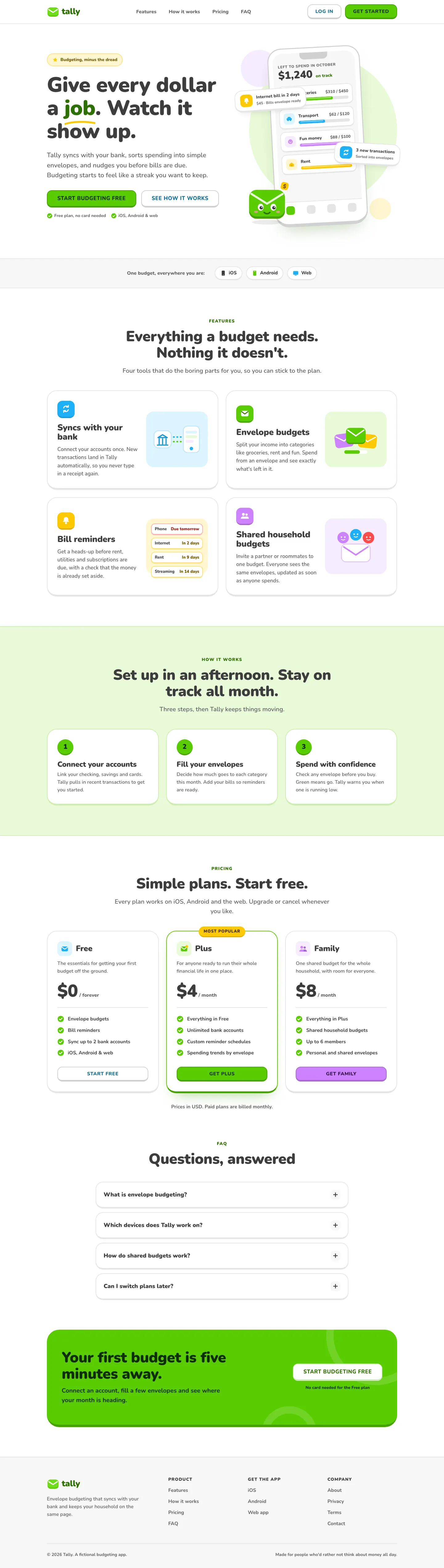
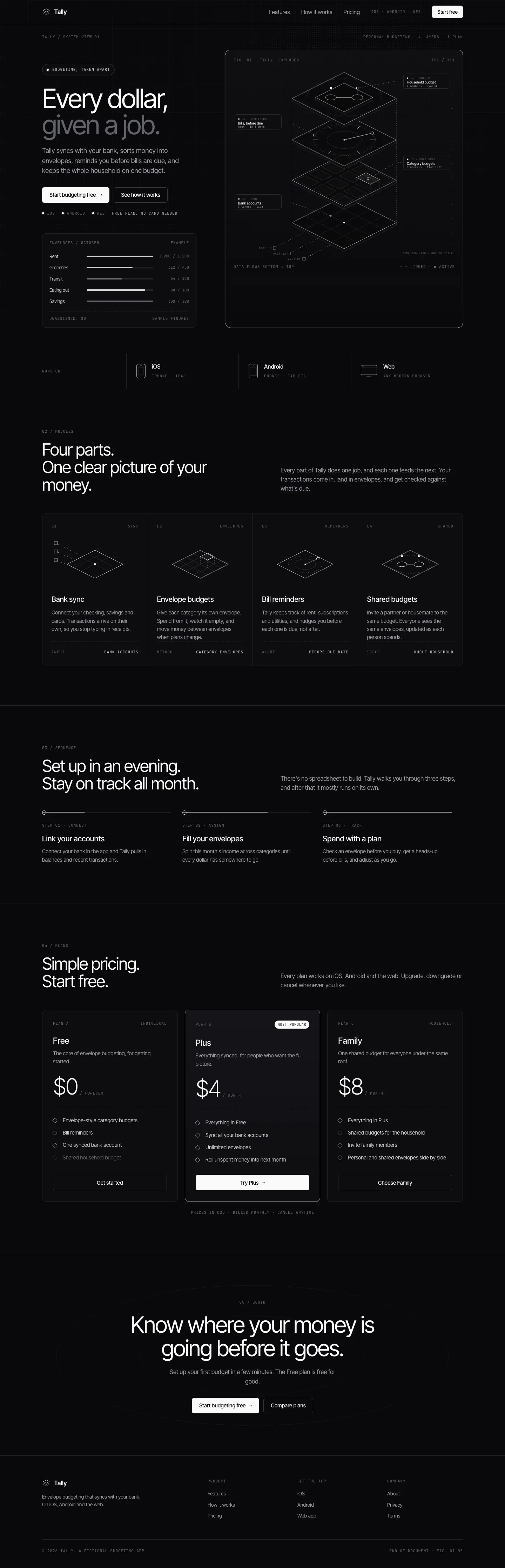
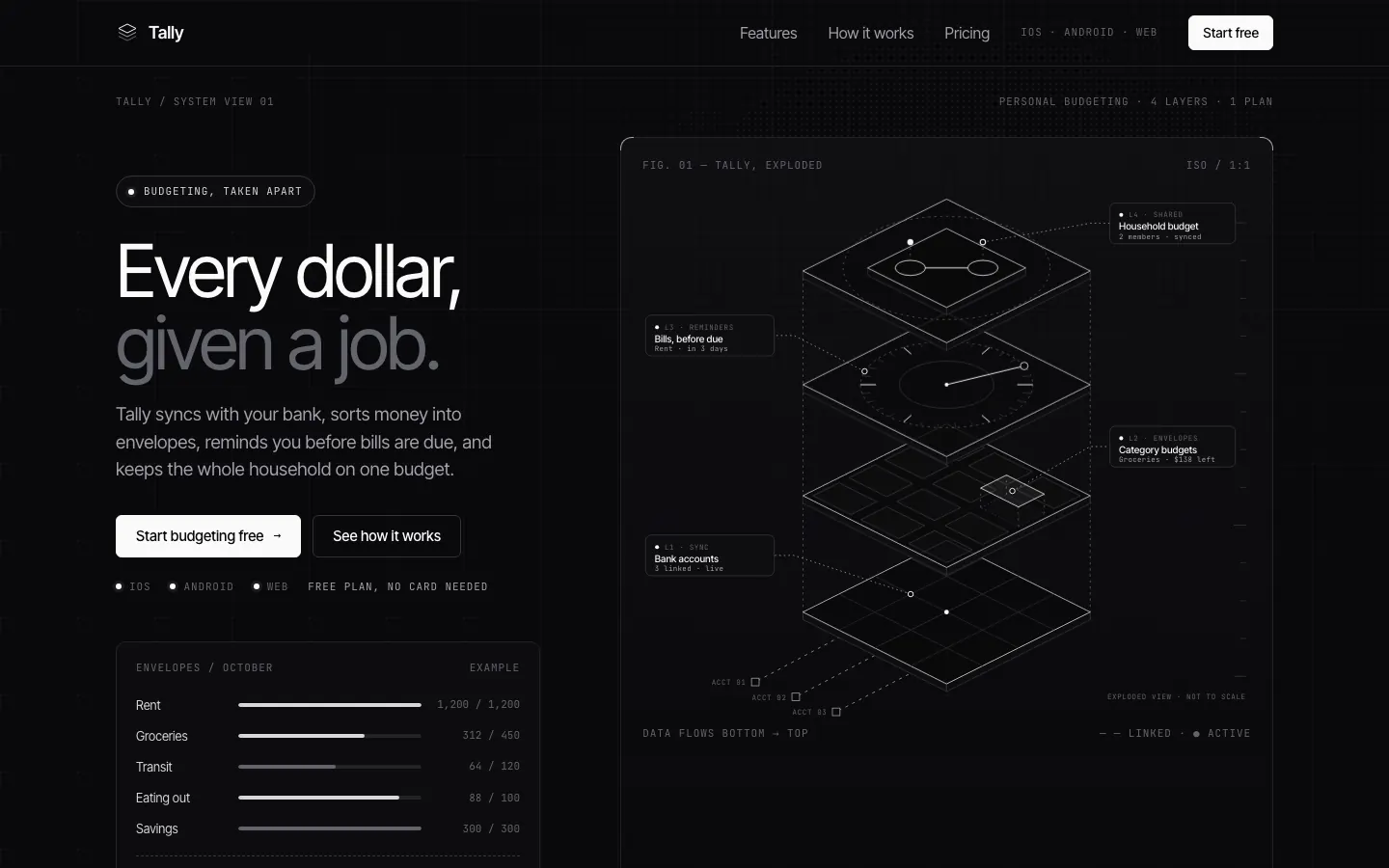
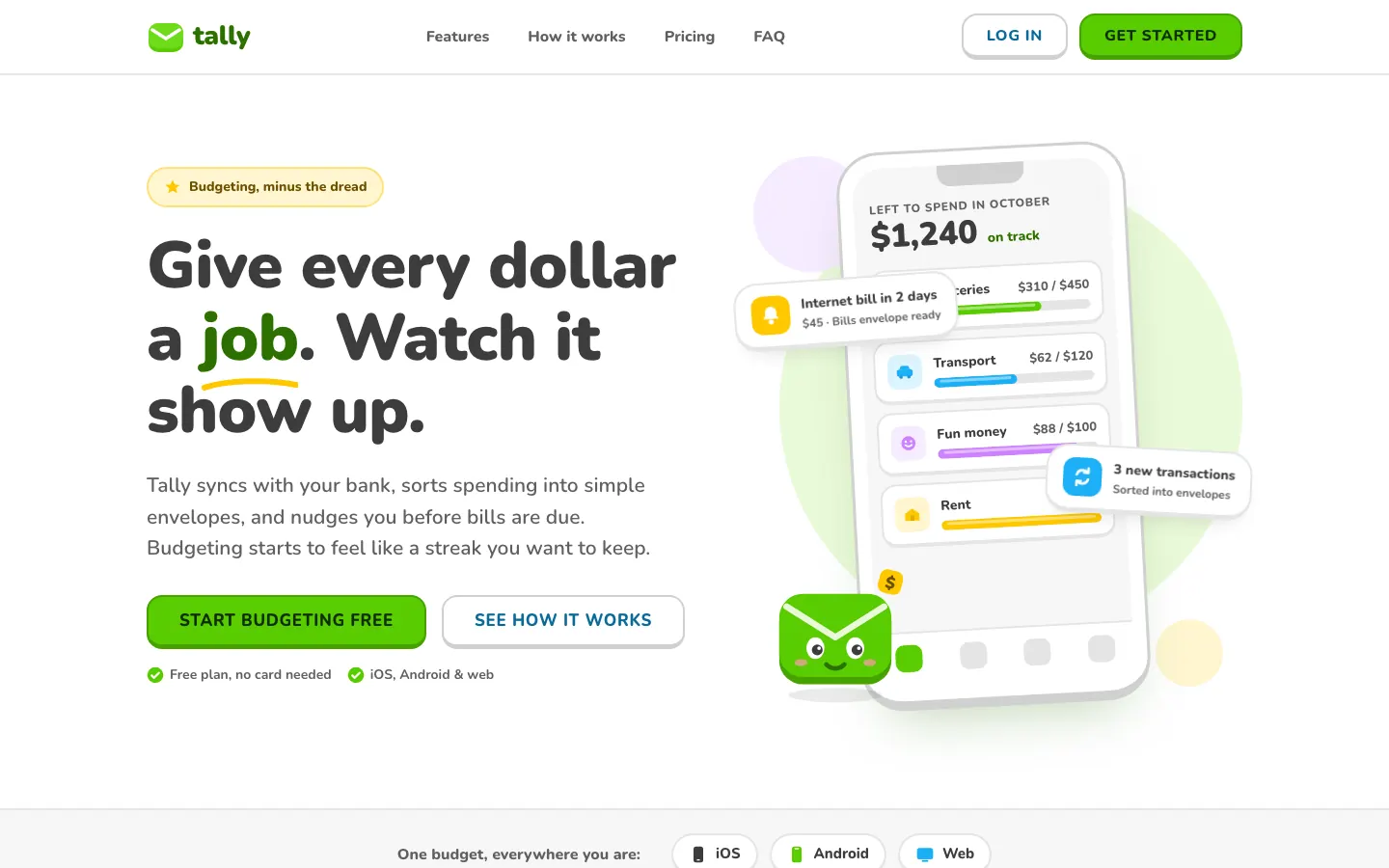
First screen only. Switch to side by side to read the full pages.
Scroll either page; the other follows.
Technical Wireframe Info Layout draws Tally as an engineering diagram: exploded isometric wireframes, thin connector lines, JetBrains Mono labels and pure grey-on-black panels with no accent color at all. The dashboard stacks the envelopes as wireframe discs with callouts. Pick it if your product is technical and you want it to look precise and expensive.
Side by side
| Field | Lingo (Awesome Design Skills) | Technical Wireframe Info Layout (Meng To) |
|---|---|---|
| Fonts |
|
|
| Colors |
|
|
| Pick it for |
|
|
| Skip it for |
|
|
| Observations |
|
|
Install Lingo (Awesome Design Skills)
1 Run in your terminal
npx degit bergside/awesome-design-skills/skills/lingo#main .claude/skills/lingo2 Or paste a prompt into Claude Code, Codex, Cursor or Gemini
It tells your tool to install this from its source repository.
This install is for Claude Code only; for other agents use Copy prompt or copy the skill folder.
Copies just this skill's folder into your project's .claude/skills.
Check the source for the latest instructions.
Install Technical Wireframe Info Layout (Meng To)
1 Run in your terminal
npx degit MengTo/Skills/agent-skills/web-design/technical-wireframe-info-layout#main .claude/skills/technical-wireframe-info-layout2 Or paste a prompt into Claude Code, Codex, Cursor or Gemini
It tells your tool to install this from its source repository.
This install is for Claude Code only; for other agents use Copy prompt or copy the skill folder.
Copies just this skill's folder into your project's .claude/skills.
Check the source for the latest instructions.