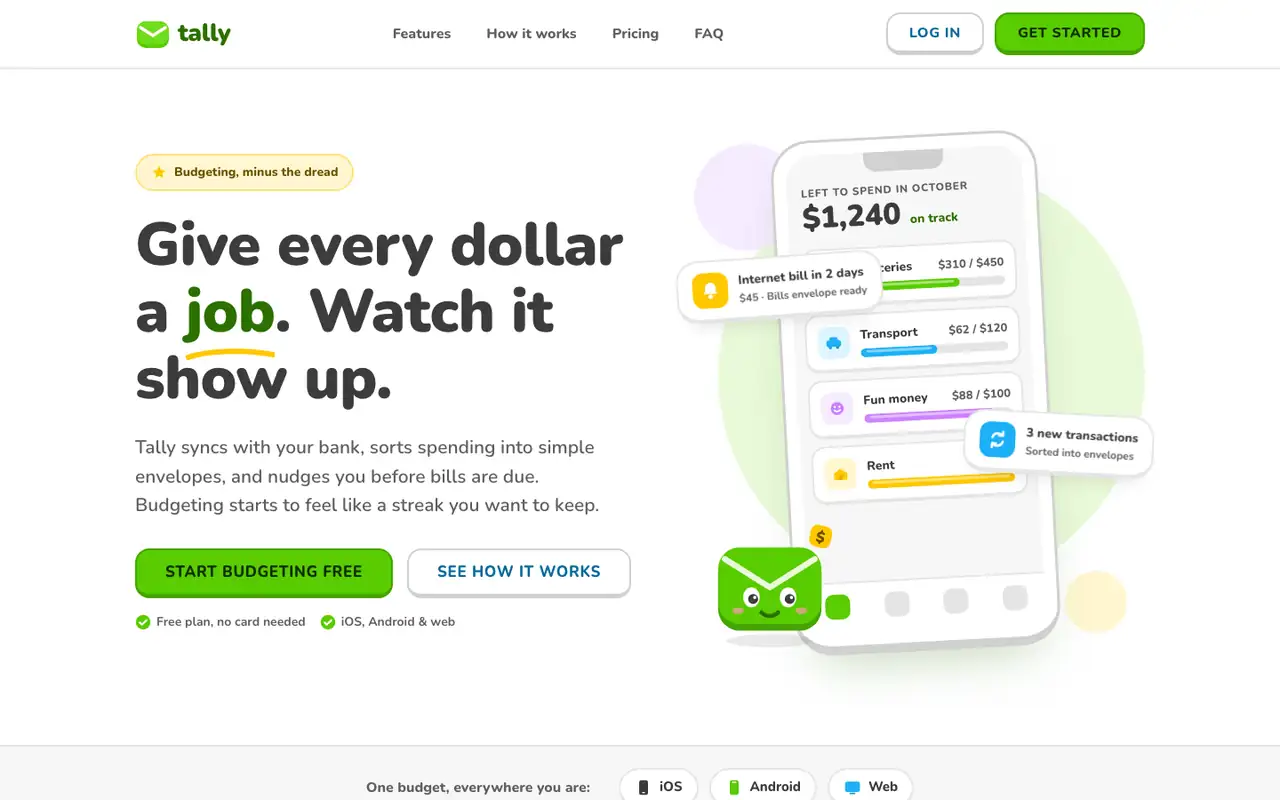
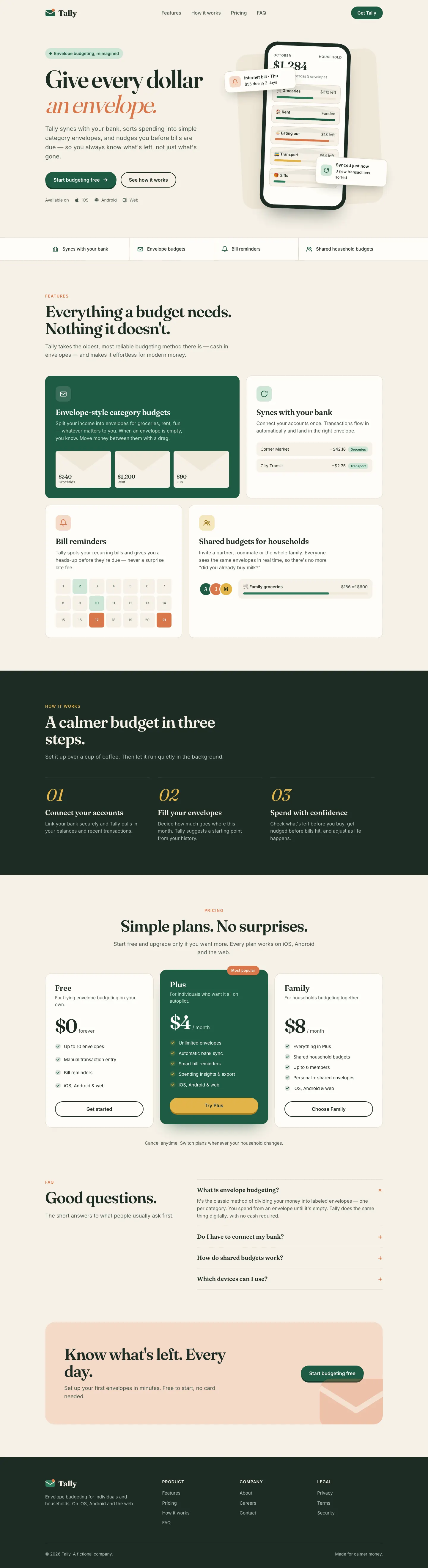
Lingo makes Tally look like a language-learning app: Nunito everywhere, bright green buttons with a chunky 3D bottom edge, rounded cards and a friendly envelope mascot. The dashboard has a smiling coin next to the "Left to budget" card and color-coded envelope icons. It is cheerful and very consistent across both pages. Pick it for friendly consumer products aimed at beginners.
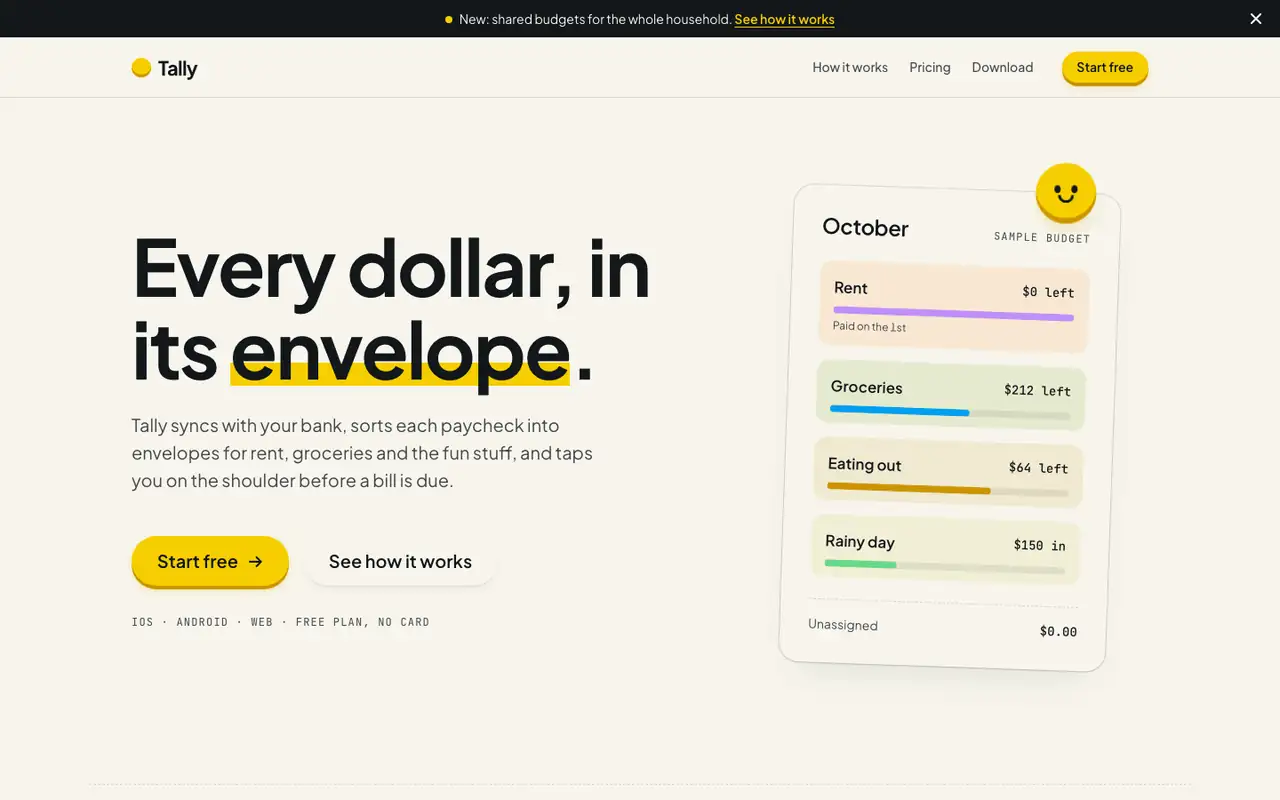
Hallmark turns Tally into a cheerful yellow-and-pastel brand in Plus Jakarta Sans with big ghost numerals, and the dashboard matches it. The most consistent result in the set, but it took about 12 minutes per brief.
Side by side
Field
Lingo (Awesome Design Skills)
Hallmark
Fonts
Nunito
JetBrains Mono (dashboard)
Plus Jakarta Sans
JetBrains Mono
Colors
#58cc02 green
#46a302 deep green
#1cb0f6 sky blue
#ffc800 yellow
#ce82ff violet
#ff4b4b red
#3c3c3c charcoal
paper oklch(97% 0.012 95)
yellow accent oklch(86% 0.18 95)
blue oklch(66% 0.18 235)
pink, mint and lavender step bands
ink oklch(20% 0.012 250)
Good fit for
consumer apps for beginners
education and habit apps
onboarding flows
friendly product dashboards
mobile-first products
consumer budgeting apps
family and household tools
onboarding-heavy mobile apps
friendly B2C SaaS
Not great for
serious finance or B2B tools
luxury brands
data-heavy admin screens
serious banking or wealth
enterprise and pro tools
luxury brands
Flaws we saw
the mascot and bright green can feel childish for a money app
dashboard: the many colored chips and badges compete for attention
landing and dashboard: the mono labels run very small and get hard to read
each brief took about 12 minutes (742 s and 722 s), about five times the baseline's 143 s and 125 s