
Creative turns Tally into a comic book: Bangers headlines, IBM Plex Mono body text, thick black outlines with pop shadows, halftone dots, speech bubbles and highlighter yellow. The dashboard is a set of comic panels on cream halftone. It is one of the boldest looks here, but both mobile pages scroll sideways. Pick it for playful brands, and plan to fix the phone layout.
Creative vs Immersive
Awesome Design Skills · Awesome Design Skills
Tied at 3/5 on the same brief. Pick by fit: the rows below show where each one is stronger.
Both built the Tally landing page in the same Claude Code test, and both design the Maximalist way: loud color, big type, more is more. Both are best for: visual direction, landing pages.
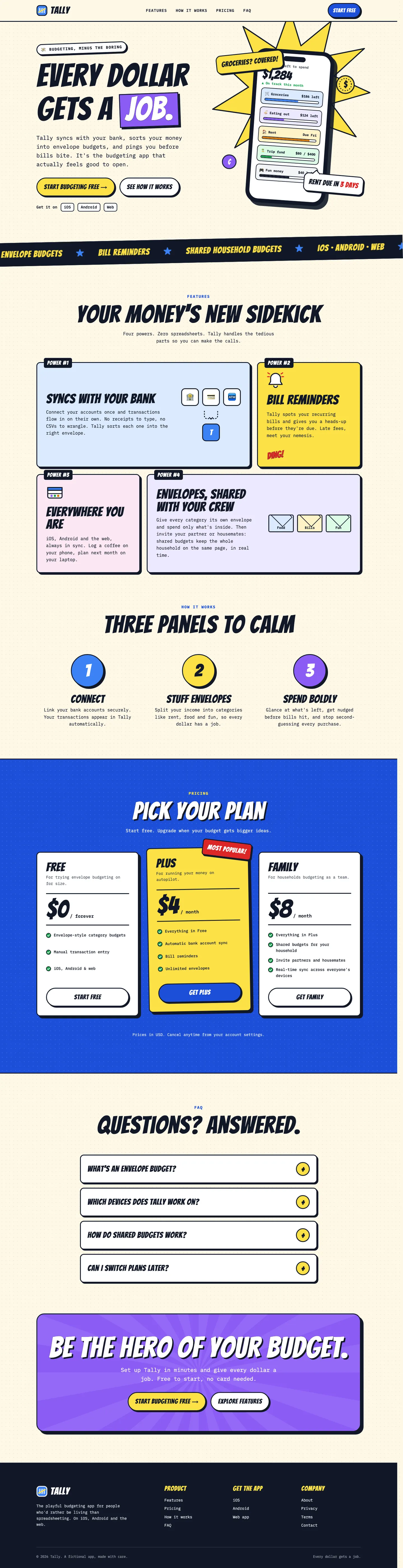
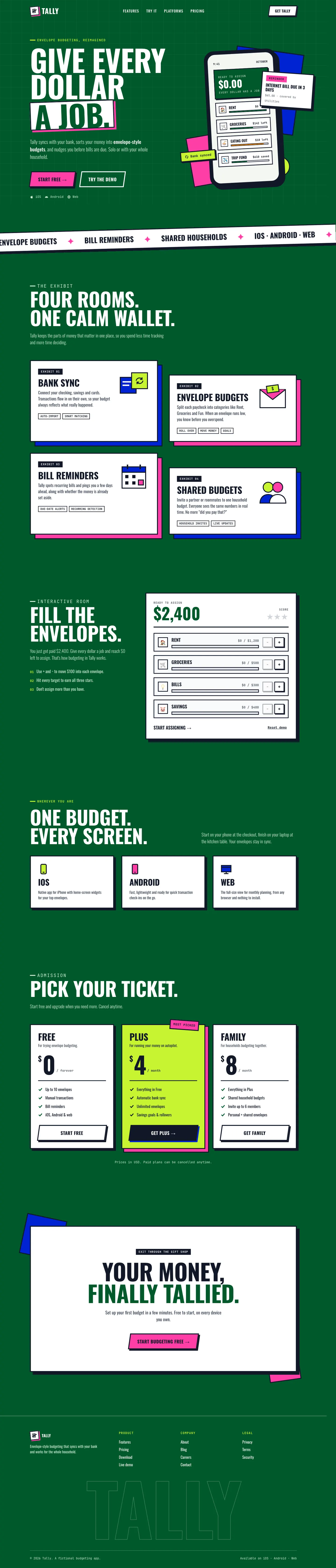
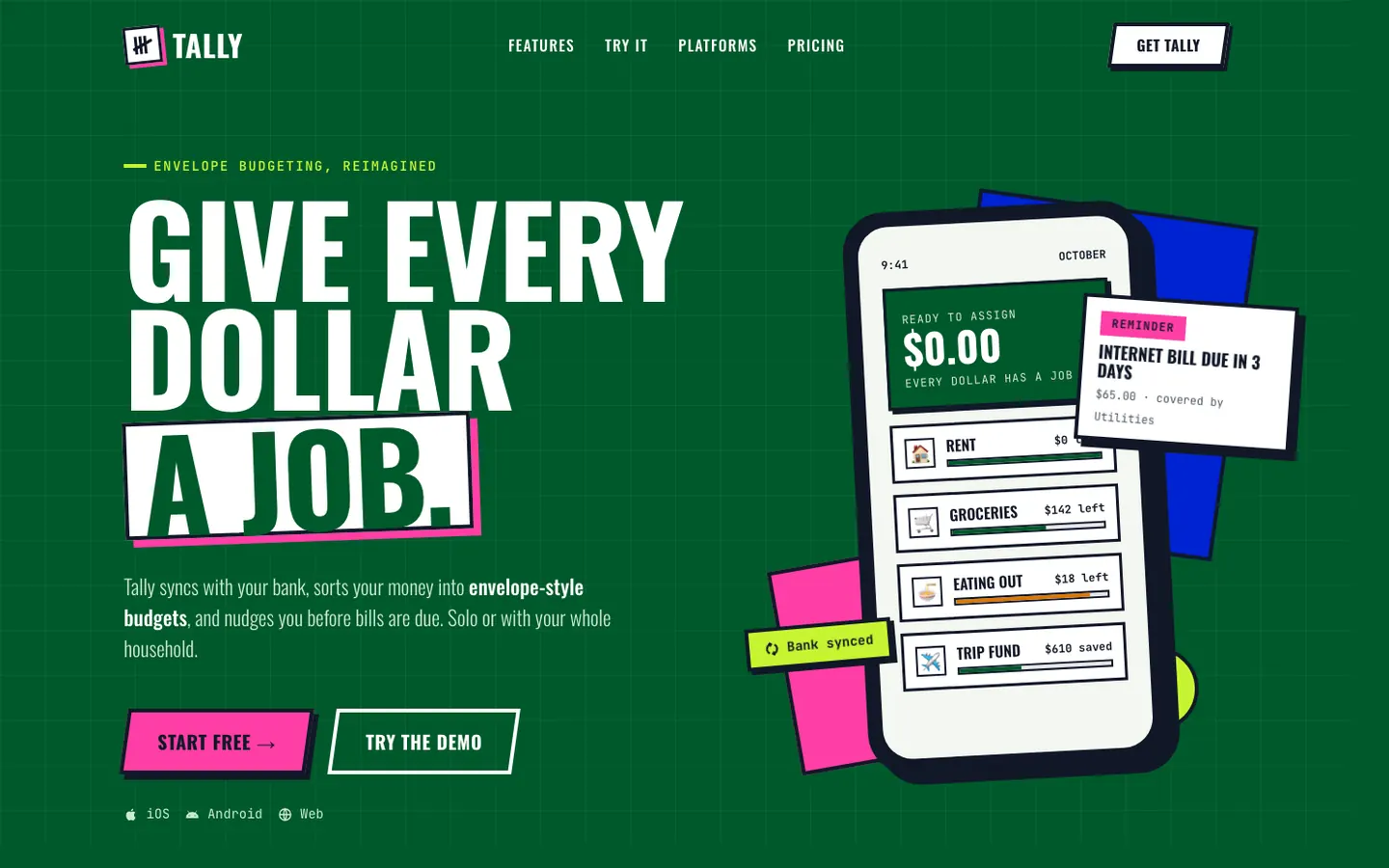
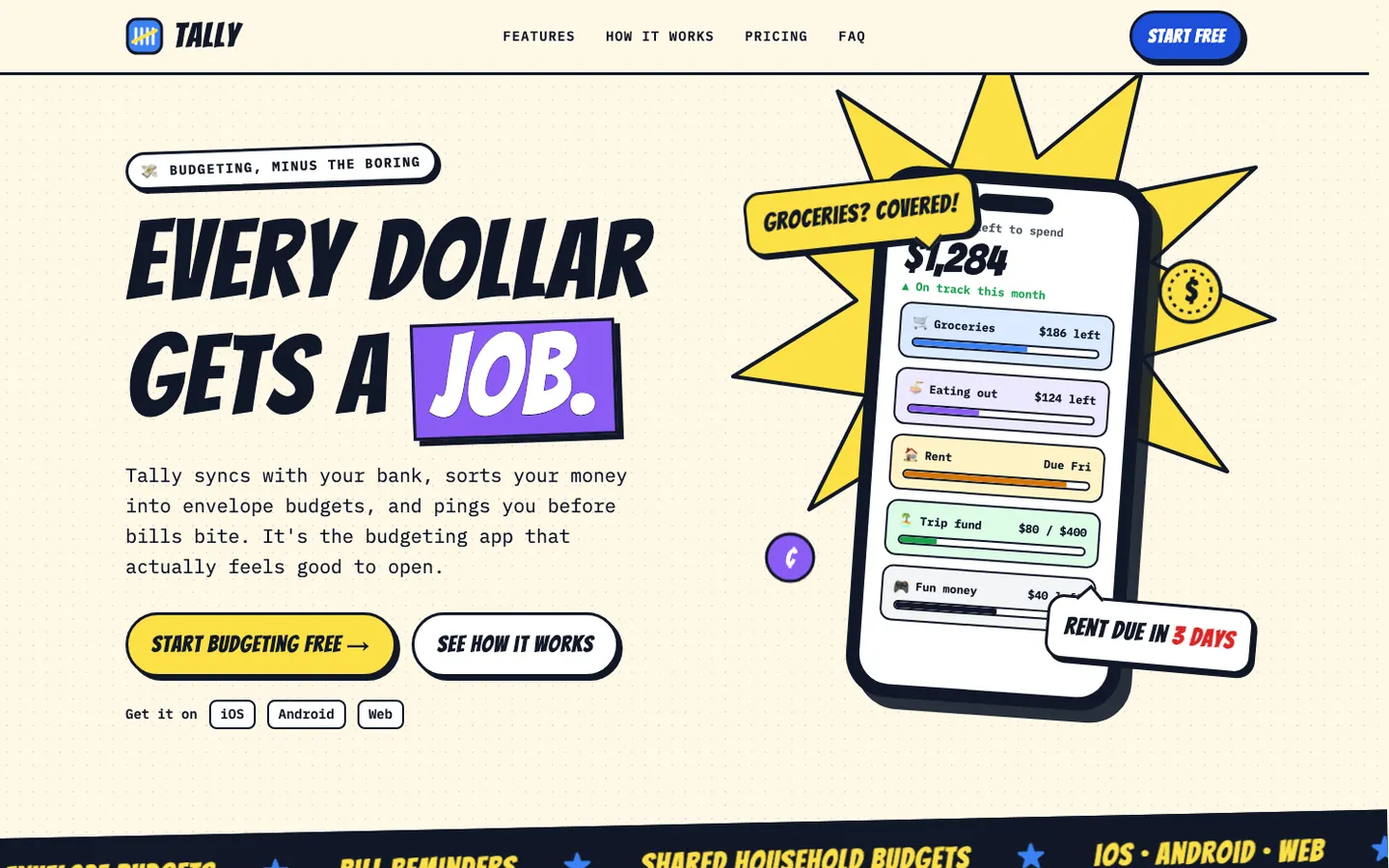
First screen only. Switch to side by side to read the full pages.
Scroll either page; the other follows.
Immersive sets Tally on one deep-green canvas like a museum exhibit: white cards with thick black borders and hard shadows, cobalt and hot-pink blocks, condensed Oswald headlines and slanted arcade buttons. Features are "Exhibit 01-04" and pricing is "Pick your ticket". The dashboard keeps the same look. It is loud and distinct, but both mobile pages scroll sideways, the dashboard only a little. Pick it for playful, story-led brands.
Side by side
| Field | Creative (Awesome Design Skills) | Immersive (Awesome Design Skills) |
|---|---|---|
| Fonts |
|
|
| Colors |
|
|
| Pick it for |
|
|
| Skip it for |
|
|
| Observations |
|
|
Install Creative (Awesome Design Skills)
1 Run in your terminal
npx degit bergside/awesome-design-skills/skills/creative#main .claude/skills/creative2 Or paste a prompt into Claude Code, Codex, Cursor or Gemini
It tells your tool to install this from its source repository.
This install is for Claude Code only; for other agents use Copy prompt or copy the skill folder.
Copies just this skill's folder into your project's .claude/skills.
Check the source for the latest instructions.
Install Immersive (Awesome Design Skills)
1 Run in your terminal
npx degit bergside/awesome-design-skills/skills/immersive#main .claude/skills/immersive2 Or paste a prompt into Claude Code, Codex, Cursor or Gemini
It tells your tool to install this from its source repository.
This install is for Claude Code only; for other agents use Copy prompt or copy the skill folder.
Copies just this skill's folder into your project's .claude/skills.
Check the source for the latest instructions.