
Brutalism builds Tally from concrete: a speckled grey grid, 4px black rules, hard offset shadows and huge uppercase Darker Grotesque, with terracotta and ochre blocks. The landing hero is a crooked ledger of envelope budgets; the dashboard uses giant condensed numbers and solid color blocks. It has a strong point of view, but the mobile dashboard scrolls sideways badly. Pick it for bold, design-forward brands.
Brutalism vs Taste Skill
Awesome Design Skills · design-taste-frontend
Tied at 3/5 on the same brief. Pick by fit: the rows below show where each one is stronger.
Both built the Tally landing page in the same Claude Code test, and both design the Brutalist way: black, white and heavy type. Hard edges, no apologies. Both are best for: visual direction.
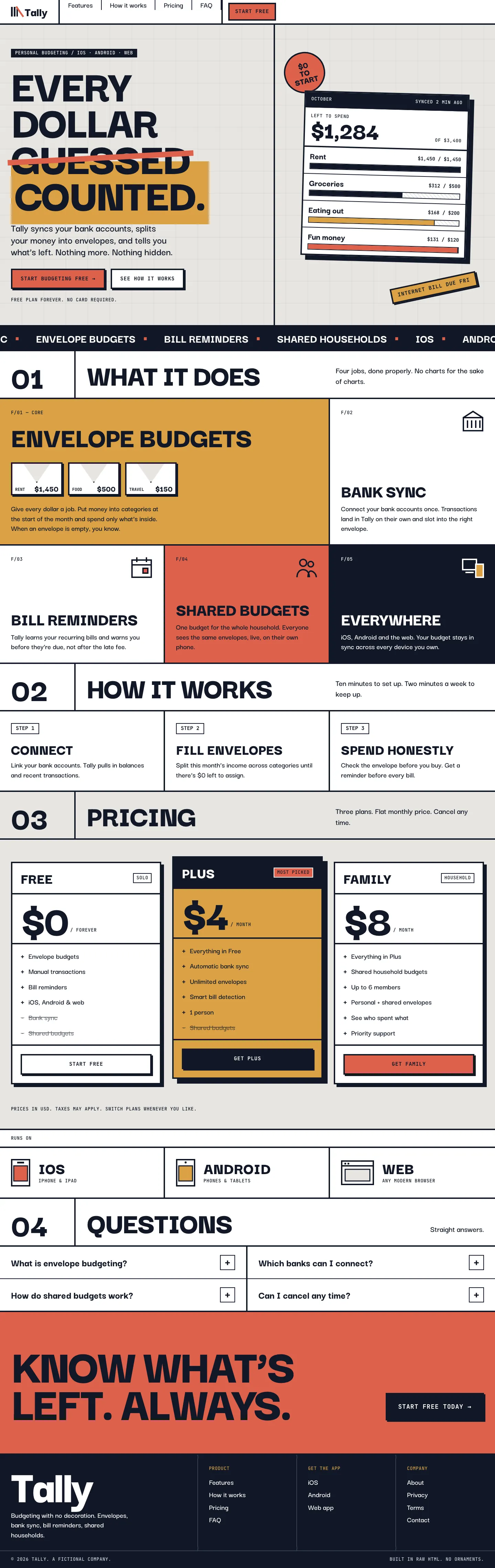
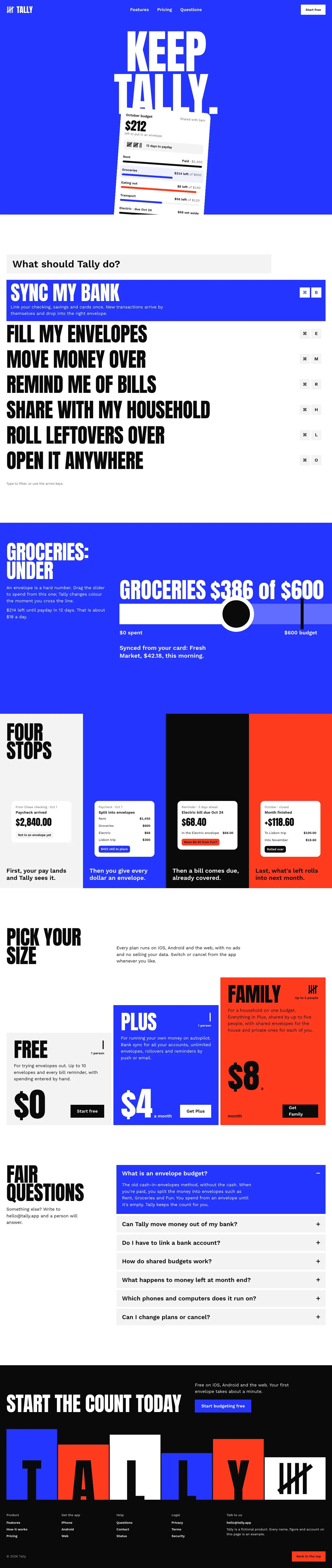
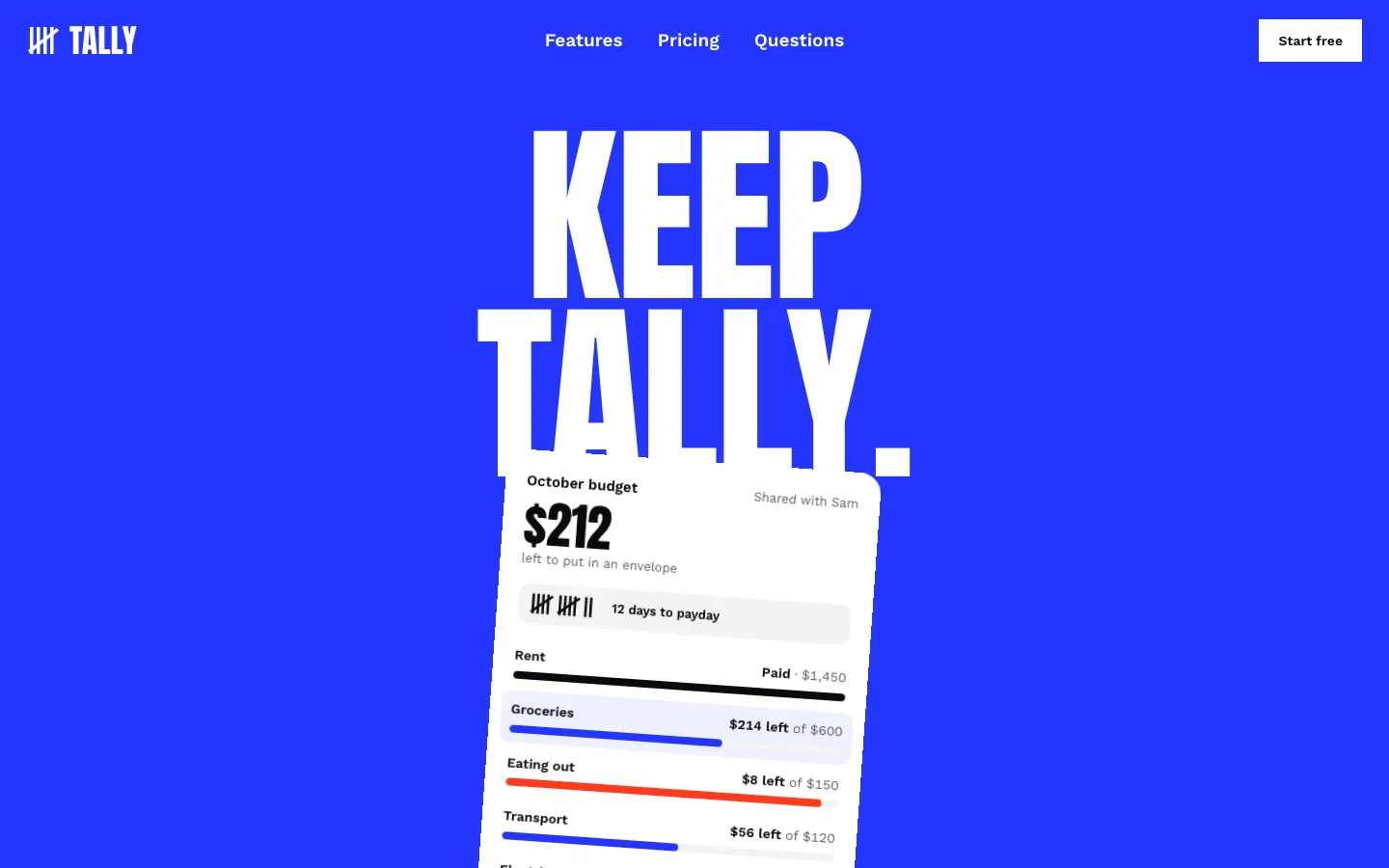
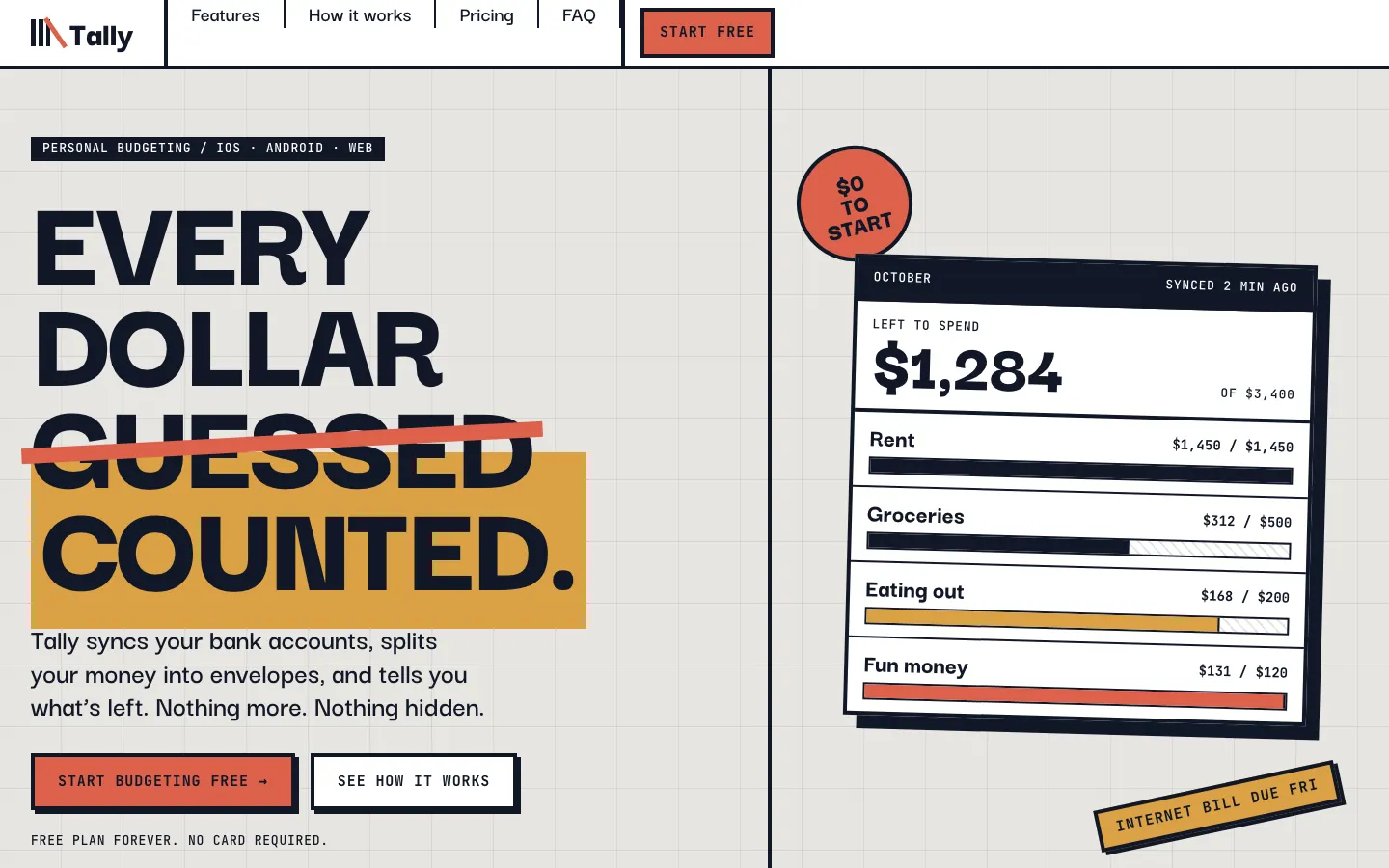
First screen only. Switch to side by side to read the full pages.
Scroll either page; the other follows.
Taste makes the boldest landing page in the set, a white Swiss poster with giant Anton type, electric blue and red. The dashboard looks like a different skill made it, and it scrolls sideways on a phone.
Side by side
| Field | Brutalism (Awesome Design Skills) | Taste Skill (design-taste-frontend) |
|---|---|---|
| Fonts |
|
|
| Colors |
|
|
| Pick it for |
|
|
| Skip it for |
|
|
| Observations |
|
|
Install Brutalism (Awesome Design Skills)
1 Run in your terminal
npx degit bergside/awesome-design-skills/skills/brutalism#main .claude/skills/brutalism2 Or paste a prompt into Claude Code, Codex, Cursor or Gemini
It tells your tool to install this from its source repository.
This install is for Claude Code only; for other agents use Copy prompt or copy the skill folder.
Copies just this skill's folder into your project's .claude/skills.
Check the source for the latest instructions.
Install Taste Skill (design-taste-frontend)
1 Run in your terminal
npx degit Leonxlnx/taste-skill/skills/taste-skill#main .claude/skills/design-taste-frontend2 Or paste a prompt into Claude Code, Codex, Cursor or Gemini
It tells your tool to install this from its source repository.
This install is for Claude Code only; for other agents use Copy prompt or copy the skill folder.
Taken from the project README. Check the source for the latest instructions.