
Algorithmic Art paints a seeded generative flow field across the hero, and even prints the seed, on cream with deep green, Fraunces and Instrument Sans. That art makes the landing page memorable, but the dashboard is close to the default. Pick it for a landing hero that nobody else has.
Algorithmic Art vs Waza UI
Anthropic · Standalone skill
Tied at 3/5 on the same brief. Pick by fit: the rows below show where each one is stronger.
Both built the Tally landing page in the same Claude Code test, and both design the Print Romantic way: cream paper, serif headlines, nothing shouting. Both are best for: visual direction.
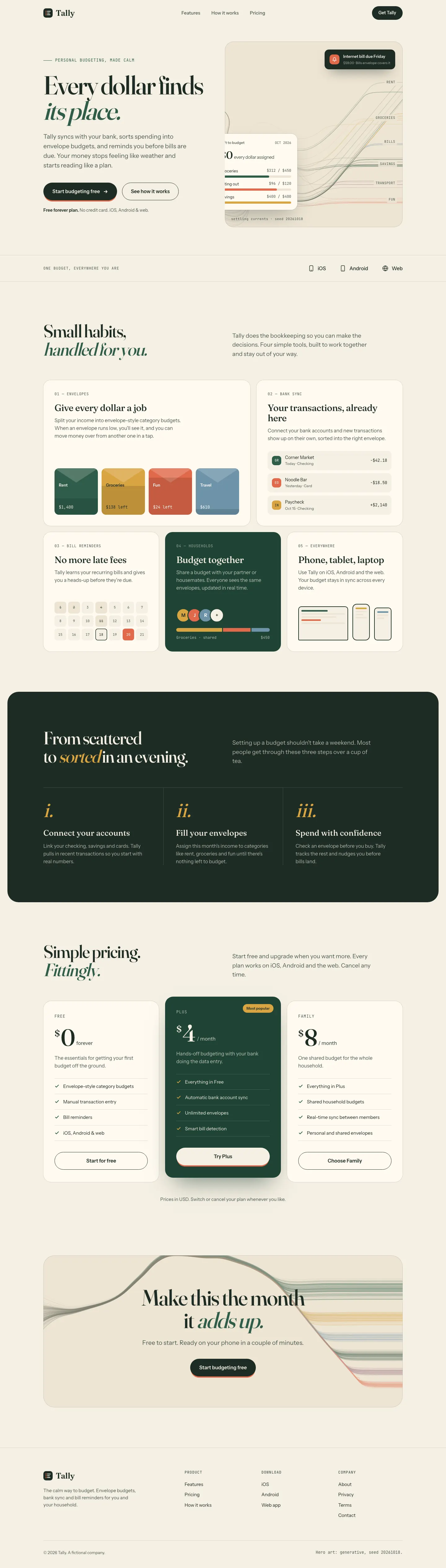
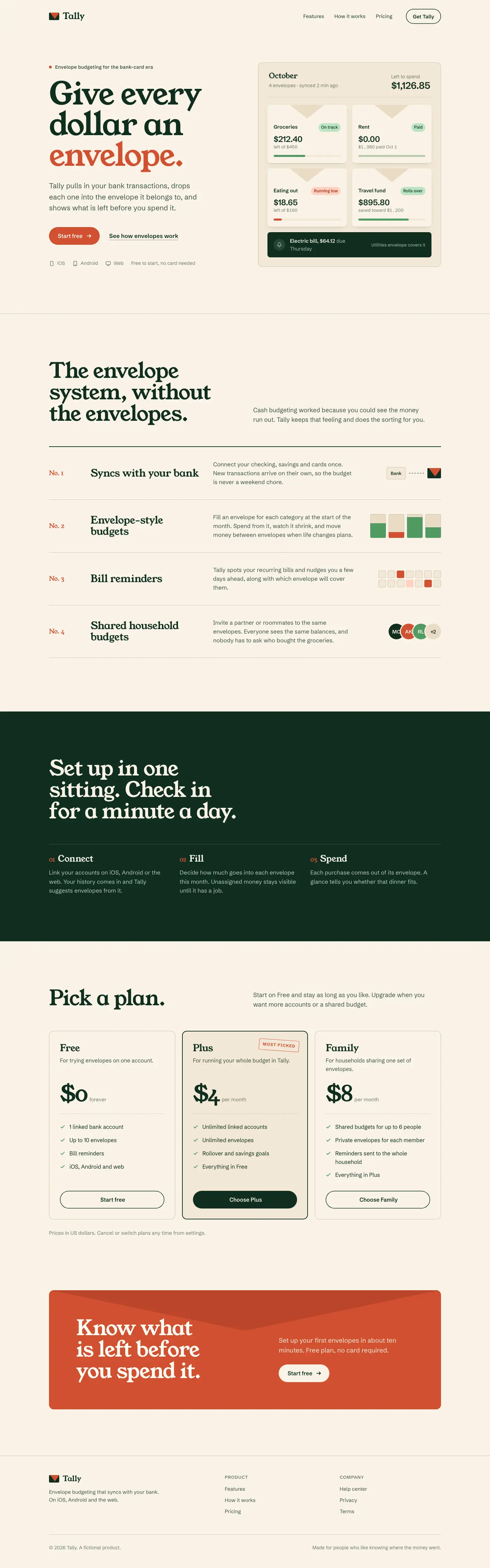
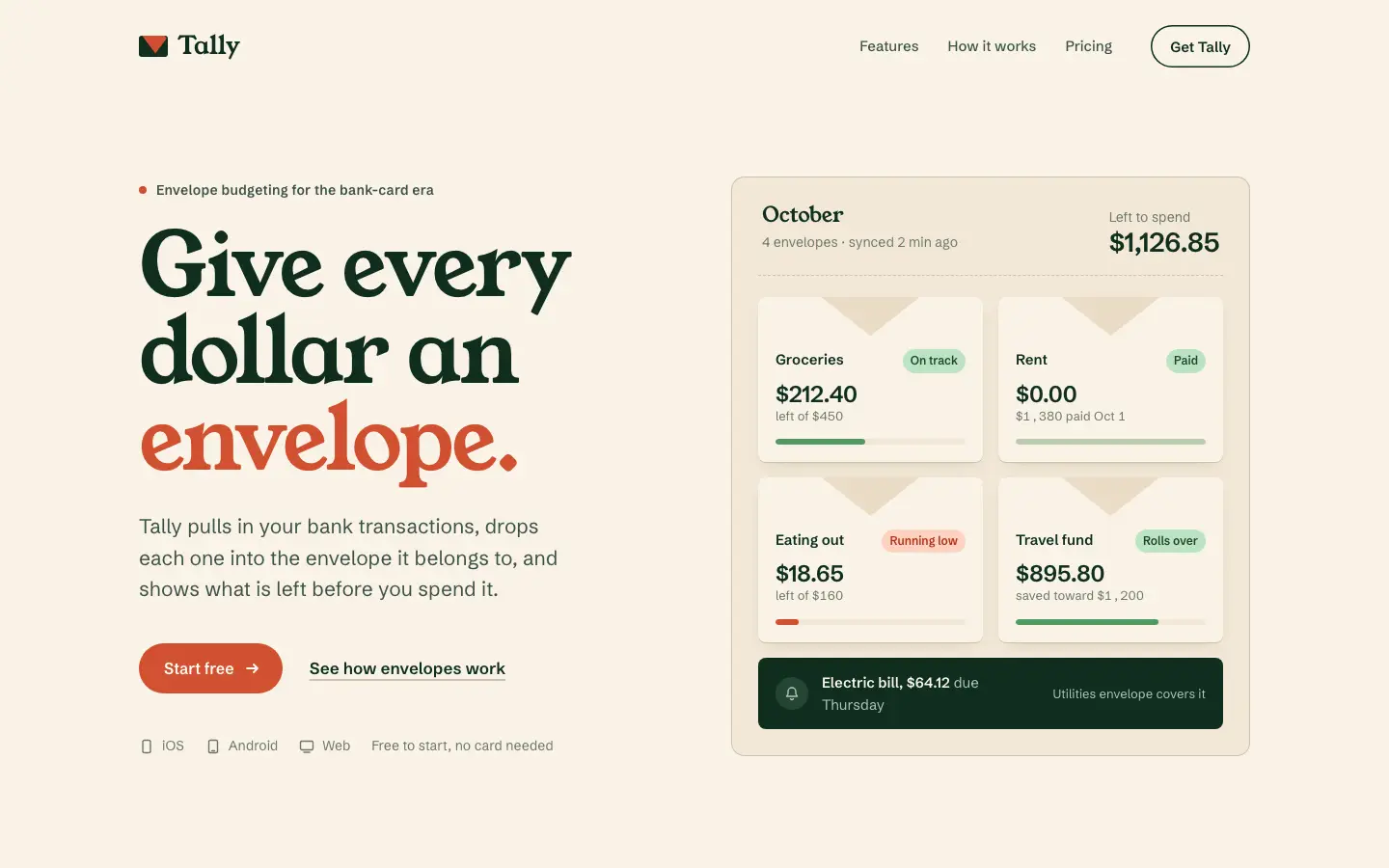
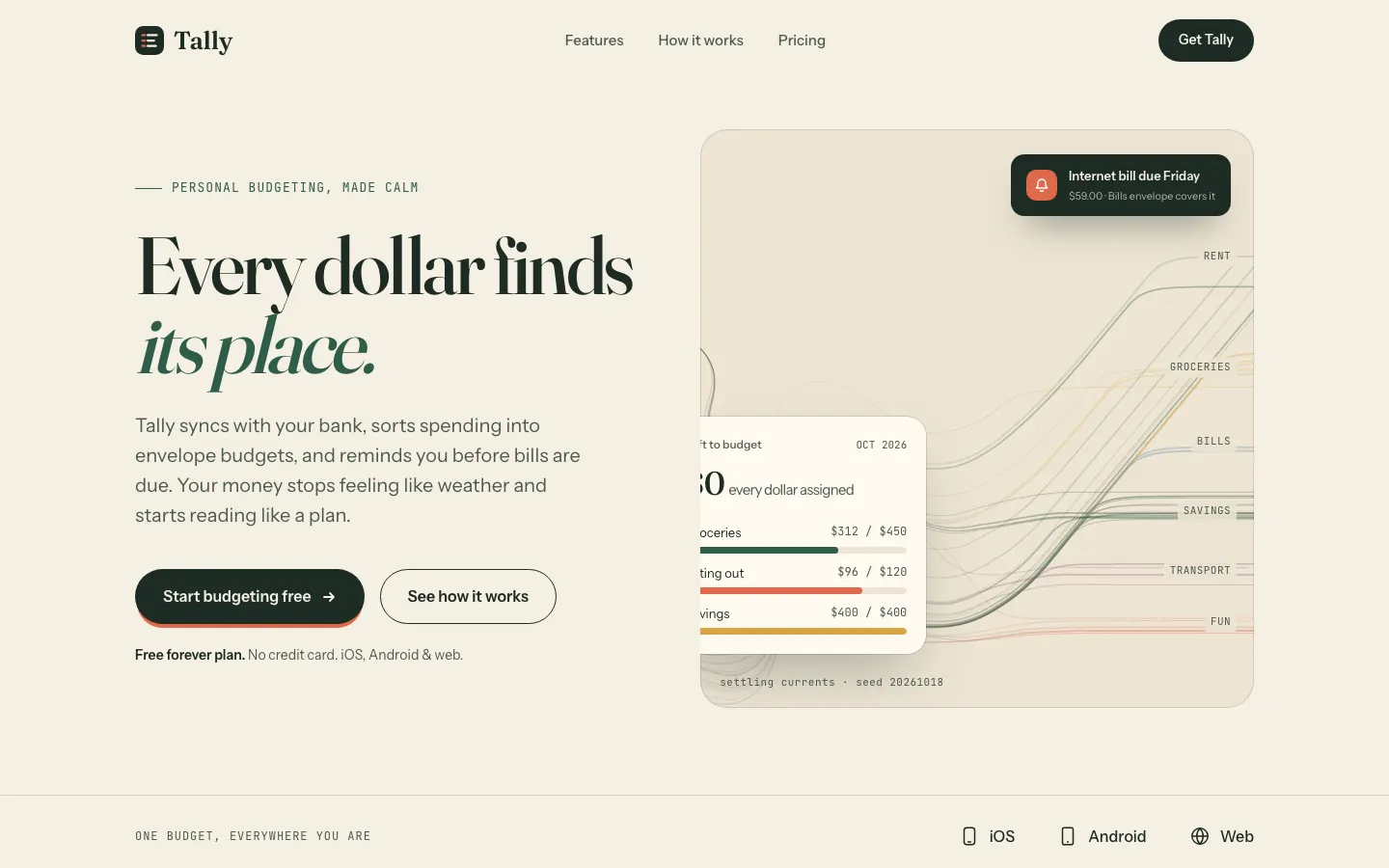
First screen only. Switch to side by side to read the full pages.
Scroll either page; the other follows.
Waza UI
3/5
Waza UI gives Tally warm cream paper, chunky Young Serif headlines in bottle green and vermilion, a hero panel of envelope tiles instead of a phone, numbered ledger rows for features and a vermilion envelope-flap call to action. The dashboard switches to Bricolage Grotesque on cream with a dark green accent and terracotta for overspending, and it looks much like the default. The landing has its own voice, but the palette stays in the cream-and-green family, the chart label for October is clipped and the phone dashboard scrolls sideways. Pick it for warm consumer brands that want a little more stamp and character than the default.
Side by side
| Field | Algorithmic Art (Anthropic) | Waza UI |
|---|---|---|
| Fonts |
|
|
| Colors |
|
|
| Pick it for |
|
|
| Skip it for |
|
|
| Observations |
|
|
Install Algorithmic Art (Anthropic)
1 Run in your terminal
npx degit anthropics/skills/skills/algorithmic-art#main .claude/skills/algorithmic-art2 Or paste a prompt into Claude Code, Codex, Cursor or Gemini
It tells your tool to install this from its source repository.
This install is for Claude Code only; for other agents use Copy prompt or copy the skill folder.
Copies just this skill's folder into your project's .claude/skills.
Check the source for the latest instructions.
Install Waza UI
1 Run in your terminal
npx degit tw93/waza/skills/ui#main .claude/skills/ui2 Or paste a prompt into Claude Code, Codex, Cursor or Gemini
It tells your tool to install this from its source repository.
This install is for Claude Code only; for other agents use Copy prompt or copy the skill folder.
Copies just this skill's folder into your project's .claude/skills.
Check the source for the latest instructions.