
Algorithmic Art paints a seeded generative flow field across the hero, and even prints the seed, on cream with deep green, Fraunces and Instrument Sans. That art makes the landing page memorable, but the dashboard is close to the default. Pick it for a landing hero that nobody else has.
Algorithmic Art vs Editorial Portfolio Chapters
Anthropic · Meng To
Editorial Portfolio Chapters (Meng To) scored higher on the same brief, 4/5. The rows below show where each one fits.
Both built the Tally landing page in the same Claude Code test, and both design the Print Romantic way: cream paper, serif headlines, nothing shouting. Both are best for: visual direction.
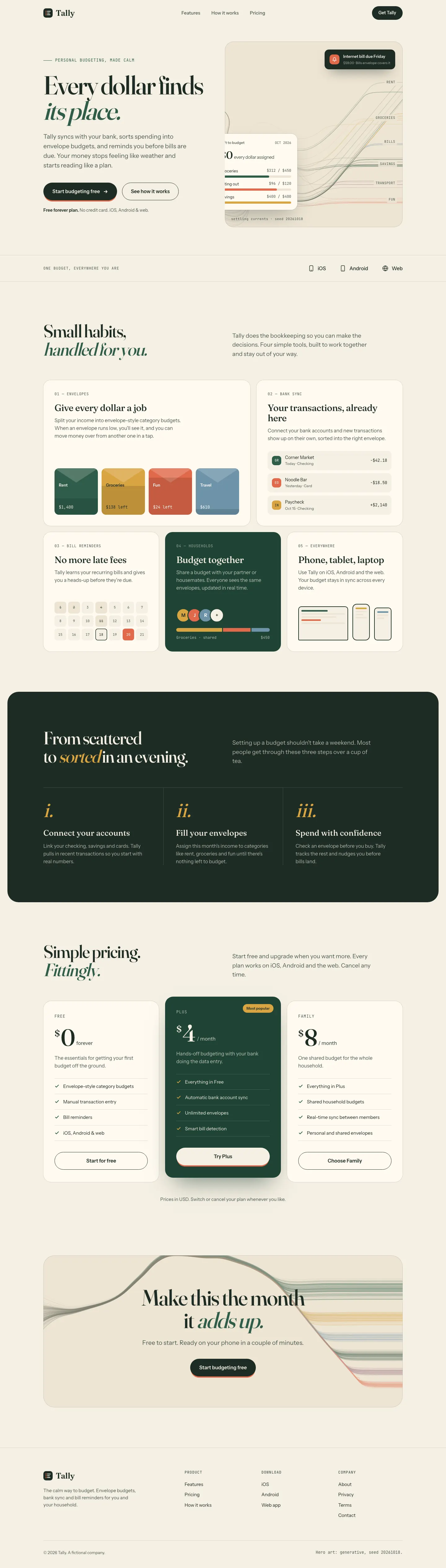

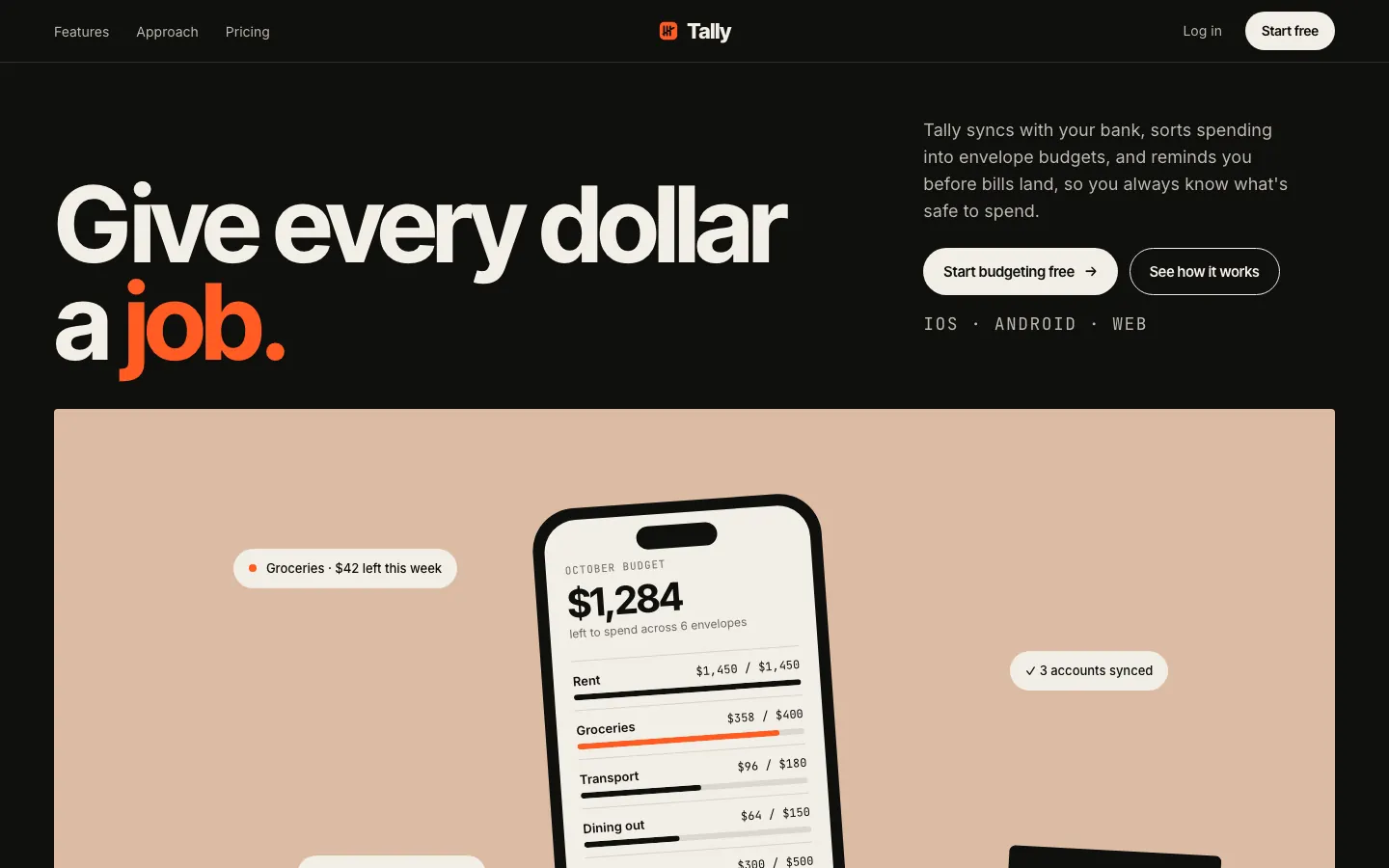

First screen only. Switch to side by side to read the full pages.
Scroll either page; the other follows.
Editorial Portfolio Chapters tells the Tally story in color-blocked chapters: clay, sage, mist and ochre panels on a black page, Inter Tight headlines and a hot orange signal color. The dashboard carries the same muted chapter colors into the envelope bars and ends on a big orange call to action. Pick it if you want a confident, art-directed product that still reads cleanly.
Side by side
| Field | Algorithmic Art (Anthropic) | Editorial Portfolio Chapters (Meng To) |
|---|---|---|
| Fonts |
|
|
| Colors |
|
|
| Pick it for |
|
|
| Skip it for |
|
|
| Observations |
|
|
Install Algorithmic Art (Anthropic)
1 Run in your terminal
npx degit anthropics/skills/skills/algorithmic-art#main .claude/skills/algorithmic-art2 Or paste a prompt into Claude Code, Codex, Cursor or Gemini
It tells your tool to install this from its source repository.
This install is for Claude Code only; for other agents use Copy prompt or copy the skill folder.
Copies just this skill's folder into your project's .claude/skills.
Check the source for the latest instructions.
Install Editorial Portfolio Chapters (Meng To)
1 Run in your terminal
npx degit MengTo/Skills/agent-skills/web-design/editorial-portfolio-chapters#main .claude/skills/editorial-portfolio-chapters2 Or paste a prompt into Claude Code, Codex, Cursor or Gemini
It tells your tool to install this from its source repository.
This install is for Claude Code only; for other agents use Copy prompt or copy the skill folder.
Copies just this skill's folder into your project's .claude/skills.
Check the source for the latest instructions.