
AI Slop gives Tally a plain, practical landing page: heavy condensed Archivo headlines in ledger green #12372a on pale gray, a grid of manila envelopes with the remaining amount on each, square buttons and a dark green how-it-works band with line icons. The dashboard switches to IBM Plex Sans with Plex Mono figures and a written-out sum ($5,400 minus $4,760 equals $640). It moves well away from the default, though the dashboard is tidy rather than distinctive and keeps the green palette. Pick it for straightforward product pages that should feel honest and useful.
AI Slop vs Refactoring UI Skills
OpenCode Power Pack · Standalone skill
Tied at 3/5 on the same brief. Pick by fit: the rows below show where each one is stronger.
Both built the Tally landing page in the same Claude Code test, and both design the Minimalist way: white space, one accent, and the confidence to leave things out. Both are best for: audit.
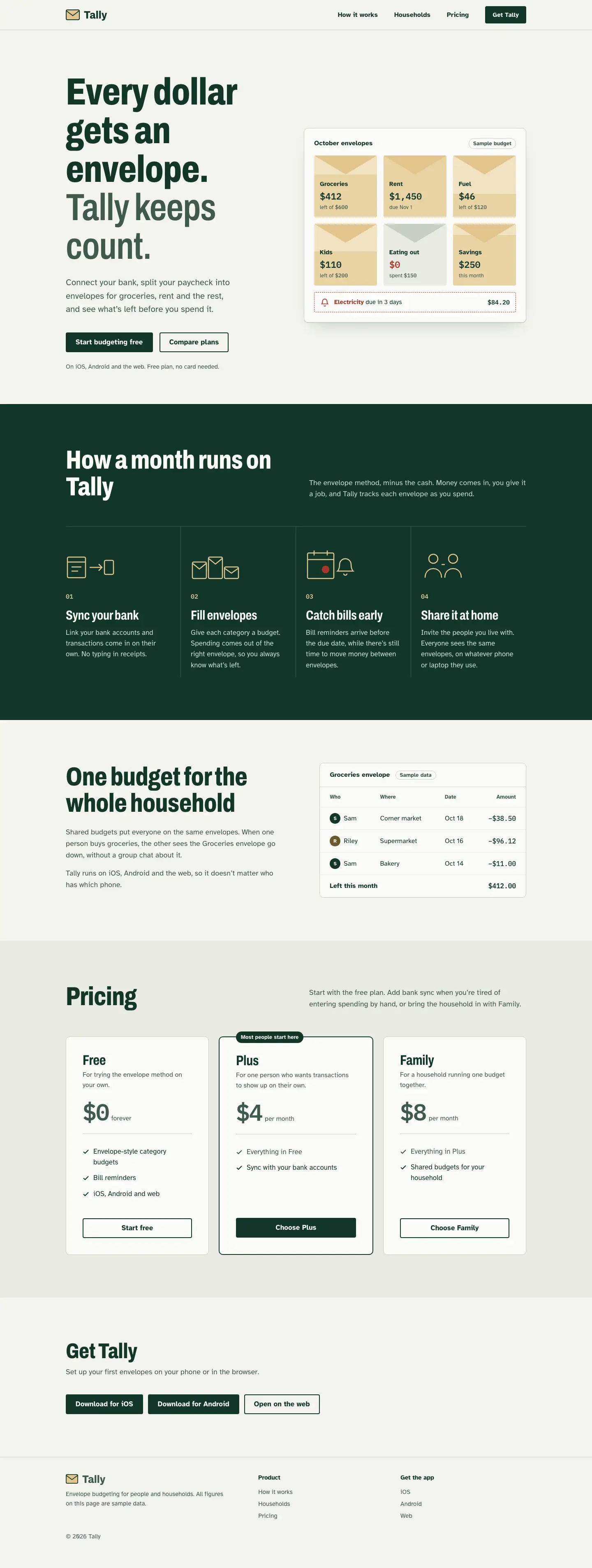
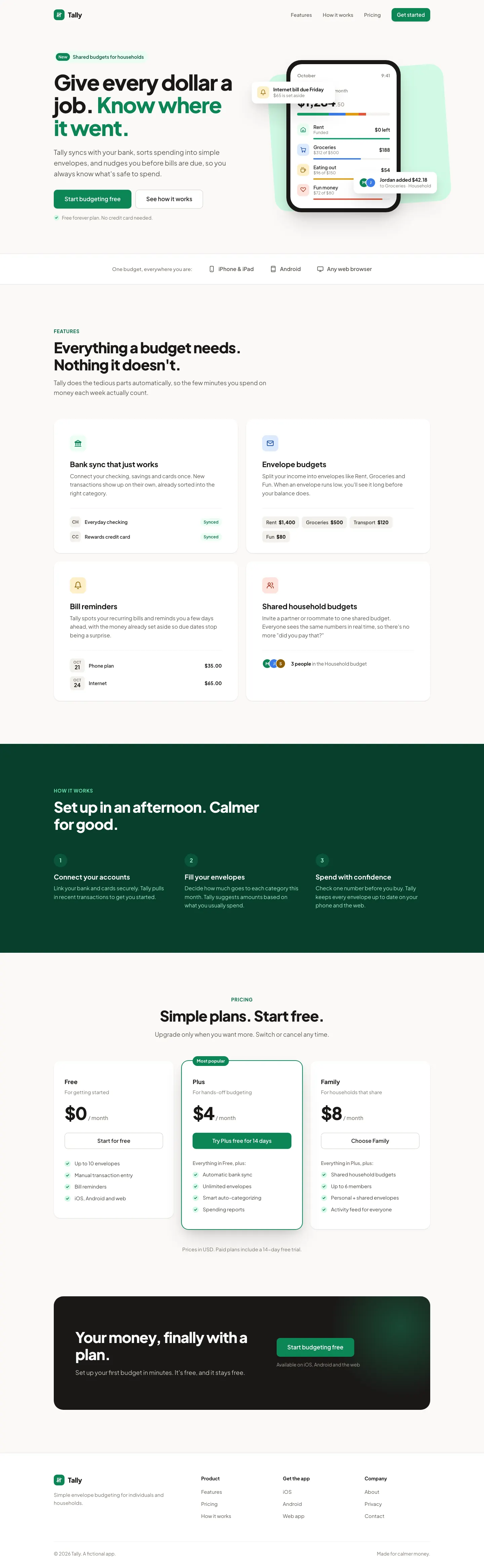

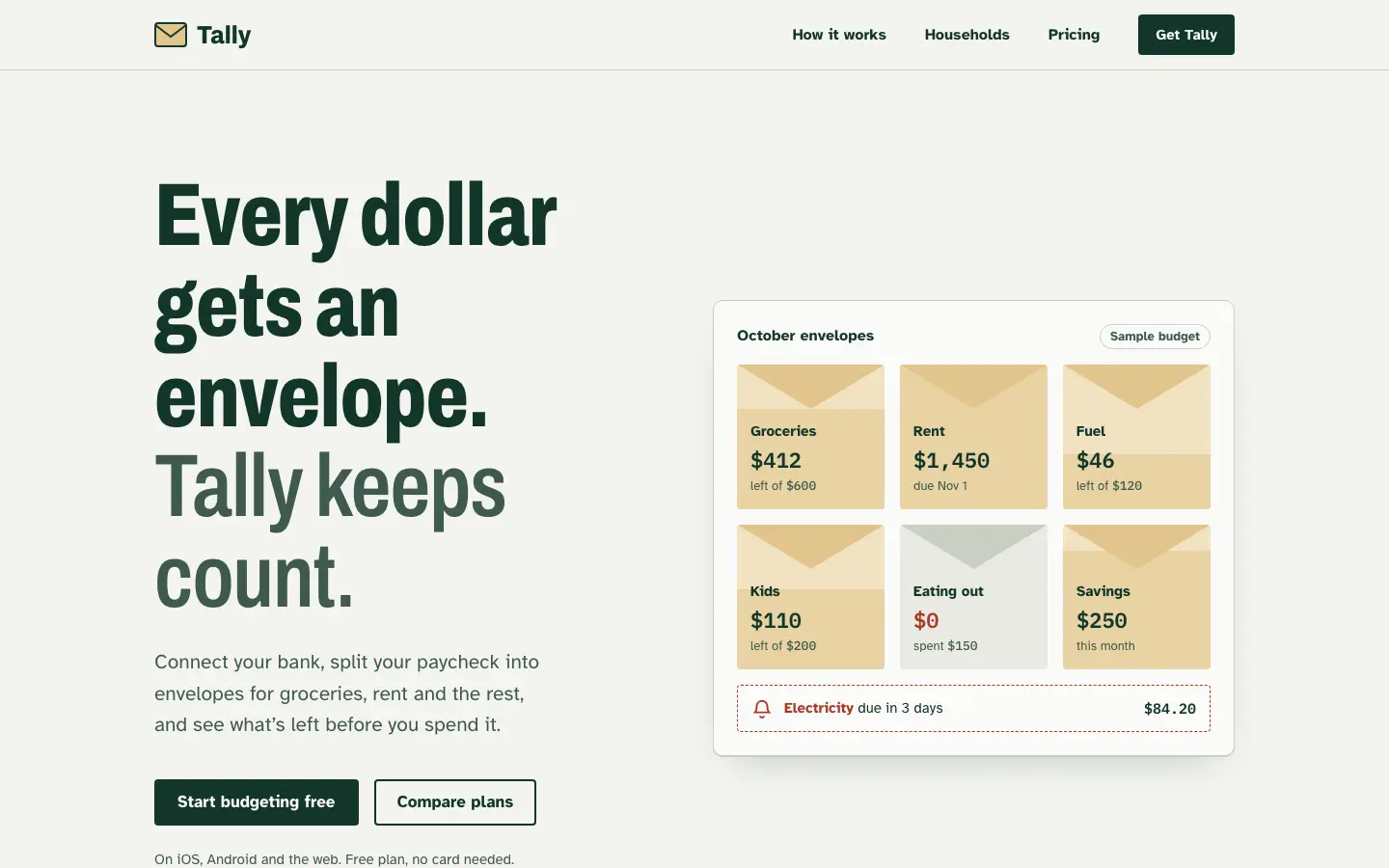
First screen only. Switch to side by side to read the full pages.
Scroll either page; the other follows.
Refactoring UI turns Tally into a clean, generic Tailwind-style SaaS: Plus Jakarta Sans, a grey scale and emerald, then Inter and slate with teal on the dashboard. Tidy, but anonymous, and the hero card still covers the balance.
Side by side
| Field | AI Slop (OpenCode Power Pack) | Refactoring UI Skills |
|---|---|---|
| Fonts |
|
|
| Colors |
|
|
| Pick it for |
|
|
| Skip it for |
|
|
| Observations |
|
|
Install AI Slop (OpenCode Power Pack)
1 Run in your terminal
npx degit waybarrios/opencode-power-pack/skills/ai-slop#main .claude/skills/ai-slop2 Or paste a prompt into Claude Code, Codex, Cursor or Gemini
It tells your tool to install this from its source repository.
This install is for Claude Code only; for other agents use Copy prompt or copy the skill folder.
Copies just this skill's folder into your project's .claude/skills.
Check the source for the latest instructions.
Install Refactoring UI Skills
1 Run in your terminal
cp -r .claude-plugin/* ~/.claude/plugins/refactoring-ui-skills/2 Or paste a prompt into Claude Code, Codex, Cursor or Gemini
It tells your tool to install this from its source repository.
Plugin install is Claude Code only; for other agents use Copy prompt or copy the skill folder.
From PLATFORM_GUIDE.md (linked from README); run inside a clone of the repo.
Taken from the project README. Check the source for the latest instructions.