
The Framed Panel skill draws cosy cartoon scenes inside framed cards, in navy line with lavender, peach and coral, and wraps Tally in a soft lavender-and-cream page with Bricolage Grotesque. The dashboard places a scene in the summary card and keeps the palette. Pick it for gentle, friendly consumer products.
Illustration: Framed Panel vs Illustration: Grainy Gouache
Meng To · Meng To
Tied at 3/5 on the same brief. Pick by fit: the rows below show where each one is stronger.
Both built the Tally landing page in the same Claude Code test, and both design the Maximalist way: loud color, big type, more is more. Both are best for: visual direction, landing pages.
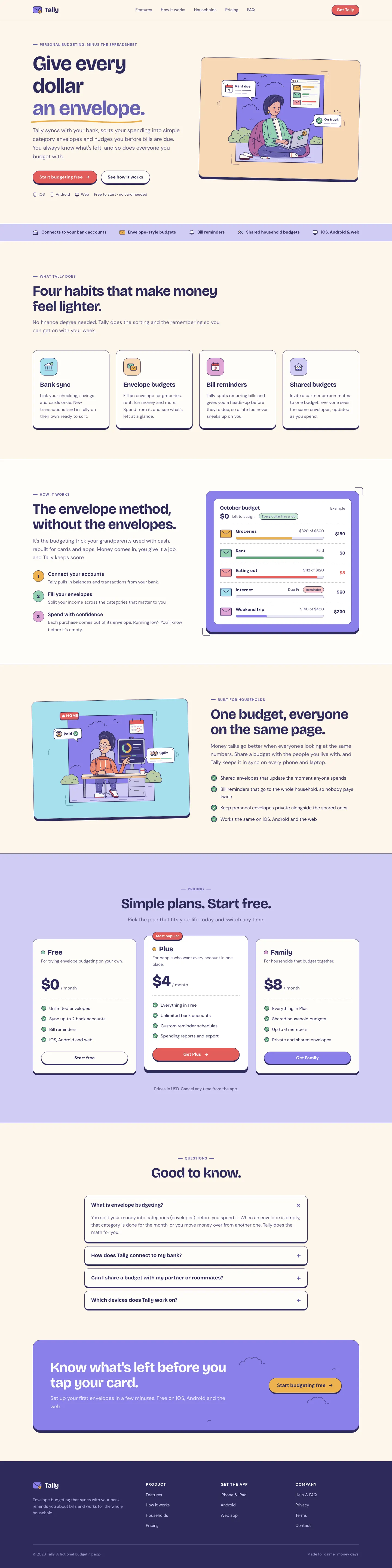
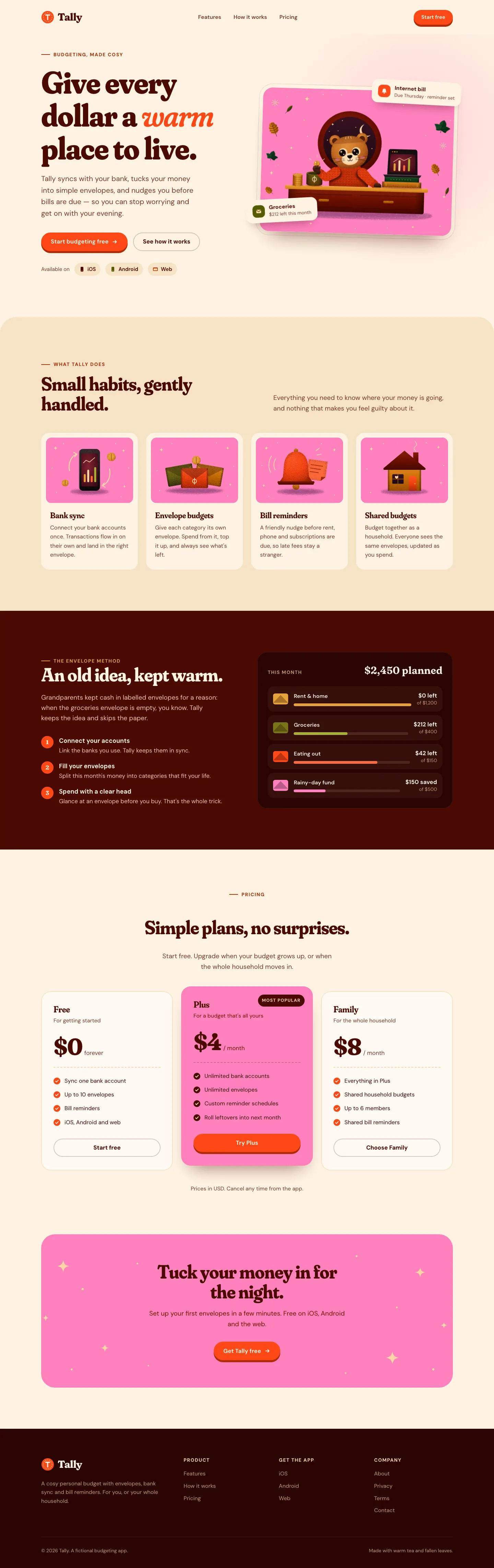


First screen only. Switch to side by side to read the full pages.
Scroll either page; the other follows.
The Grainy Gouache skill paints a little bear at a desk in grainy, riso-like SVG and builds a warm Tally around it: pink, vermilion and sand on cream, Fraunces headlines and deep maroon panels. The dashboard keeps the bear and the warm palette. The mobile dashboard scrolls sideways slightly. Pick it for cosy, characterful consumer brands.
Side by side
| Field | Illustration: Framed Panel (Meng To) | Illustration: Grainy Gouache (Meng To) |
|---|---|---|
| Fonts |
|
|
| Colors |
|
|
| Pick it for |
|
|
| Skip it for |
|
|
| Observations |
|
|
Install Illustration: Framed Panel (Meng To)
1 Run in your terminal
npx degit MengTo/Skills/agent-skills/illustration/illustration-framed-panel#main .claude/skills/illustration-framed-panel2 Or paste a prompt into Claude Code, Codex, Cursor or Gemini
It tells your tool to install this from its source repository.
This install is for Claude Code only; for other agents use Copy prompt or copy the skill folder.
Copies just this skill's folder into your project's .claude/skills.
Check the source for the latest instructions.
Install Illustration: Grainy Gouache (Meng To)
1 Run in your terminal
npx degit MengTo/Skills/agent-skills/illustration/illustration-grainy-gouache#main .claude/skills/illustration-grainy-gouache2 Or paste a prompt into Claude Code, Codex, Cursor or Gemini
It tells your tool to install this from its source repository.
This install is for Claude Code only; for other agents use Copy prompt or copy the skill folder.
Copies just this skill's folder into your project's .claude/skills.
Check the source for the latest instructions.