
Dither Background turns Tally black and white with a grainy, pixel-dithered glow behind the hero and the closing panel, Instrument Serif italics over Inter Tight, and Geist on the dashboard. The dashboard keeps it monochrome, with one orange warning. Pick it for products that want a moody, print-like dark look.
Dither Background vs Liquid Metal Border
Meng To · Meng To
Tied at 3/5 on the same brief. Pick by fit: the rows below show where each one is stronger.
Both built the Tally landing page in the same Claude Code test, and both design the Night Shift way: dark screens, glowing accents, work that looks best at 2am. Both are best for: visual direction.
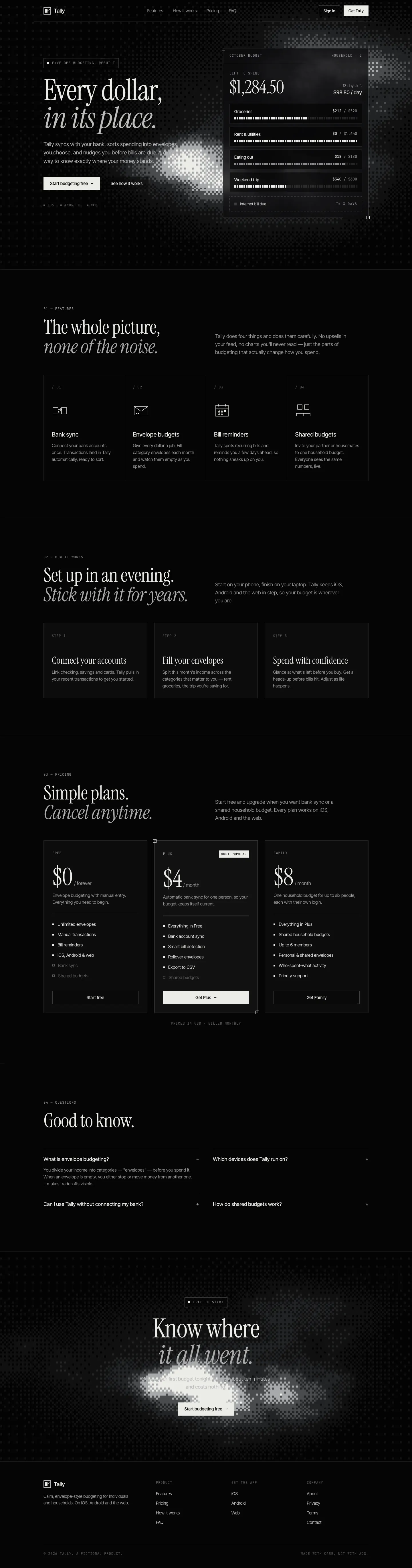


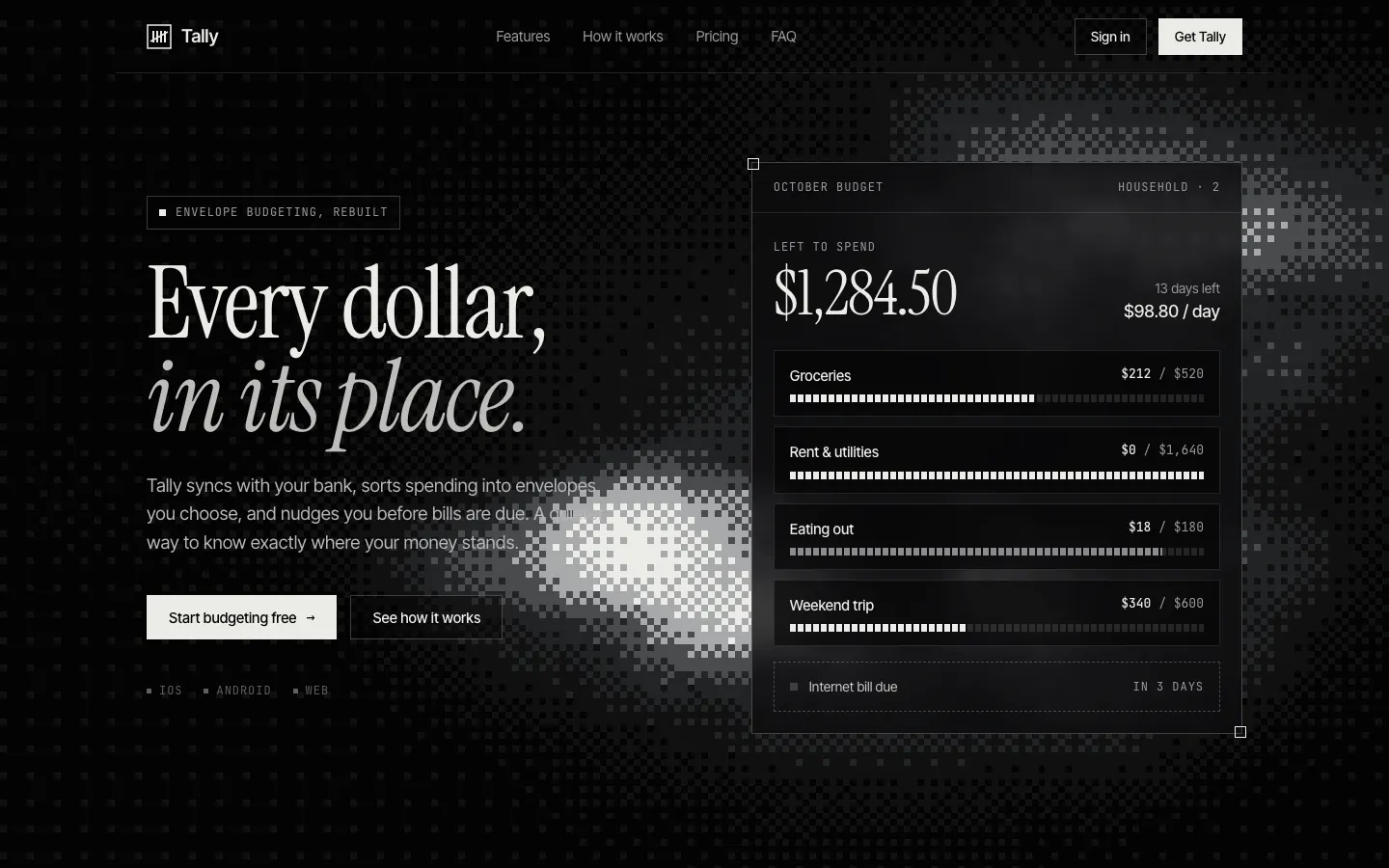
First screen only. Switch to side by side to read the full pages.
Scroll either page; the other follows.
Liquid Metal Border gives Tally a dark, quiet look with shimmering metallic edges on key cards, Instrument Serif italics over Inter and soft pastel accents. The dashboard is clean dark mode in Inter Tight with mono labels. The skill is written for a React package, so in our single HTML file the metal is a CSS stand-in. Pick it for premium dark products.
Side by side
| Field | Dither Background (Meng To) | Liquid Metal Border (Meng To) |
|---|---|---|
| Fonts |
|
|
| Colors |
|
|
| Pick it for |
|
|
| Skip it for |
|
|
| Observations |
|
|
Install Dither Background (Meng To)
1 Run in your terminal
npx degit MengTo/Skills/agent-skills/web-design/dither-background#main .claude/skills/dither-background2 Or paste a prompt into Claude Code, Codex, Cursor or Gemini
It tells your tool to install this from its source repository.
This install is for Claude Code only; for other agents use Copy prompt or copy the skill folder.
Copies just this skill's folder into your project's .claude/skills.
Check the source for the latest instructions.
Install Liquid Metal Border (Meng To)
1 Run in your terminal
npx degit MengTo/Skills/agent-skills/web-design/liquid-metal-border#main .claude/skills/liquid-metal-border2 Or paste a prompt into Claude Code, Codex, Cursor or Gemini
It tells your tool to install this from its source repository.
This install is for Claude Code only; for other agents use Copy prompt or copy the skill folder.
Copies just this skill's folder into your project's .claude/skills.
Check the source for the latest instructions.