
Glassmorphism puts Tally on a dark night sky: frosted, edge-lit panels float over drifting violet, teal, coral and amber glows, with bold Manrope headlines and italic Instrument Serif accents in a violet-to-pink gradient. The dashboard carries it through with a mint progress ring for the $640, colorful gradient envelope bars and JetBrains Mono figures. The look is far from the default and text stays readable, but an 'On track' chip covers the bill reminder in the hero, the phone dashboard scrolls sideways, and it sits in familiar dark-SaaS territory. Pick it for AI tools, crypto or night-mode products that want color and depth.
Glassmorphism vs Premium Frontend Design
Web Animation Skills · kv0906
Tied at 3/5 on the same brief. Pick by fit: the rows below show where each one is stronger.
Both built the Tally landing page in the same Claude Code test, and both design the Night Shift way: dark screens, glowing accents, work that looks best at 2am. Both are best for: visual direction.
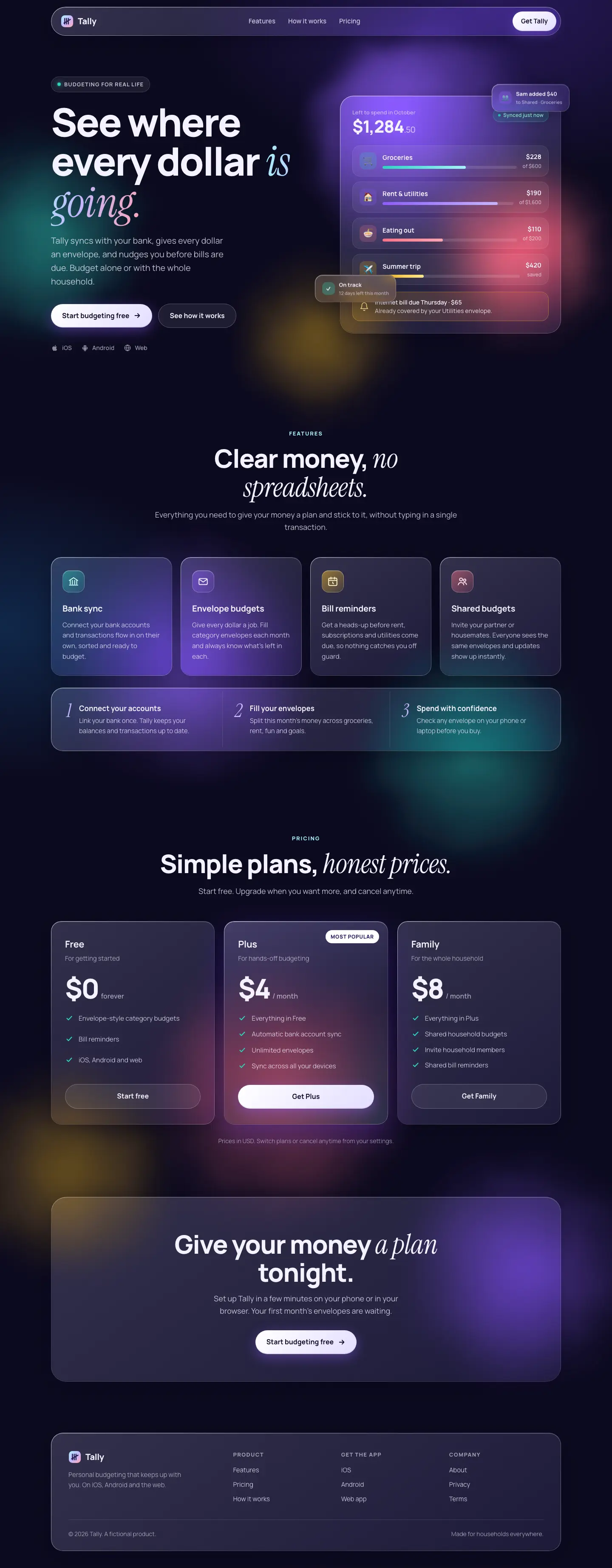
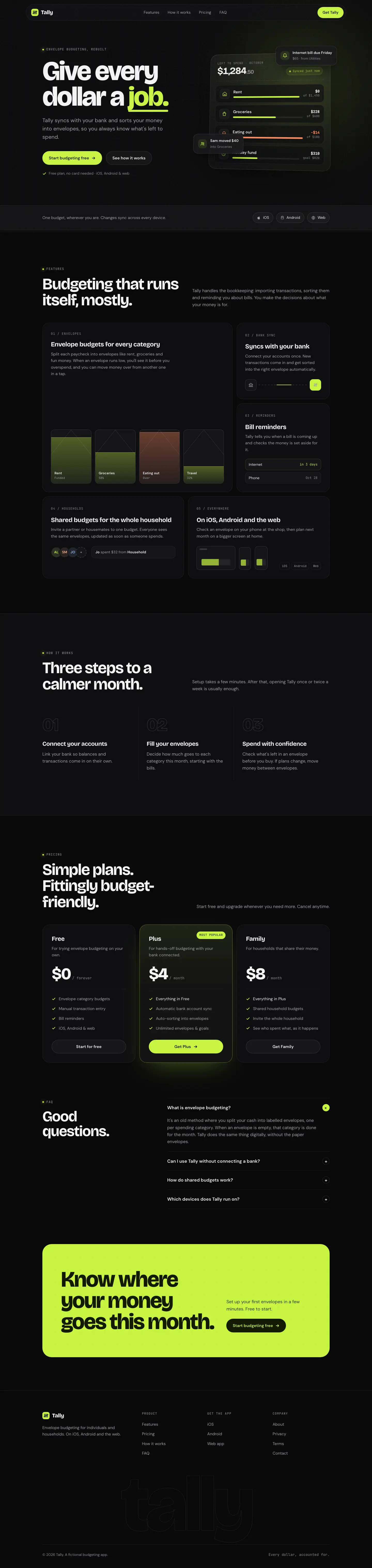
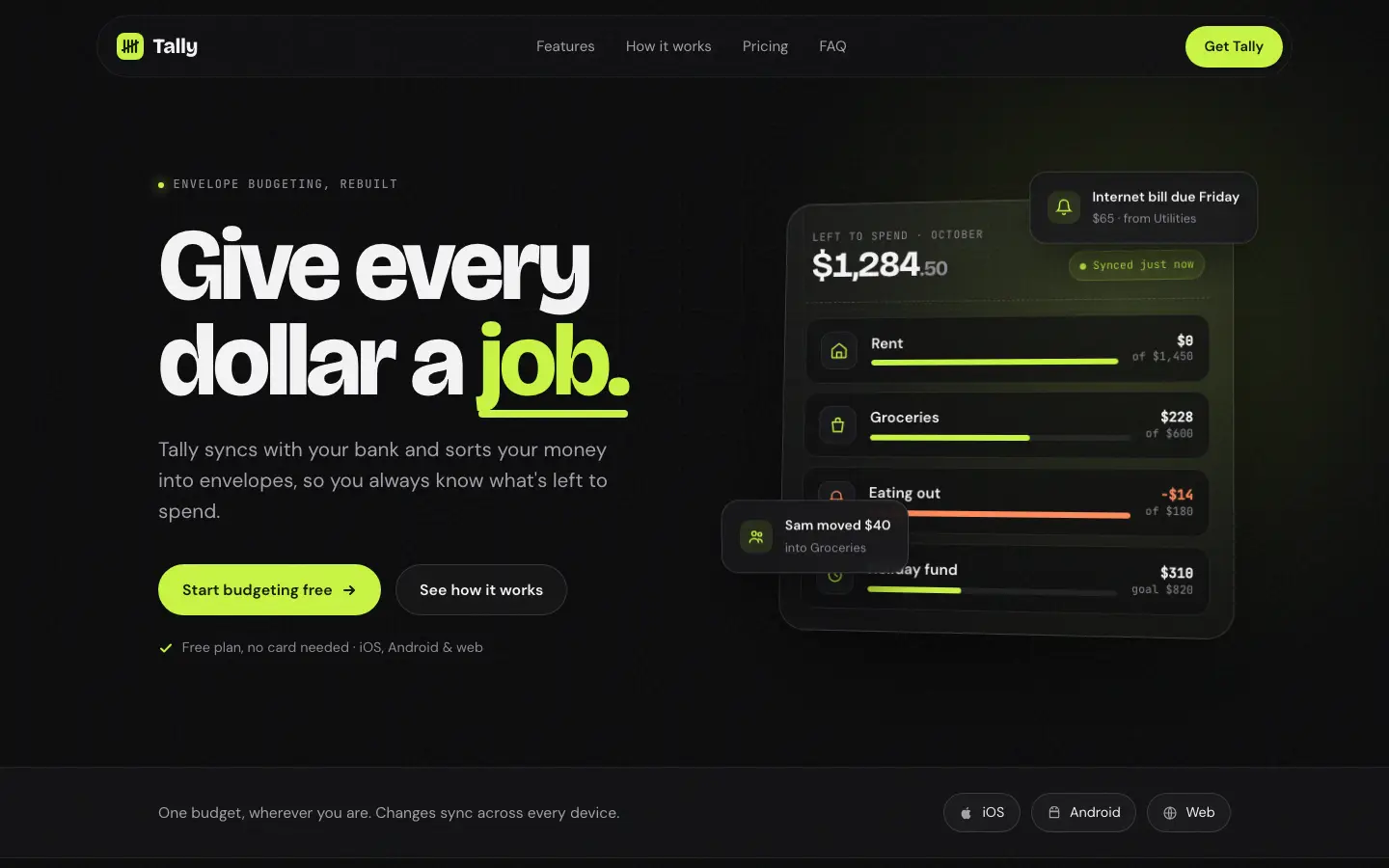
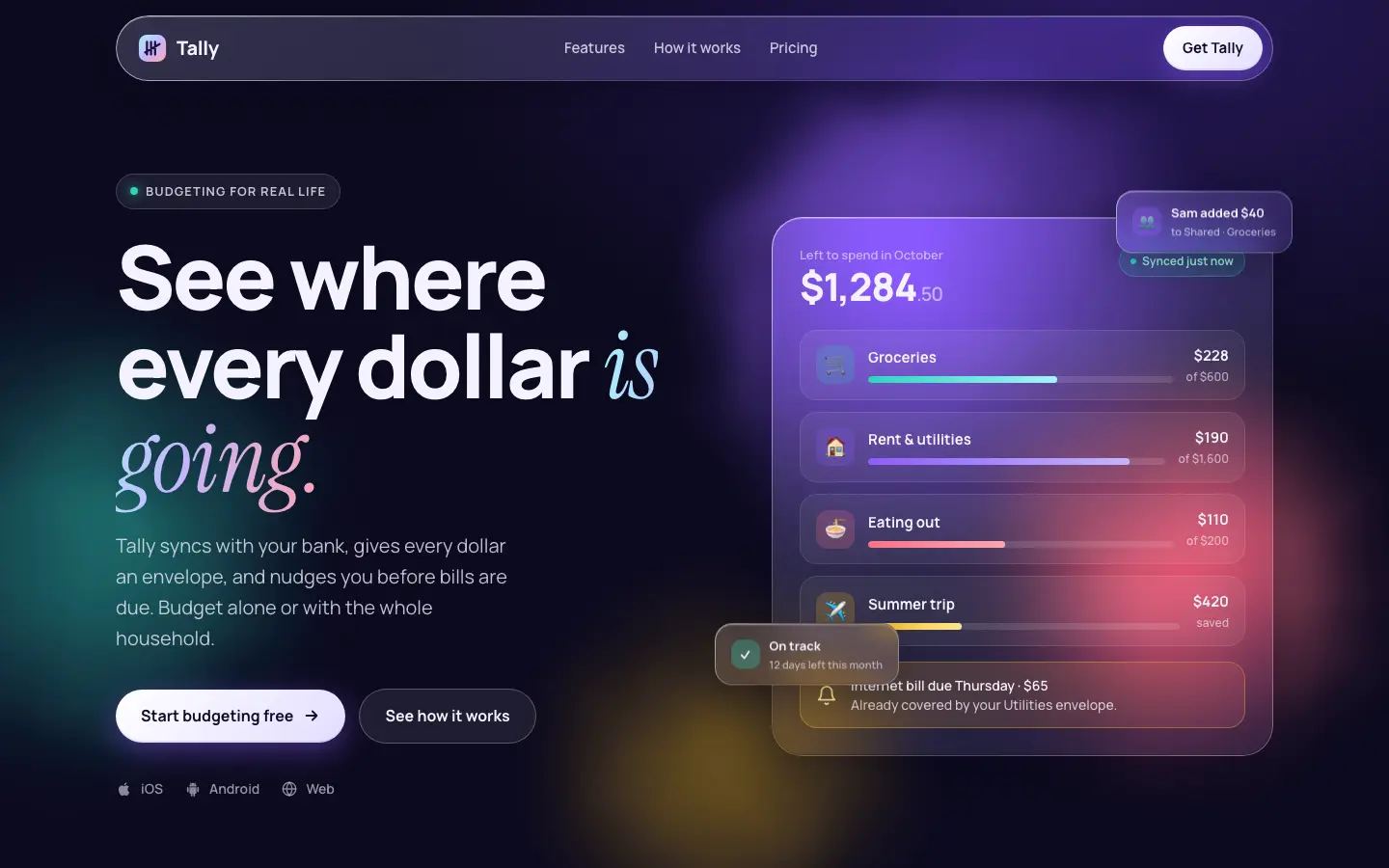
First screen only. Switch to side by side to read the full pages.
Scroll either page; the other follows.
Premium Frontend Design gives Tally a near-black landing page with tight Bricolage Grotesque headlines, a lime #c8f542 accent and a tilted glass app card, then a warm dark dashboard lit by marigold #f4c152 with JetBrains Mono figures. Both pages are readable and work on a phone, and the dashboard's split income bar is a clear touch. A floating 'Sam moved $40' card covers an envelope name in the hero, the spending chart leaves a large empty gap above short bars, and the two pages use different accents. It looks like a lot of dark SaaS sites. Pick it for a dark product page for a fintech or developer tool.
Side by side
| Field | Glassmorphism (Web Animation Skills) | Premium Frontend Design (kv0906) |
|---|---|---|
| Fonts |
|
|
| Colors |
|
|
| Pick it for |
|
|
| Skip it for |
|
|
| Observations |
|
|
Install Glassmorphism (Web Animation Skills)
1 Run in your terminal
npx degit iart-ai/web-animation-skills/skills/glassmorphism#main .claude/skills/glassmorphism2 Or paste a prompt into Claude Code, Codex, Cursor or Gemini
It tells your tool to install this from its source repository.
This install is for Claude Code only; for other agents use Copy prompt or copy the skill folder.
Copies just this skill's folder into your project's .claude/skills.
Check the source for the latest instructions.
Install Premium Frontend Design (kv0906)
1 Run in your terminal
npx degit kv0906/cc-skills/skills/premium-frontend-design#main .claude/skills/premium-frontend-design2 Or paste a prompt into Claude Code, Codex, Cursor or Gemini
It tells your tool to install this from its source repository.
This install is for Claude Code only; for other agents use Copy prompt or copy the skill folder.
Copies just this skill's folder into your project's .claude/skills.
Check the source for the latest instructions.