Hallmark
4/5
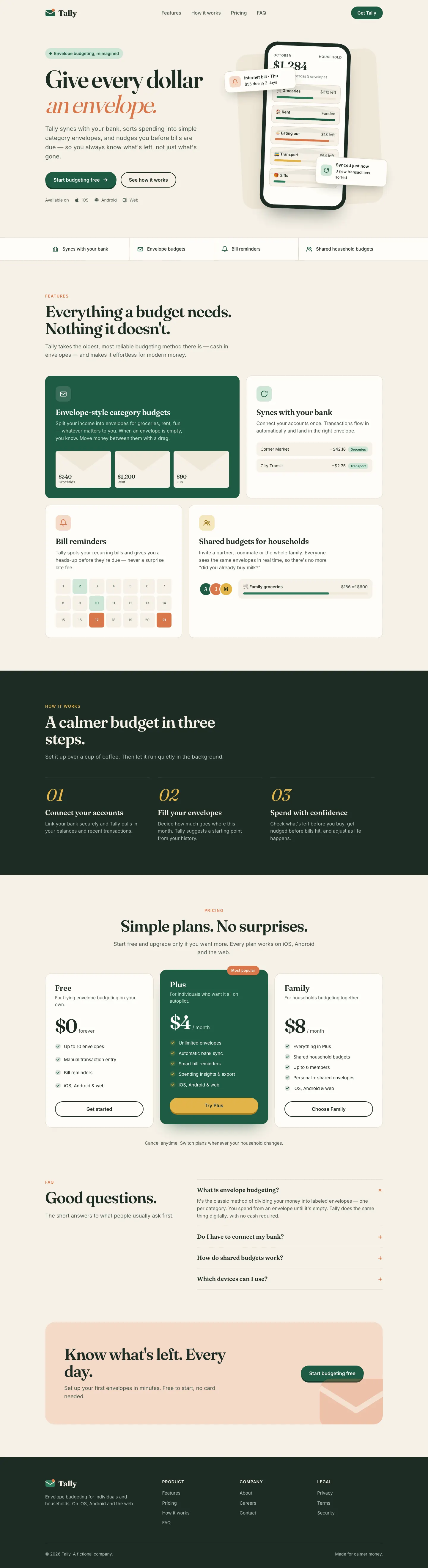
Hallmark turns Tally into a cheerful yellow-and-pastel brand in Plus Jakarta Sans with big ghost numerals, and the dashboard matches it. The most consistent result in the set, but it took about 12 minutes per brief.
 Skills for Design
 Tied at 4/5 on the same brief. Pick by fit: the rows below show where each one is stronger.
Both built the Tally landing page in the same Claude Code test. Shared tasks: Visual direction, Landing pages.
4/5
Hallmark turns Tally into a cheerful yellow-and-pastel brand in Plus Jakarta Sans with big ghost numerals, and the dashboard matches it. The most consistent result in the set, but it took about 12 minutes per brief.
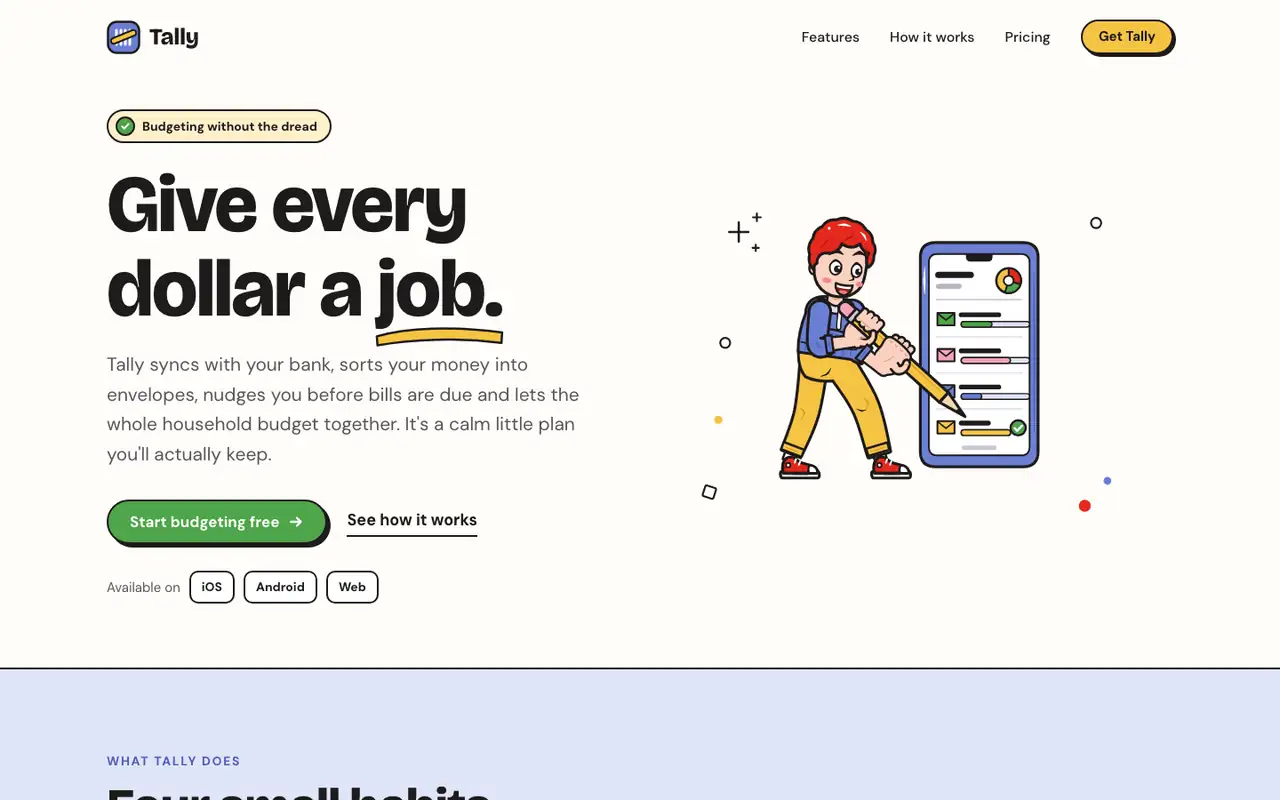
The Outlined Cartoon skill draws its own SVG people and objects, with thick black outlines and flat yellow, periwinkle, red and green fills, and builds the whole page around them: chunky Bricolage Grotesque, hard offset shadows and sticker-like cards. The dashboard keeps the cartoon, down to a little character in the summary card. Pick it if you want a friendly, playful product that looks hand-made.
| Field | Hallmark | Illustration: Outlined Cartoon (Meng To) |
|---|---|---|
| Fonts |
|
|
| Colors |
|
|
| Good fit for |
|
|
| Not great for |
|
|
| Flaws we saw |
|
|
The baseline with no skillHow the brief works
1 Run in your terminal
npx skills add nutlope/hallmark2 Or paste a prompt into Claude Code, Codex, Cursor or Gemini
It tells your tool to install this from its source repository.
Taken from the project README. Check the source for the latest instructions.
1 Run in your terminal
npx degit MengTo/Skills/agent-skills/illustration/illustration-outlined-cartoon#main .claude/skills/illustration-outlined-cartoon2 Or paste a prompt into Claude Code, Codex, Cursor or Gemini
It tells your tool to install this from its source repository.
This install is for Claude Code only; for other agents use Copy prompt or copy the skill folder.
Copies just this skill's folder into your project's .claude/skills.
Check the source for the latest instructions.