
Retro Print prints Tally like a risograph poster: giant Anton capitals with a misregistered red and blue shadow, Newsreader for body text, IBM Plex Mono labels, a boxed row of envelope figures and a black marquee strip. Further down, a halftone panel draws the envelopes and pricing ends with a black Plus card and a red Family card. The dashboard keeps every idea, with a dotted "$640 left to budget" panel, numbered envelope rows, halftone chart bars and a dashed "over by $36" stamp. It is committed, readable and works on a phone. Pick it for food, music, event or agency brands with an analog voice.
Retro Print vs Frontend Design
Design Taste by Mustafa · Ilm-Alan
Tied at 4/5 on the same brief. Pick by fit: the rows below show where each one is stronger.
Both built the Tally landing page in the same Claude Code test, and both design the Maximalist way: loud color, big type, more is more. Both are best for: visual direction.
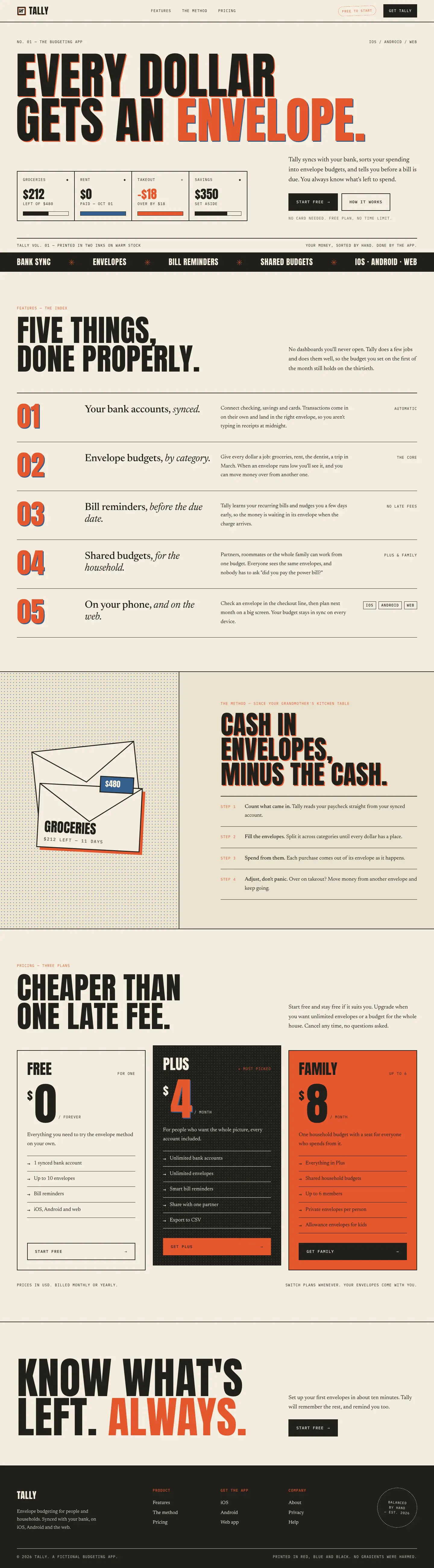
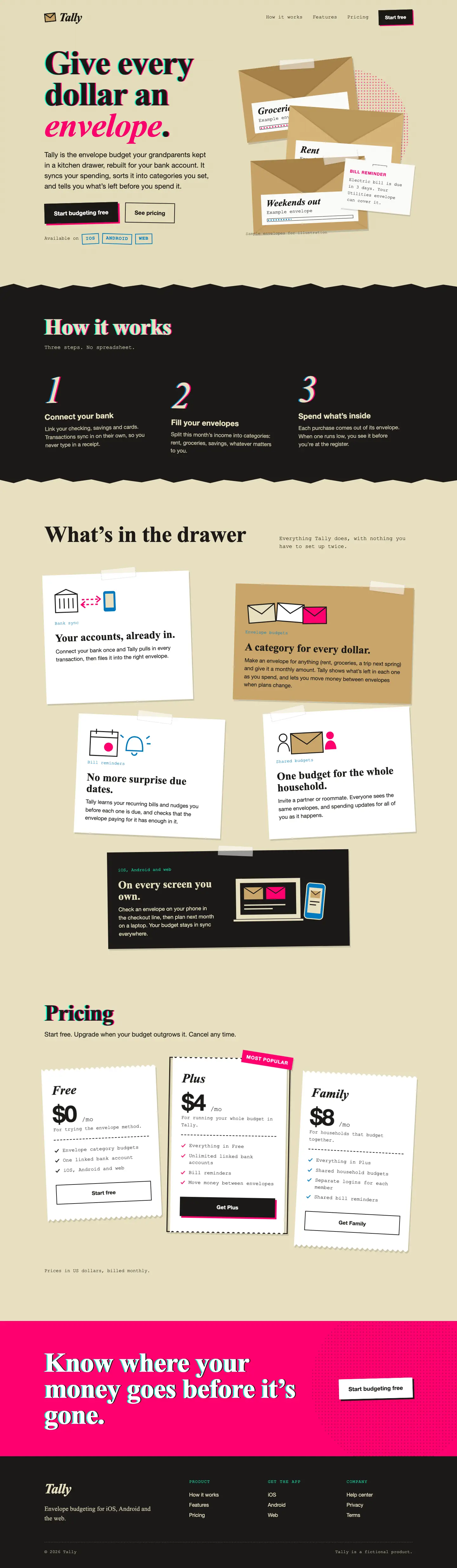
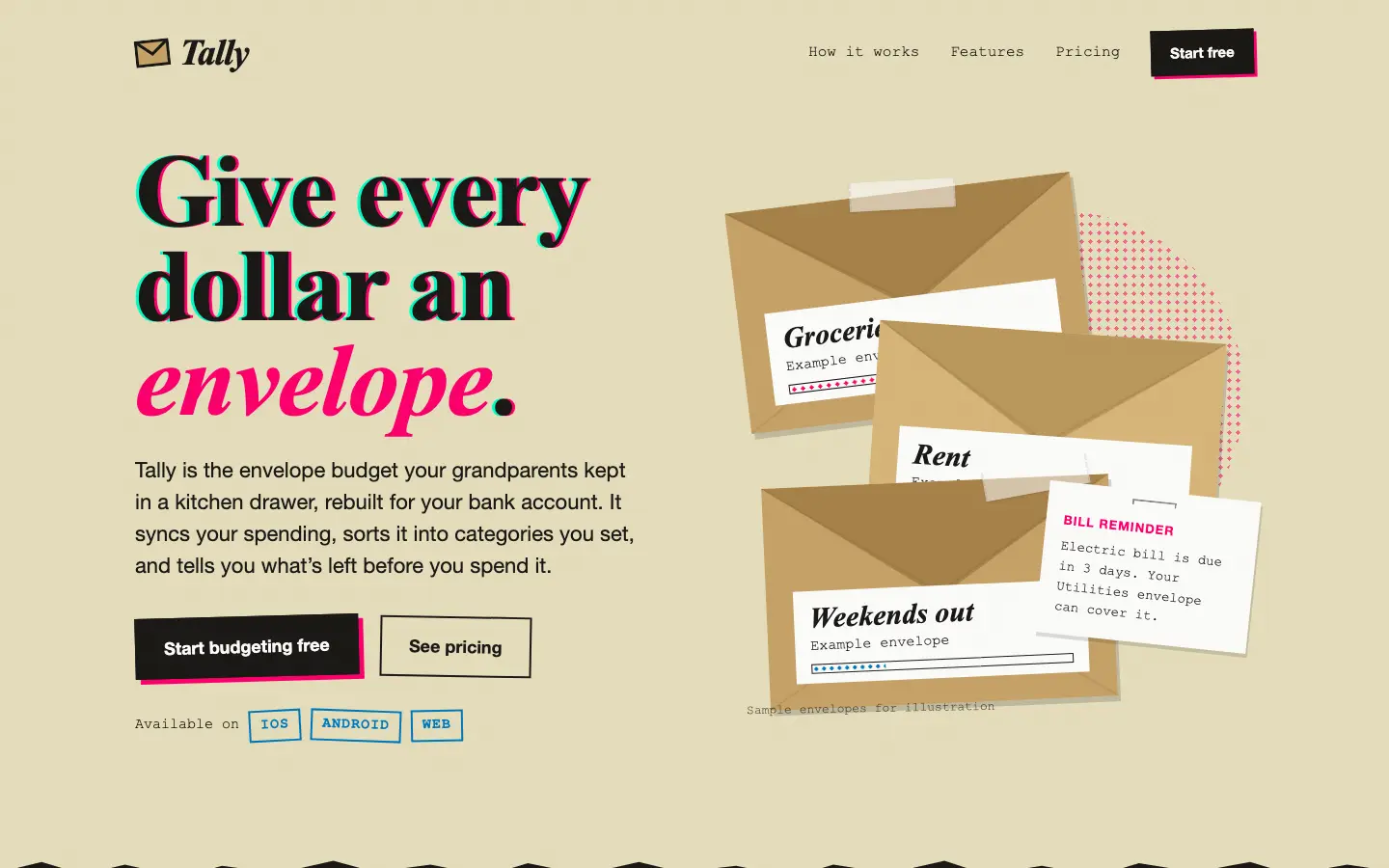
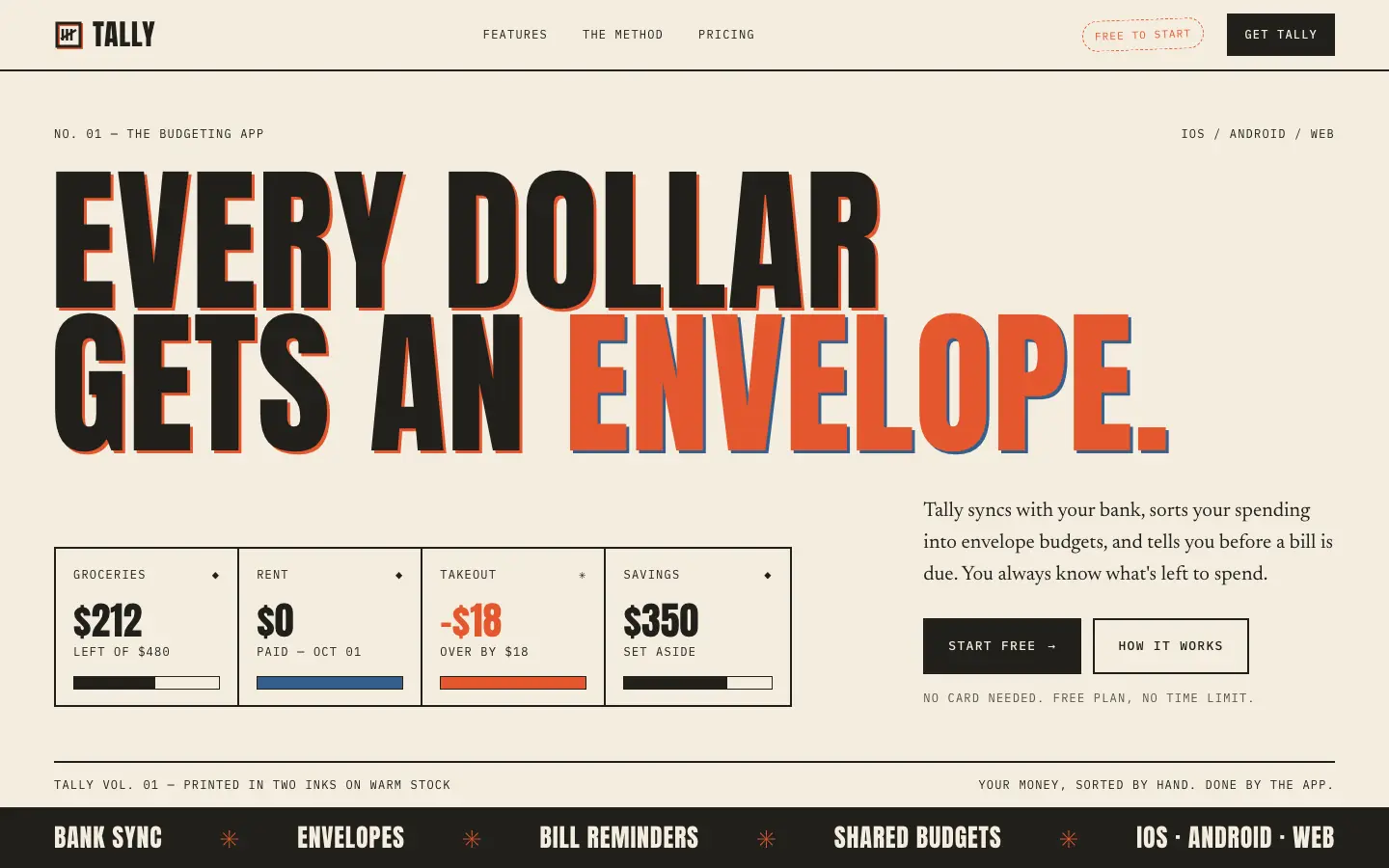
First screen only. Switch to side by side to read the full pages.
Scroll either page; the other follows.
Ilm-Alan's Frontend Design turns Tally into a lo-fi print zine: yellowed paper, heavy Times headlines misregistered in hot pink and teal, Helvetica body and Courier labels, taped kraft envelopes and a stapled bill slip in the hero, halftone dots and prices on torn receipts. The dashboard keeps the idea, with each budget drawn as a paper envelope, a pink 'OVER' stamp on Dining out, halftone chart bars and upcoming bills on a receipt. It is a committed look, far from the default, but the hero envelopes cover each other's labels and the phone dashboard scrolls sideways. Pick it for indie, creative or youth brands that want a hand-made, printed feel.
Side by side
| Field | Retro Print (Design Taste by Mustafa) | Frontend Design (Ilm-Alan) |
|---|---|---|
| Fonts |
|
|
| Colors |
|
|
| Pick it for |
|
|
| Skip it for |
|
|
| Observations |
|
|
Install Retro Print (Design Taste by Mustafa)
1 Run in your terminal
npx degit madebymustafa/design-taste/skills/retro-print#main .claude/skills/retro-print2 Or paste a prompt into Claude Code, Codex, Cursor or Gemini
It tells your tool to install this from its source repository.
This install is for Claude Code only; for other agents use Copy prompt or copy the skill folder.
Copies just this skill's folder into your project's .claude/skills.
Check the source for the latest instructions.
Install Frontend Design (Ilm-Alan)
1 Run in your terminal
npx degit Ilm-Alan/frontend-design#main .claude/skills/frontend-design-ilm-alan2 Or paste a prompt into Claude Code, Codex, Cursor or Gemini
It tells your tool to install this from its source repository.
This install is for Claude Code only; for other agents use Copy prompt or copy the skill folder.
Copies just this skill's folder into your project's .claude/skills.
Check the source for the latest instructions.