
Dark Tech gives Tally a near-black instrument console: Space Grotesk headings, Inter text, IBM Plex Mono labels with keys like left_to_spend, hairline borders and one emerald #34D399. The landing hero is a terminal-style envelope table, and the dashboard matches with dark panels, an emerald October bar and white rather than red for the over-budget envelope. Both pages are consistent and carefully built, though small gray mono text on black is hard to read, the result looks like many developer tools, and the phone dashboard scrolls sideways. Pick it for developer, infrastructure or AI products.
Dark Tech vs Supanova Design Engine
Design Taste by Mustafa · Standalone skill
Tied at 3/5 on the same brief. Pick by fit: the rows below show where each one is stronger.
Both built the Tally landing page in the same Claude Code test, and both design the Night Shift way: dark screens, glowing accents, work that looks best at 2am. Both are best for: visual direction.
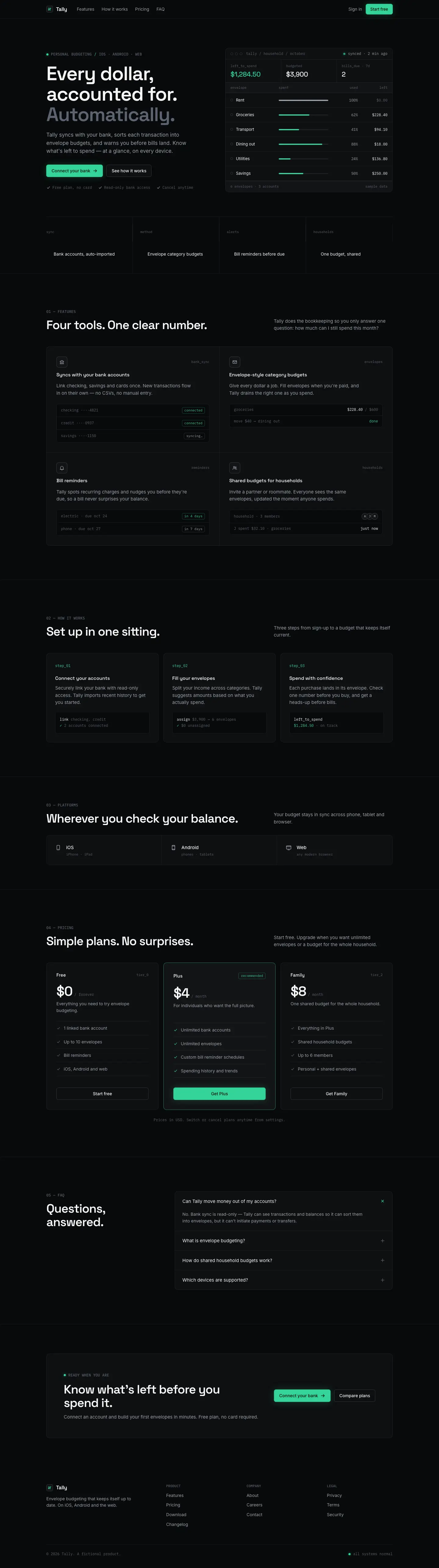
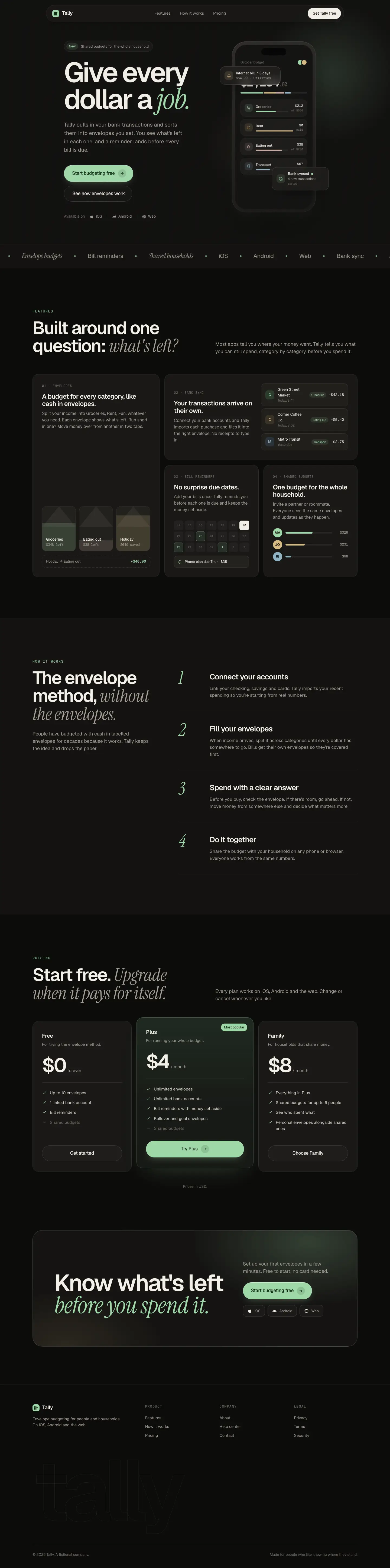
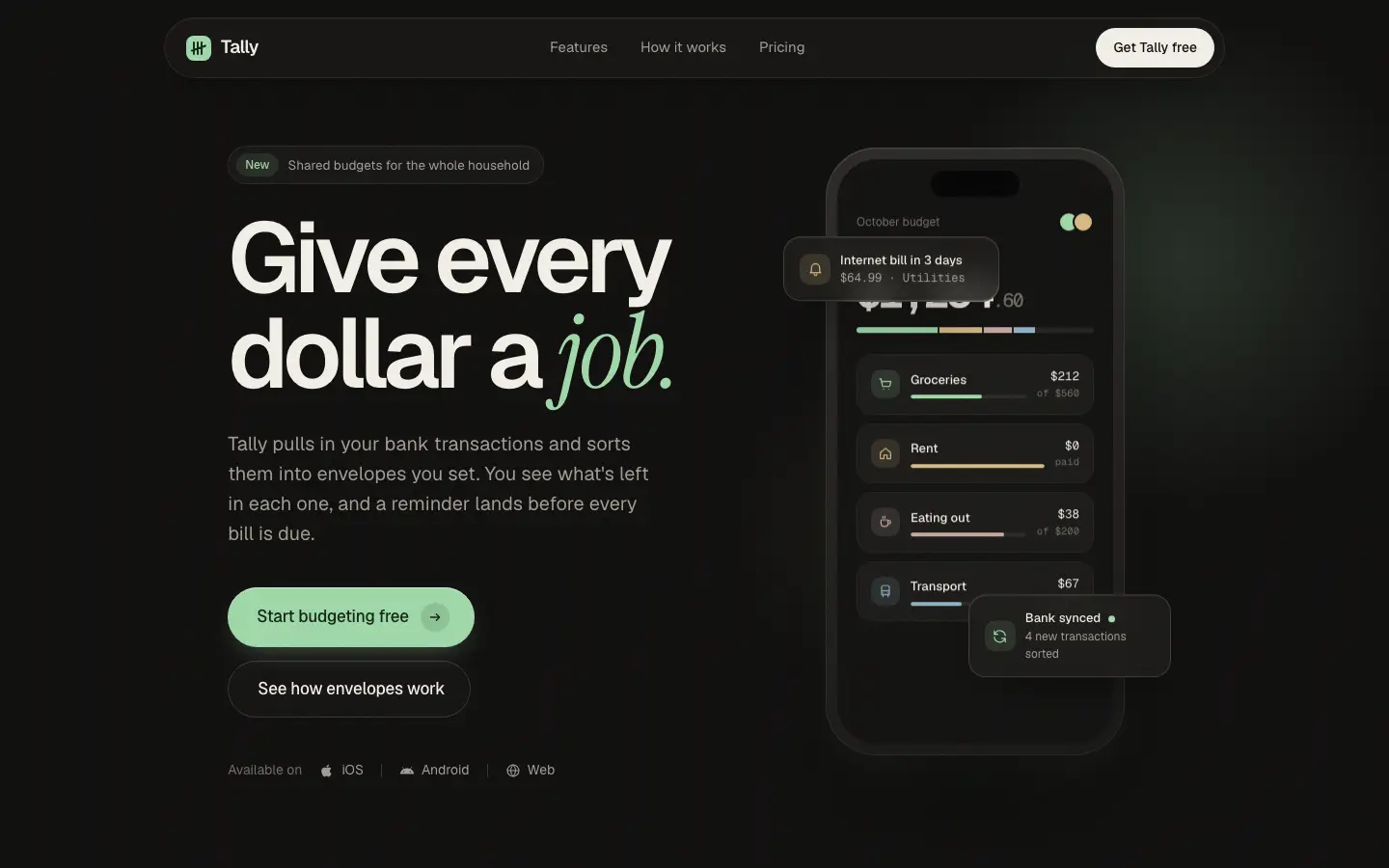
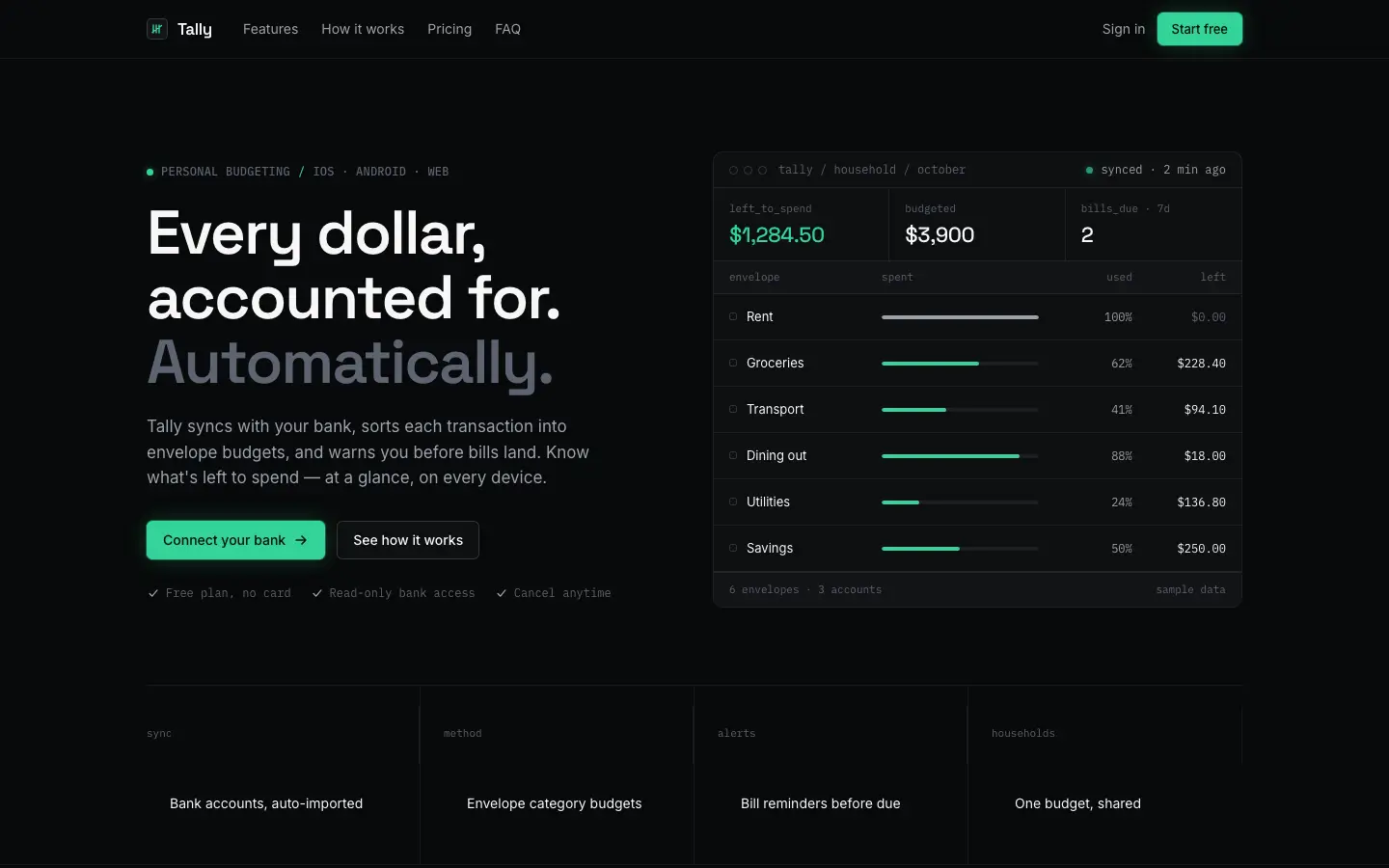
First screen only. Switch to side by side to read the full pages.
Scroll either page; the other follows.
Supanova Design Engine gives Tally a warm charcoal landing page with Geist headlines, an italic Instrument Serif 'job.' in sage green #9fd8a8, a dark phone hero and an uneven feature grid. The dashboard keeps the same dark panels with a mint accent, a big $640 card and pace markers on the envelopes. Both pages are consistent and work on a phone, but a bill card covers the hero balance and the overall look is close to other dark SaaS pages. Pick it for a dark, modern product landing page.
Side by side
| Field | Dark Tech (Design Taste by Mustafa) | Supanova Design Engine |
|---|---|---|
| Fonts |
|
|
| Colors |
|
|
| Pick it for |
|
|
| Skip it for |
|
|
| Observations |
|
|
Install Dark Tech (Design Taste by Mustafa)
1 Run in your terminal
npx degit madebymustafa/design-taste/skills/dark-tech#main .claude/skills/dark-tech2 Or paste a prompt into Claude Code, Codex, Cursor or Gemini
It tells your tool to install this from its source repository.
This install is for Claude Code only; for other agents use Copy prompt or copy the skill folder.
Copies just this skill's folder into your project's .claude/skills.
Check the source for the latest instructions.
Install Supanova Design Engine
1 Run in your terminal
npx degit uxjoseph/supanova-design-skill/taste-skill#main .claude/skills/supanova-design-engine2 Or paste a prompt into Claude Code, Codex, Cursor or Gemini
It tells your tool to install this from its source repository.
This install is for Claude Code only; for other agents use Copy prompt or copy the skill folder.
Copies just this skill's folder into your project's .claude/skills.
Check the source for the latest instructions.