
h3nryprod01's Design Taste gives Tally an off-white landing page with heavy Bricolage Grotesque headlines, Geist body text, Geist Mono figures and one persimmon accent, plus a working sample budget in the hero where you sort a bank purchase into envelopes. The dashboard drops the persimmon for cobalt blue on cool gray in Geist, so it looks like a standard SaaS app and does not match the landing page. Both pages are clean, work on a phone and include a dark mode. Pick it for a tidy, warm product page, but plan to bring the dashboard in line yourself.
Design Taste vs Cinematic Motion
h3nryprod01 · Design Taste by Mustafa
Tied at 3/5 on the same brief. Pick by fit: the rows below show where each one is stronger.
Both built the Tally landing page in the same Claude Code test, and both design the Minimalist way: white space, one accent, and the confidence to leave things out. Both are best for: visual direction.
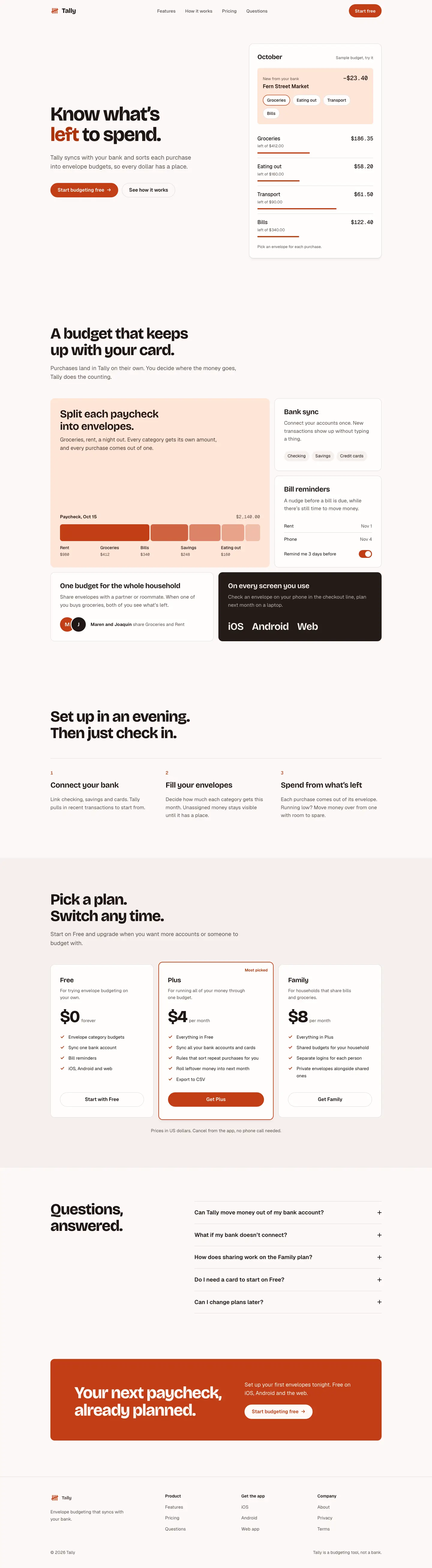

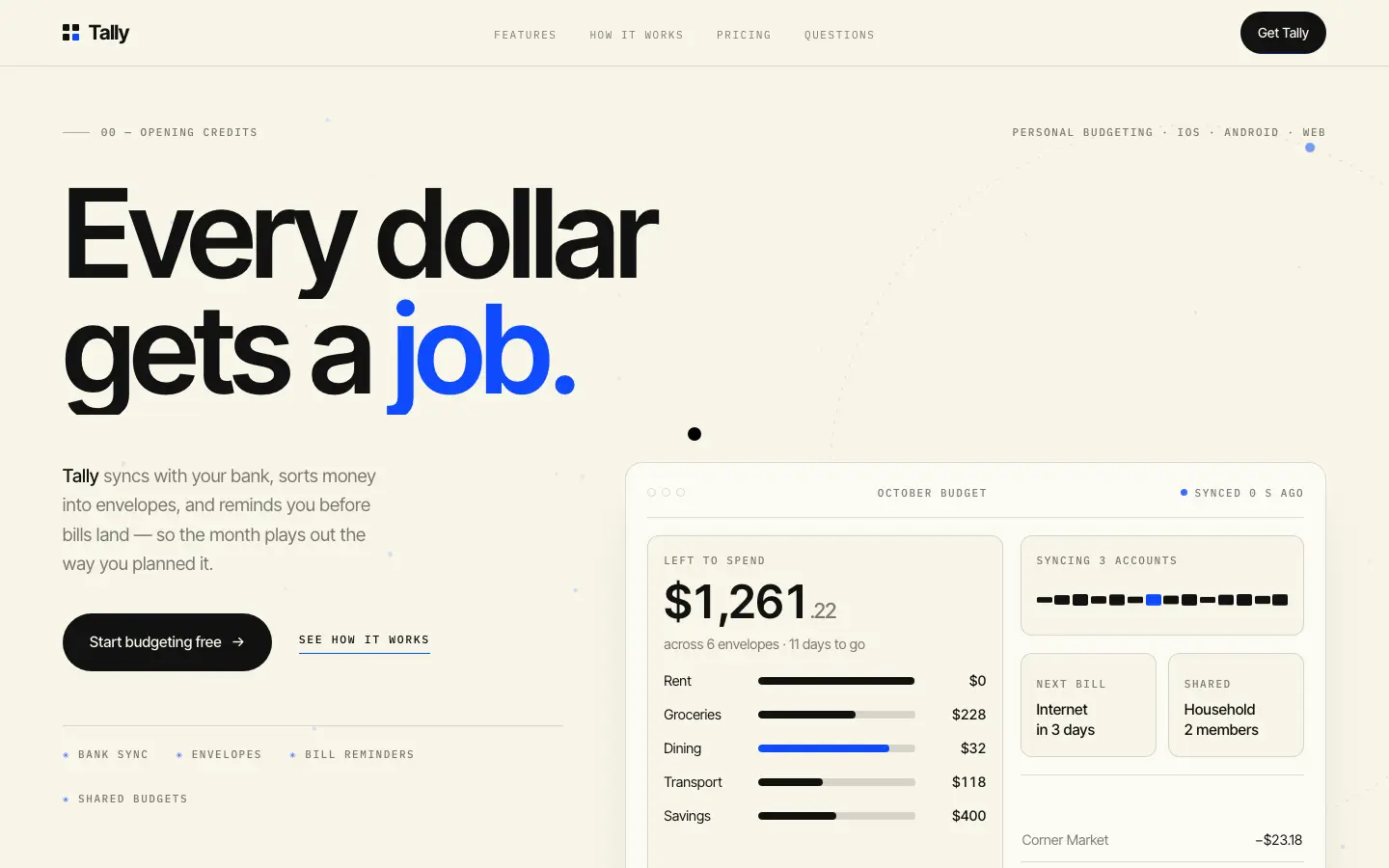
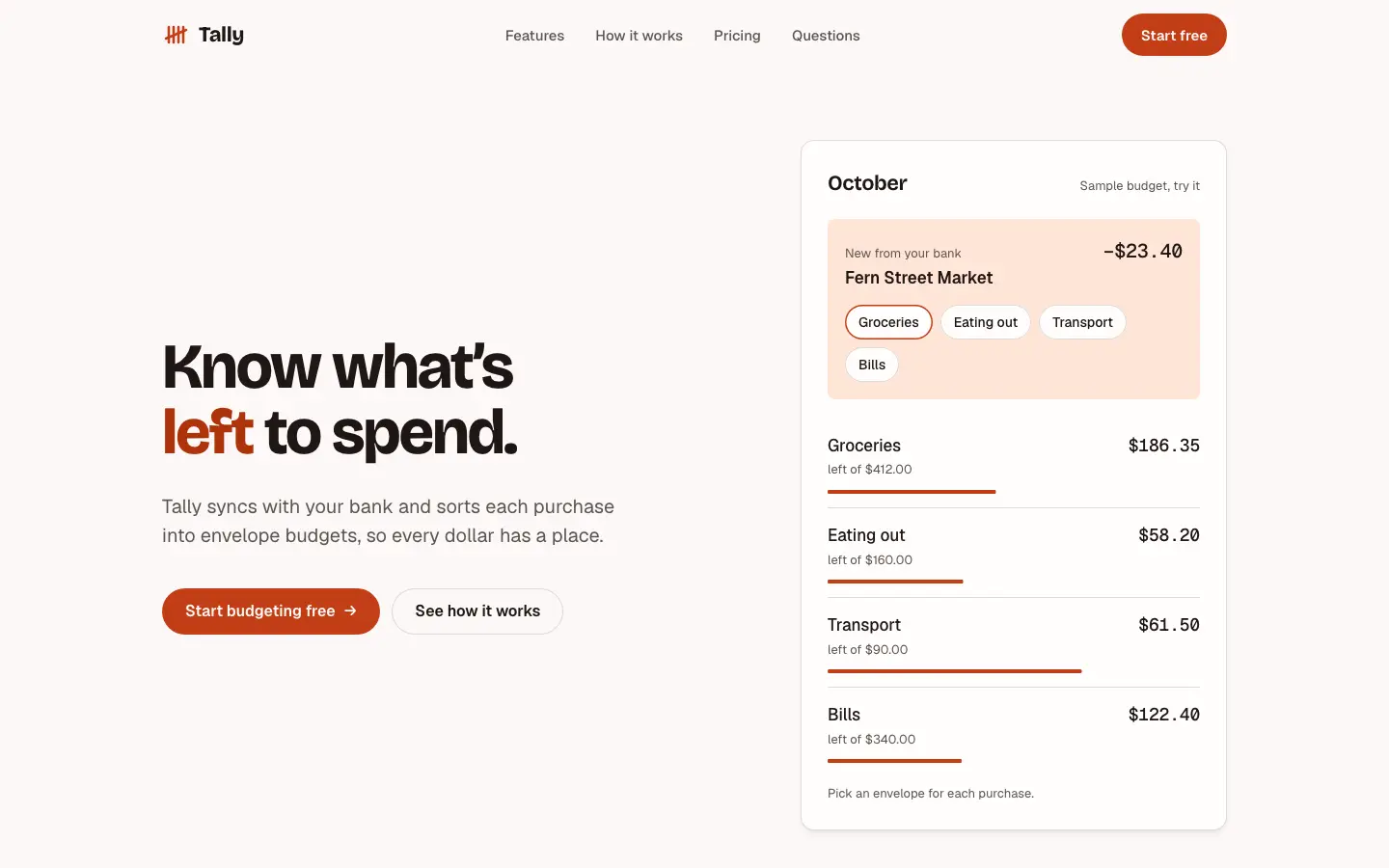
First screen only. Switch to side by side to read the full pages.
Scroll either page; the other follows.
Cinematic Motion gives Tally warm studio paper, tight Inter Tight headlines, IBM Plex Mono scene labels like "00 Opening credits" and one electric blue #0F4BFD. The landing has a live hero dashboard, a drag carousel and dark sections that pin and scrub on scroll; the dashboard leads with "October has $640 to give a job." beside an ink sidebar, with black chart bars and blue only where attention is needed. The dashboard is the stronger page. On the landing, the pinned sections show as large empty dark blocks in a full-page view and a feature marquee runs off the edge, and the phone dashboard scrolls sideways. Pick it for launches and portfolios that want scroll storytelling.
Side by side
| Field | Design Taste (h3nryprod01) | Cinematic Motion (Design Taste by Mustafa) |
|---|---|---|
| Fonts |
|
|
| Colors |
|
|
| Pick it for |
|
|
| Skip it for |
|
|
| Observations |
|
|
Install Design Taste (h3nryprod01)
1 Run in your terminal
npx degit h3nryprod01/design-taste#main .claude/skills/design-taste-h3nryprod012 Or paste a prompt into Claude Code, Codex, Cursor or Gemini
It tells your tool to install this from its source repository.
This install is for Claude Code only; for other agents use Copy prompt or copy the skill folder.
Copies just this skill's folder into your project's .claude/skills.
Check the source for the latest instructions.
Install Cinematic Motion (Design Taste by Mustafa)
1 Run in your terminal
npx degit madebymustafa/design-taste/skills/cinematic-motion#main .claude/skills/cinematic-motion2 Or paste a prompt into Claude Code, Codex, Cursor or Gemini
It tells your tool to install this from its source repository.
This install is for Claude Code only; for other agents use Copy prompt or copy the skill folder.
Copies just this skill's folder into your project's .claude/skills.
Check the source for the latest instructions.