
Design Engineering gives Tally a playful, Duolingo-like look: lowercase Fredoka headlines over Nunito, bright green #58CC02 with red, orange, blue and purple each given one job, and buttons with a solid lip that press down. The landing page has a waving envelope mascot beside a phone, and the dashboard keeps the same voice, with a headline that reads "october is on track, except dining out" and a coin character offering to move $36. Both pages are clear, consistent and work well on a phone, though the style borrows heavily from one well-known app. Pick it for consumer apps that want to feel like a game.
Design Engineering vs Blue Cloudy Clean Modern
agentsorg · Meng To
Design Engineering (agentsorg) scored higher on the same brief, 4/5. The rows below show where each one fits.
Both built the Tally landing page in the same Claude Code test, and both design the Daydreamer way: pastel gradients, frosted glass and rounded everything. Software that feels like a nice day. Both are best for: visual direction.
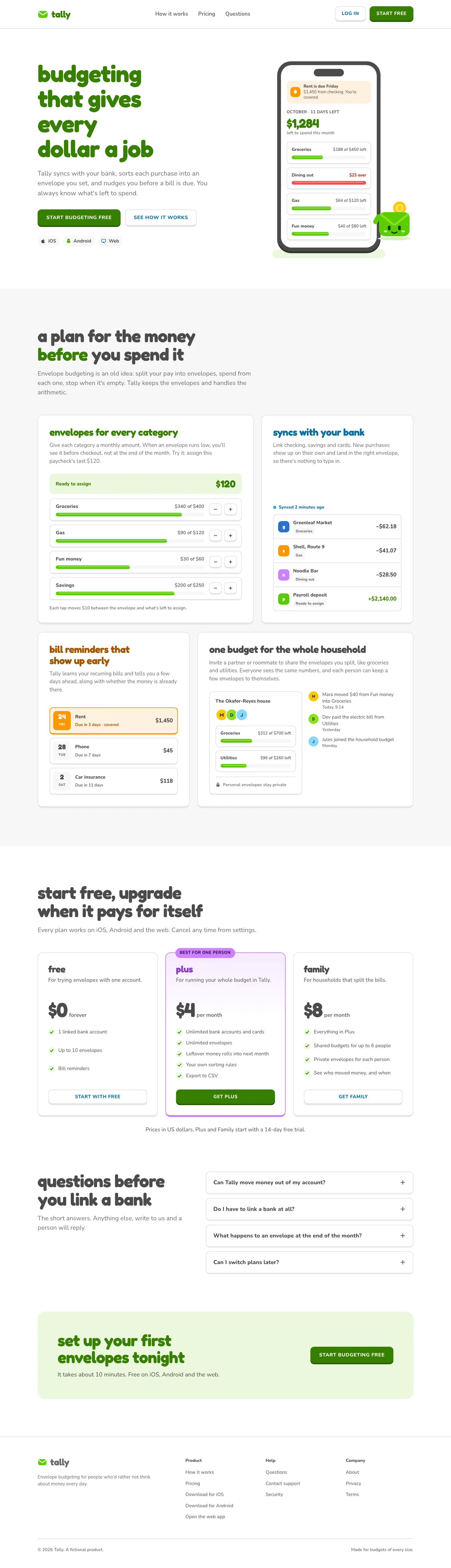
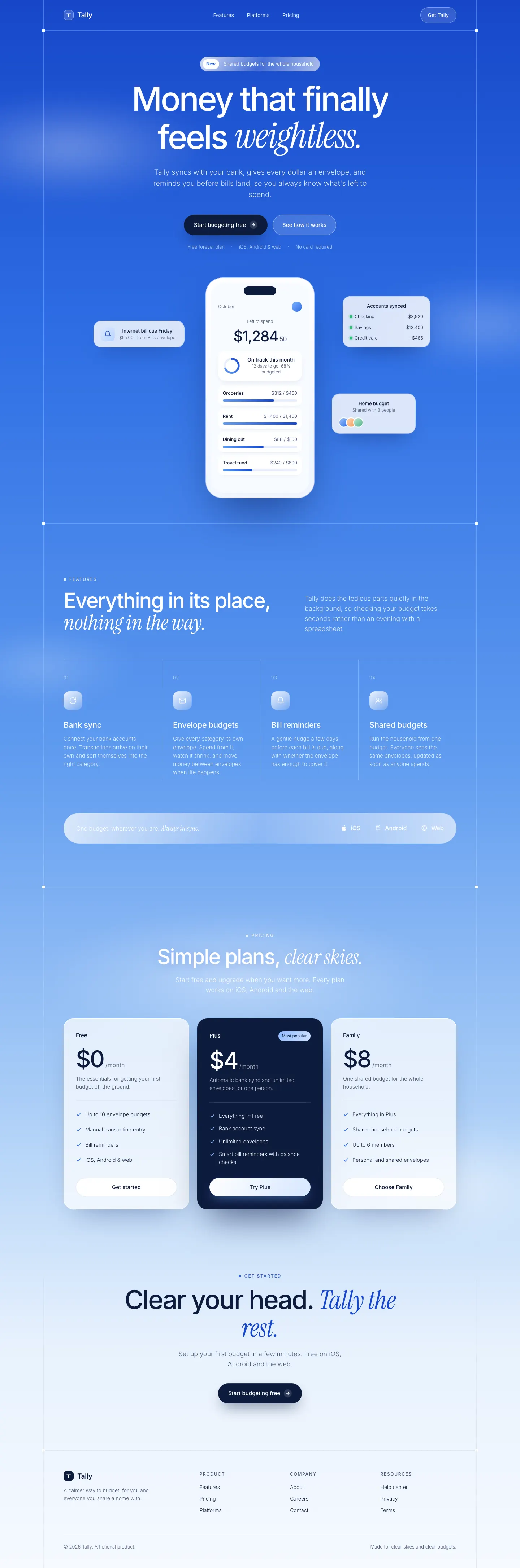
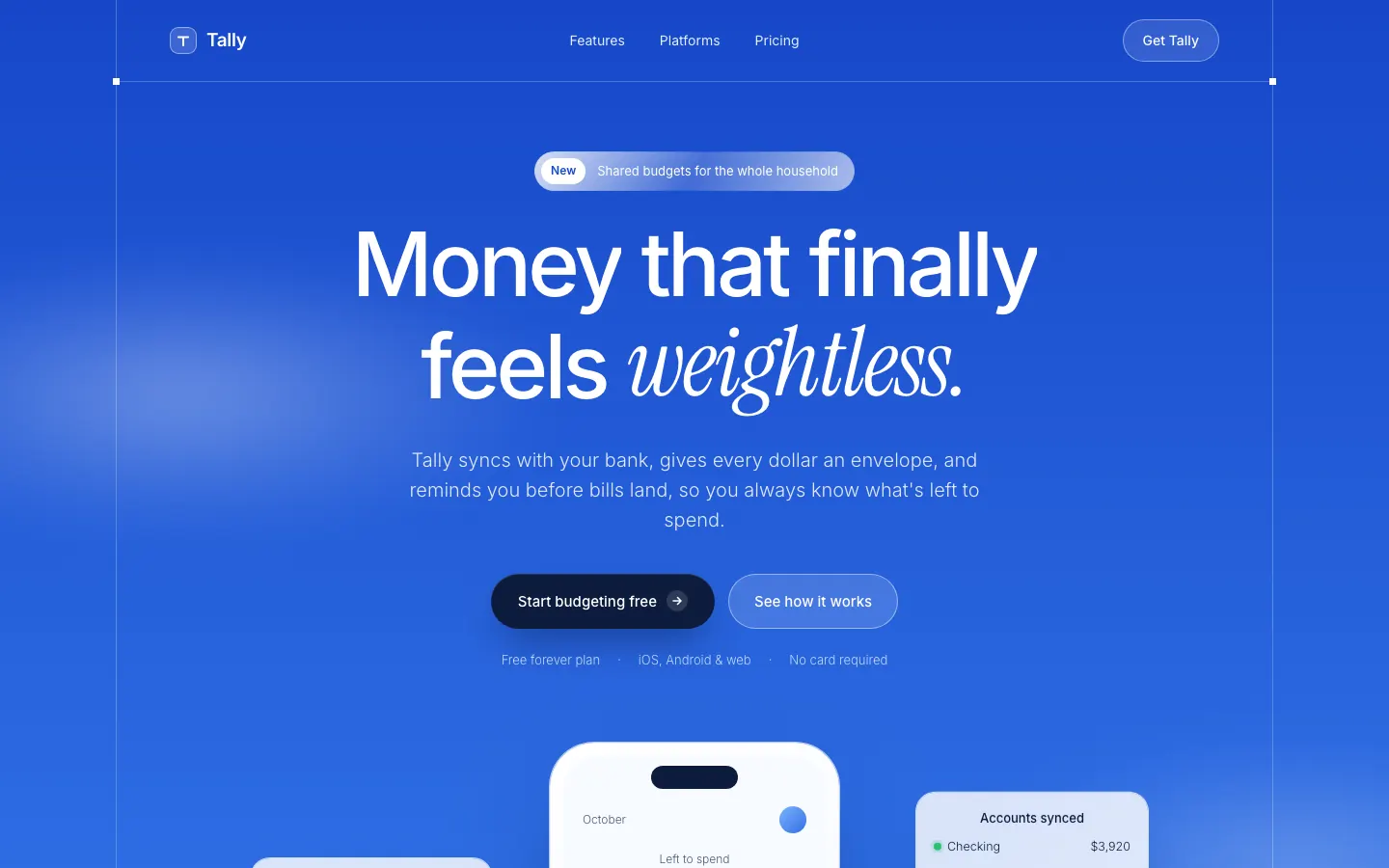
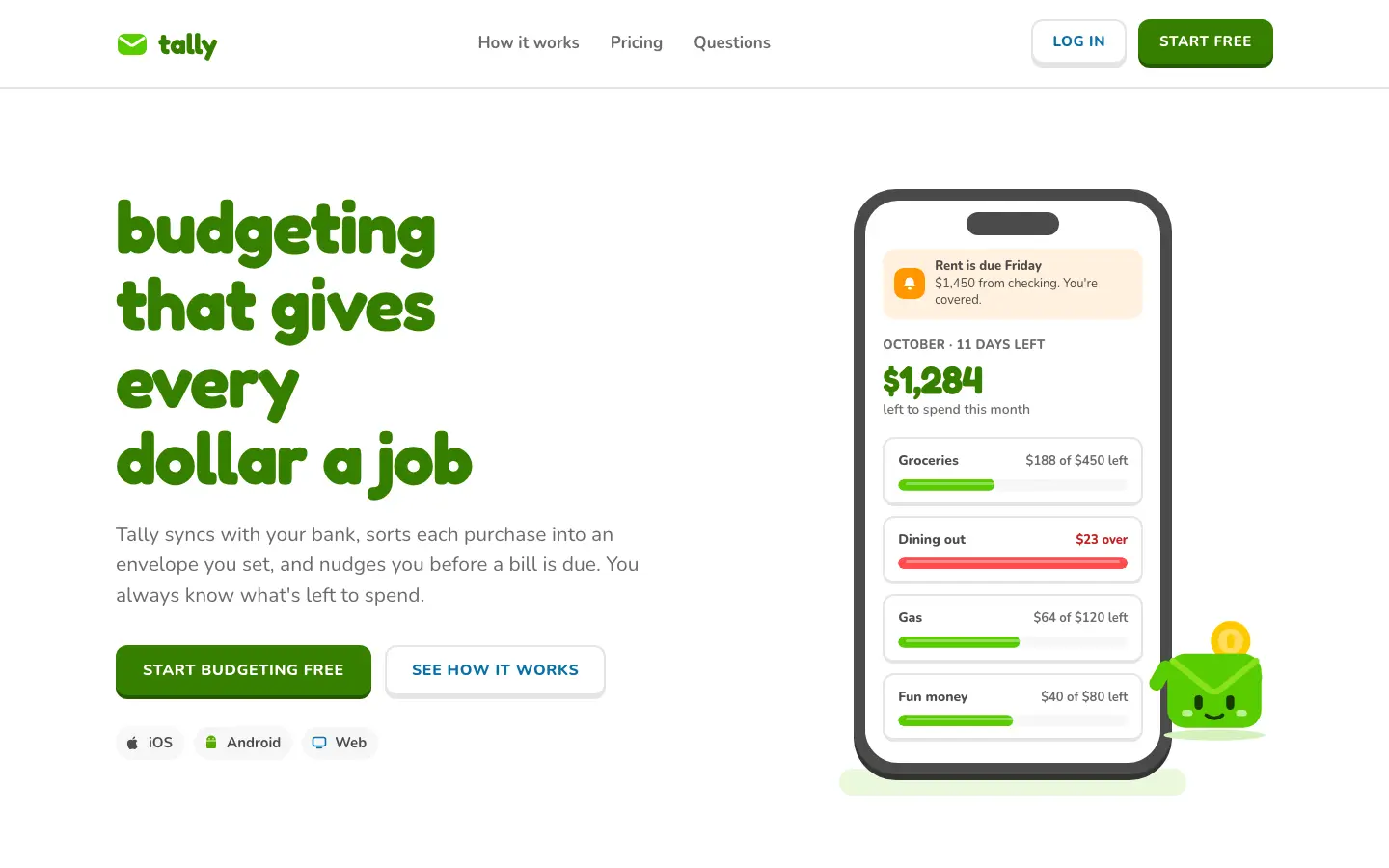
First screen only. Switch to side by side to read the full pages.
Scroll either page; the other follows.
Blue Cloudy Clean Modern sets Tally in a bright blue sky: soft cloud gradients, white frosted cards, Inter with Instrument Serif italics for the accents. The dashboard keeps the whole sky behind glass panels. It is far from the default and very calm. Pick it for products that want to feel light and reassuring.
Side by side
| Field | Design Engineering (agentsorg) | Blue Cloudy Clean Modern (Meng To) |
|---|---|---|
| Fonts |
|
|
| Colors |
|
|
| Pick it for |
|
|
| Skip it for |
|
|
| Observations |
|
|
Install Design Engineering (agentsorg)
1 Run in your terminal
npx degit agentsorg/design-engineering/skills/design-engineering#main .claude/skills/design-engineering2 Or paste a prompt into Claude Code, Codex, Cursor or Gemini
It tells your tool to install this from its source repository.
This install is for Claude Code only; for other agents use Copy prompt or copy the skill folder.
Copies just this skill's folder into your project's .claude/skills.
Check the source for the latest instructions.
Install Blue Cloudy Clean Modern (Meng To)
1 Run in your terminal
npx degit MengTo/Skills/agent-skills/web-design/blue-cloudy-clean-modern#main .claude/skills/blue-cloudy-clean-modern2 Or paste a prompt into Claude Code, Codex, Cursor or Gemini
It tells your tool to install this from its source repository.
This install is for Claude Code only; for other agents use Copy prompt or copy the skill folder.
Copies just this skill's folder into your project's .claude/skills.
Check the source for the latest instructions.