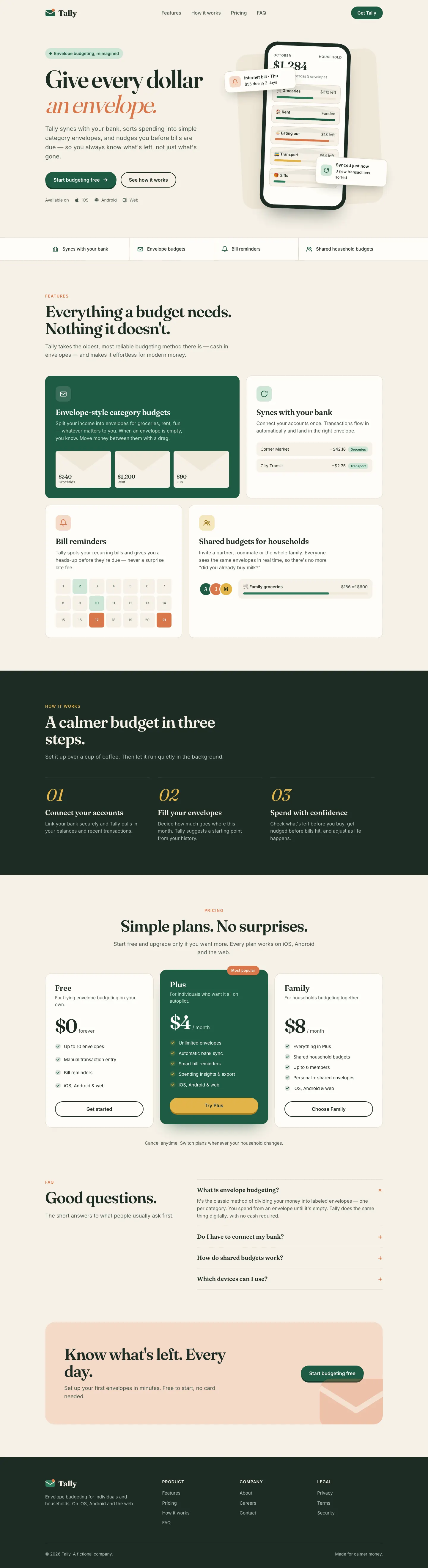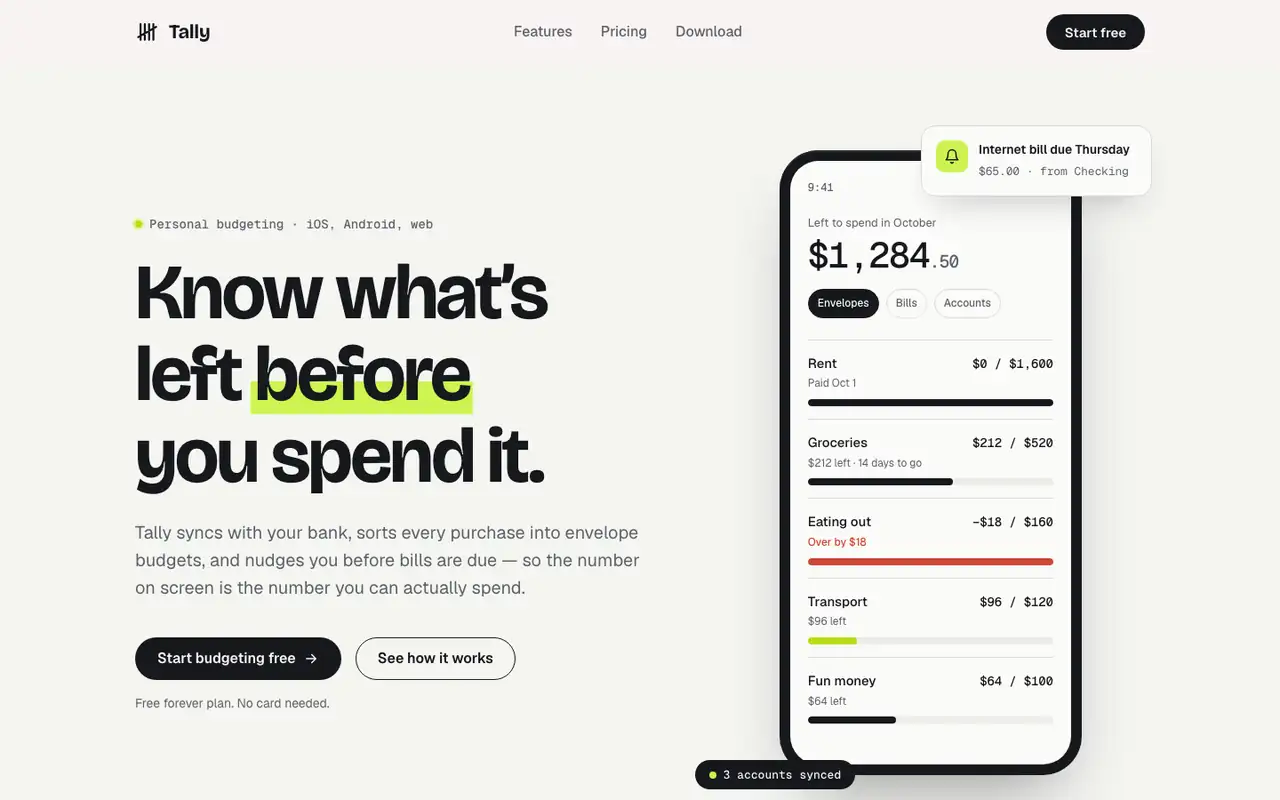
This system prompt moves Tally to a cool grey-and-ink look with Bricolage Grotesque, Geist and a lime marker, and the dashboard is clean and well organized. One contrast bug on the closing CTA keeps it from a higher score.
 Skills for Design
 claude-design-system-prompt scored higher on the same brief, 4/5. The rows below show where each one fits.
Both built the Tally landing page in the same Claude Code test. Shared tasks: Design systems, Visual direction.
This system prompt moves Tally to a cool grey-and-ink look with Bricolage Grotesque, Geist and a lime marker, and the dashboard is clean and well organized. One contrast bug on the closing CTA keeps it from a higher score.
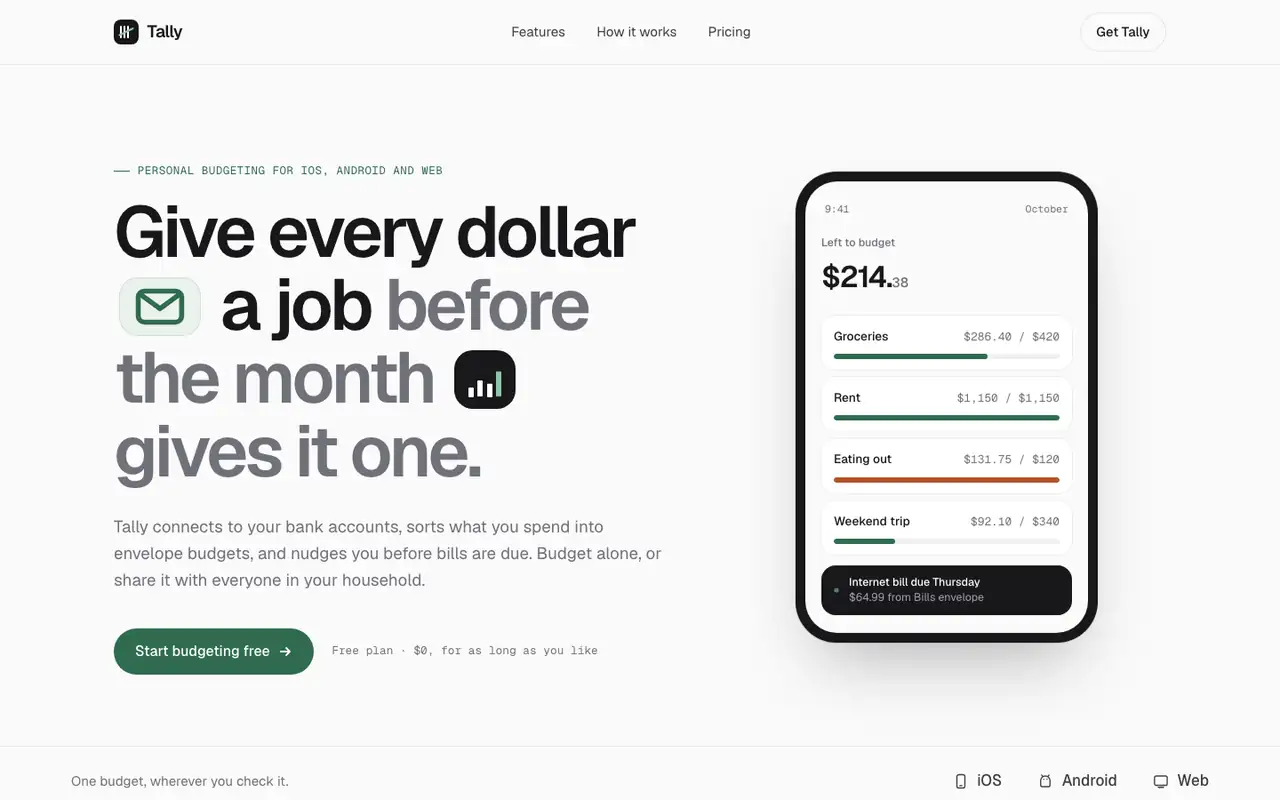
Stitch's taste skill swaps the cream-and-serif default for Geist on a near-white canvas, with a deep green accent and small icon chips set right into the headline. The dashboard is calm and consistent with the landing. Pick it if you want clean, current SaaS polish and don't need a strong personality.
| Field | claude-design-system-prompt | Taste Design (Stitch Skills) |
|---|---|---|
| Fonts |
|
|
| Colors |
|
|
| Good fit for |
|
|
| Not great for |
|
|
| Flaws we saw |
|
|
The baseline with no skillHow the brief works
1 Paste a prompt into Claude Code, Codex, Cursor or Gemini
It tells your tool to install this from its source repository.
No install command in README: paste system-prompt.md as the system prompt and copy skills/ manually.
Taken from the project README. Check the source for the latest instructions.
1 Run in your terminal
npx degit google-labs-code/stitch-skills/plugins/stitch-utilities/skills/taste-design#main .claude/skills/taste-design2 Or paste a prompt into Claude Code, Codex, Cursor or Gemini
It tells your tool to install this from its source repository.
This install is for Claude Code only; for other agents use Copy prompt or copy the skill folder.
Copies just this skill's folder into your project's .claude/skills.
Check the source for the latest instructions.