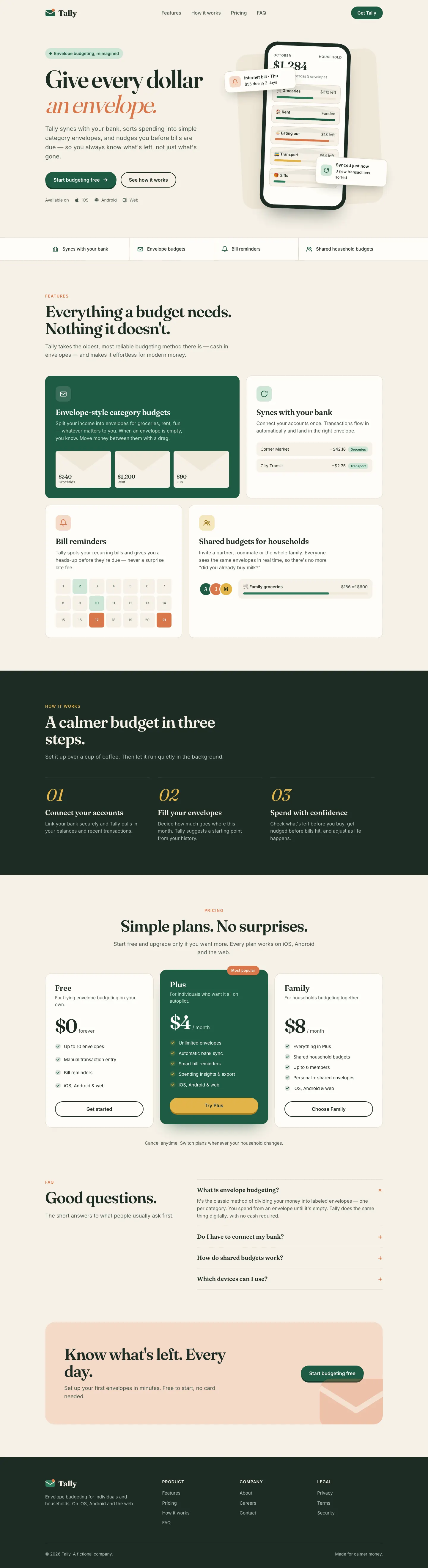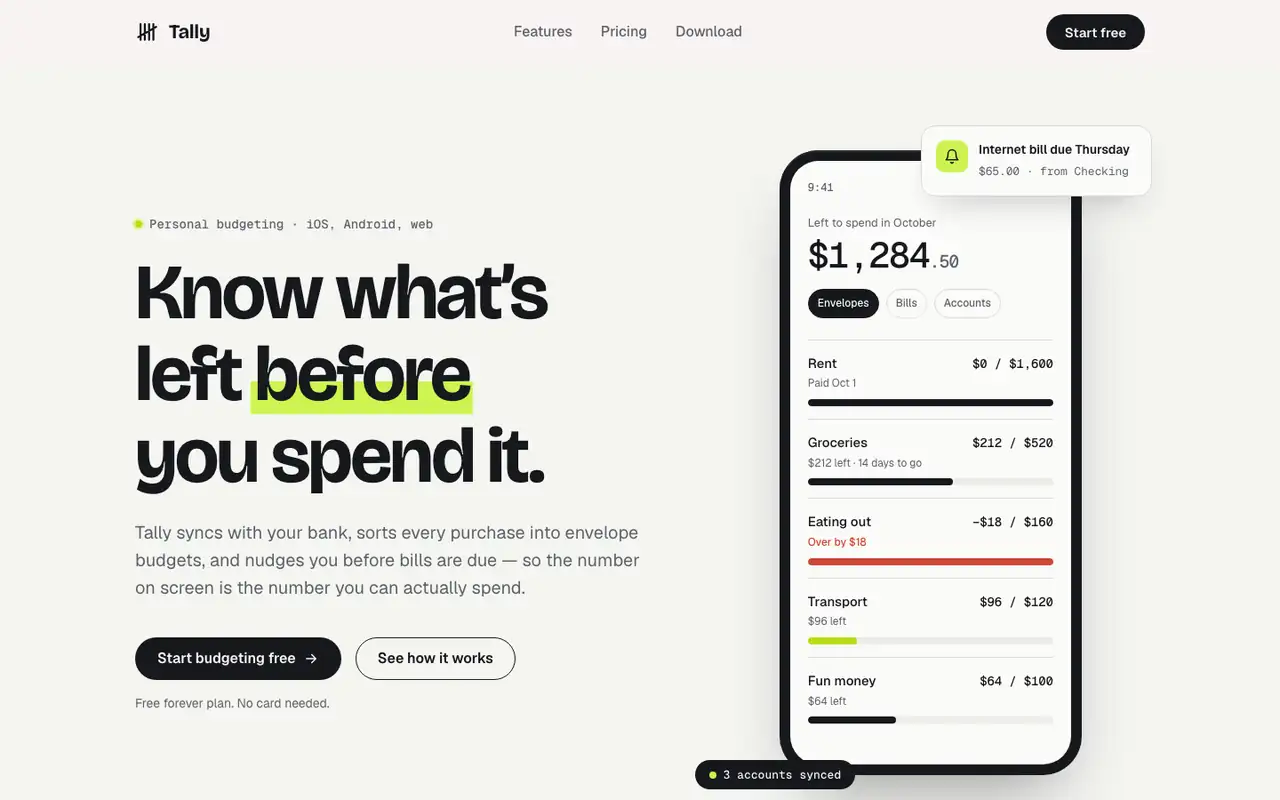
This system prompt moves Tally to a cool grey-and-ink look with Bricolage Grotesque, Geist and a lime marker, and the dashboard is clean and well organized. One contrast bug on the closing CTA keeps it from a higher score.
 Skills for Design
 Tied at 4/5 on the same brief. Pick by fit: the rows below show where each one is stronger.
Both built the Tally landing page in the same Claude Code test. Shared tasks: Design systems.
This system prompt moves Tally to a cool grey-and-ink look with Bricolage Grotesque, Geist and a lime marker, and the dashboard is clean and well organized. One contrast bug on the closing CTA keeps it from a higher score.

4/5
hue is built to turn a brand into a new design-language skill. With our one-file brief it skipped those extra files and used its rules for picking colors and fonts, and the result is a clear brand: a pocket-ledger look with warm off-white paper, near-black ink, one marigold highlight and chunky Bricolage Grotesque over Hanken Grotesk. The landing and the dashboard match closely, and neither looks like the cream-and-serif default. Pick it if you want a skill that settles a brand before it designs.
| Field | claude-design-system-prompt | hue |
|---|---|---|
| Fonts |
|
|
| Colors |
|
|
| Good fit for |
|
|
| Not great for |
|
|
| Flaws we saw |
|
|
The baseline with no skillHow the brief works
1 Paste a prompt into Claude Code, Codex, Cursor or Gemini
It tells your tool to install this from its source repository.
No install command in README: paste system-prompt.md as the system prompt and copy skills/ manually.
Taken from the project README. Check the source for the latest instructions.
1 Run in your terminal
git clone https://github.com/dominikmartn/hue ~/.claude/skills/hue2 Or paste a prompt into Claude Code, Codex, Cursor or Gemini
It tells your tool to install this from its source repository.
This install is for Claude Code only; for other agents use Copy prompt or copy the skill folder.
Taken from the project README. Check the source for the latest instructions.