claude-design-system-prompt vs ECC Frontend Design Direction

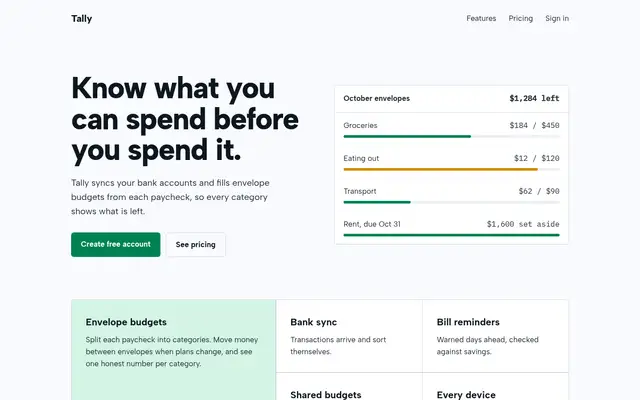
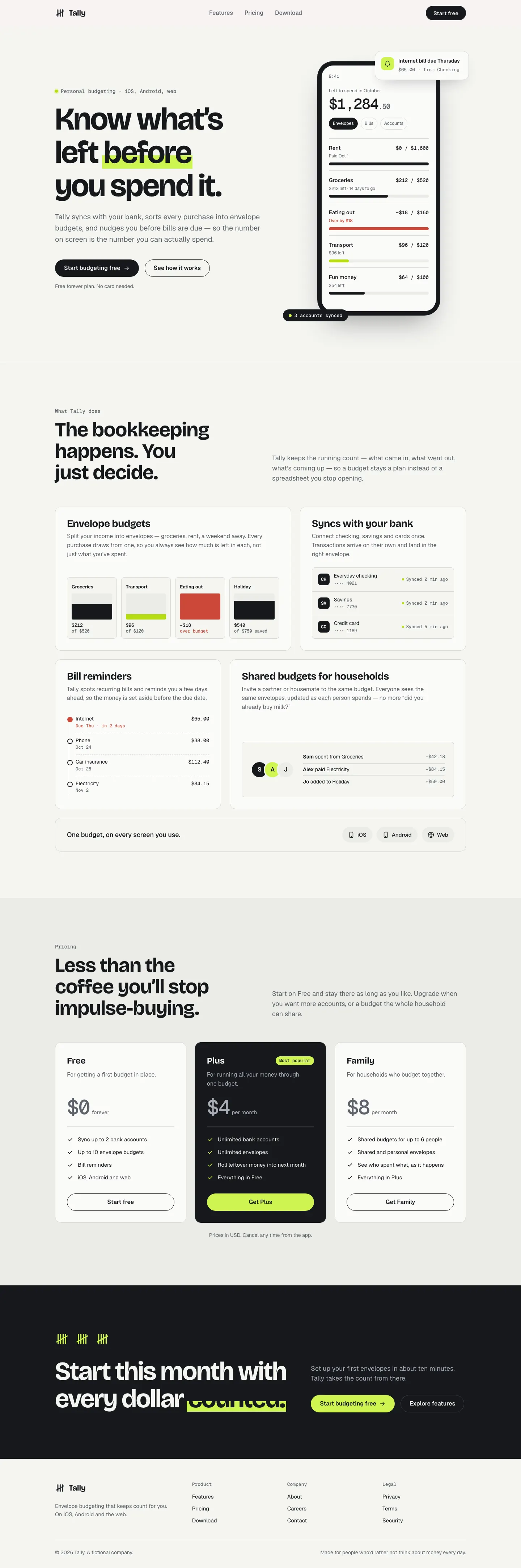
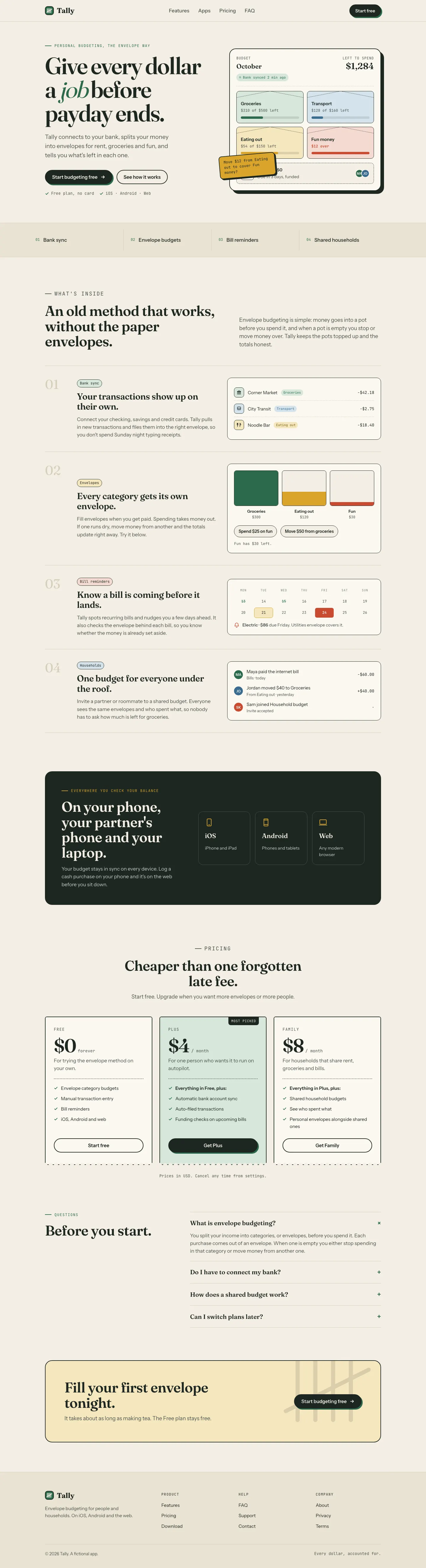
Both after shots are the Tally landing page from the same Claude Code test. Shared tags: Visual direction.

4 out of 5

claude-design-system-prompt

This system prompt moves Tally to a cool grey-and-ink look with Bricolage Grotesque, Geist and a lime marker, and the dashboard is clean and well organized. One contrast bug on the closing CTA keeps it from a higher score.

Tally landing page made with claude-design-system-prompt
Open full after

3 out of 5

ECC Frontend Design Direction

ECC keeps a Fraunces and cream landing page but adds mono labels and a tilted sticky note. The IBM Plex dashboard is more useful than the baseline's, with a sync alert, search and person filters.

Tally landing page made with ECC Frontend Design Direction
Open full after

Baseline with no skill · How the brief works

How to install claude-design-system-prompt

Works with Claude Code, Codex, Cursor, Gemini and more

No install command in README: paste system-prompt.md as the system prompt and copy skills/ manually.

Taken from the project README. Check the source for the latest instructions.

How to install ECC Frontend Design Direction

Works with Claude Code, Codex, Cursor, Gemini and more

npx degit affaan-m/ECC/skills/frontend-design-direction#main .claude/skills/frontend-design-direction

This install is for Claude Code only; for other agents use Copy prompt or copy the skill folder.

Taken from the project README. Check the source for the latest instructions.