
Pac-Man turns Tally into an arcade cabinet: black screens, blue dotted maze borders, Press Start 2P headings and power-pellet yellow buttons. The hero is an arcade screen with envelope budgets as pellet bars, and on the dashboard a little Pac-Man chomps along each envelope while the over-budget one gets ghost styling. The theme is committed and still readable. Pick it for playful or gaming-adjacent brands.
Pac-Man vs 3D Metal Material
Awesome Design Skills · Meng To
Tied at 4/5 on the same brief. Pick by fit: the rows below show where each one is stronger.
Both built the Tally landing page in the same Claude Code test, and both design the Night Shift way: dark screens, glowing accents, work that looks best at 2am. Both are best for: visual direction.
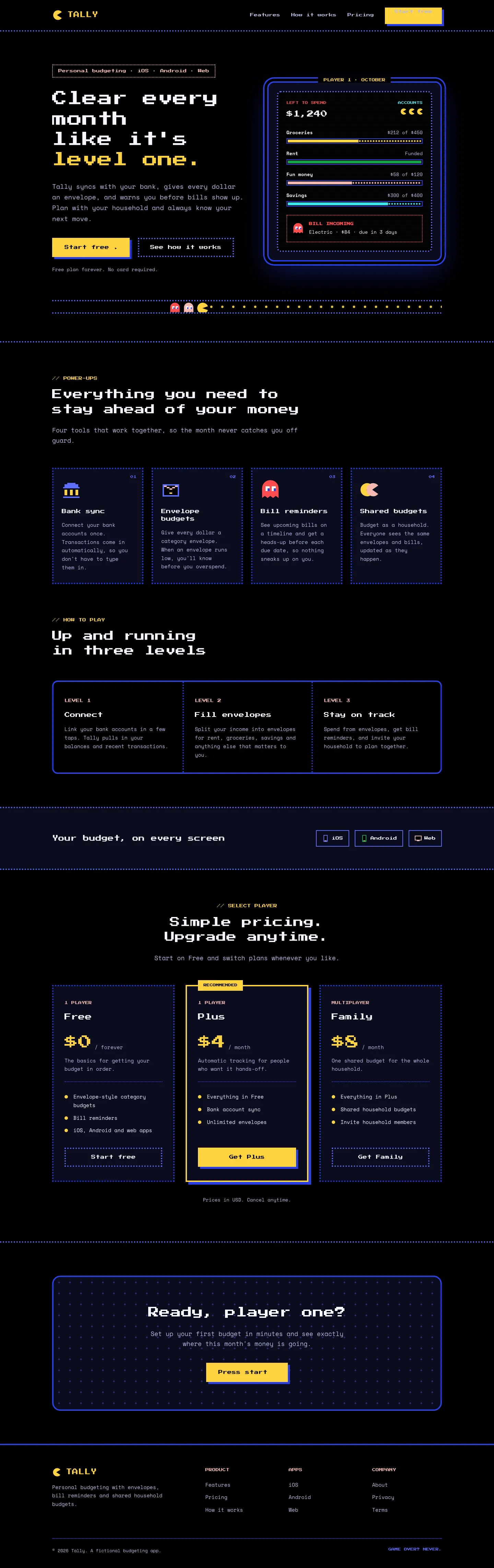
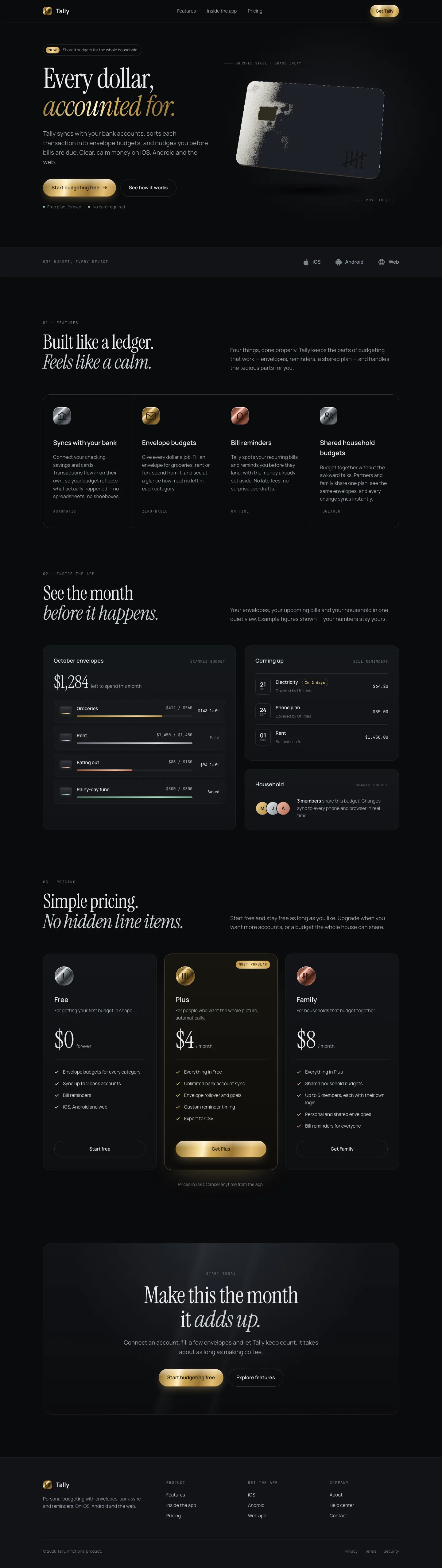

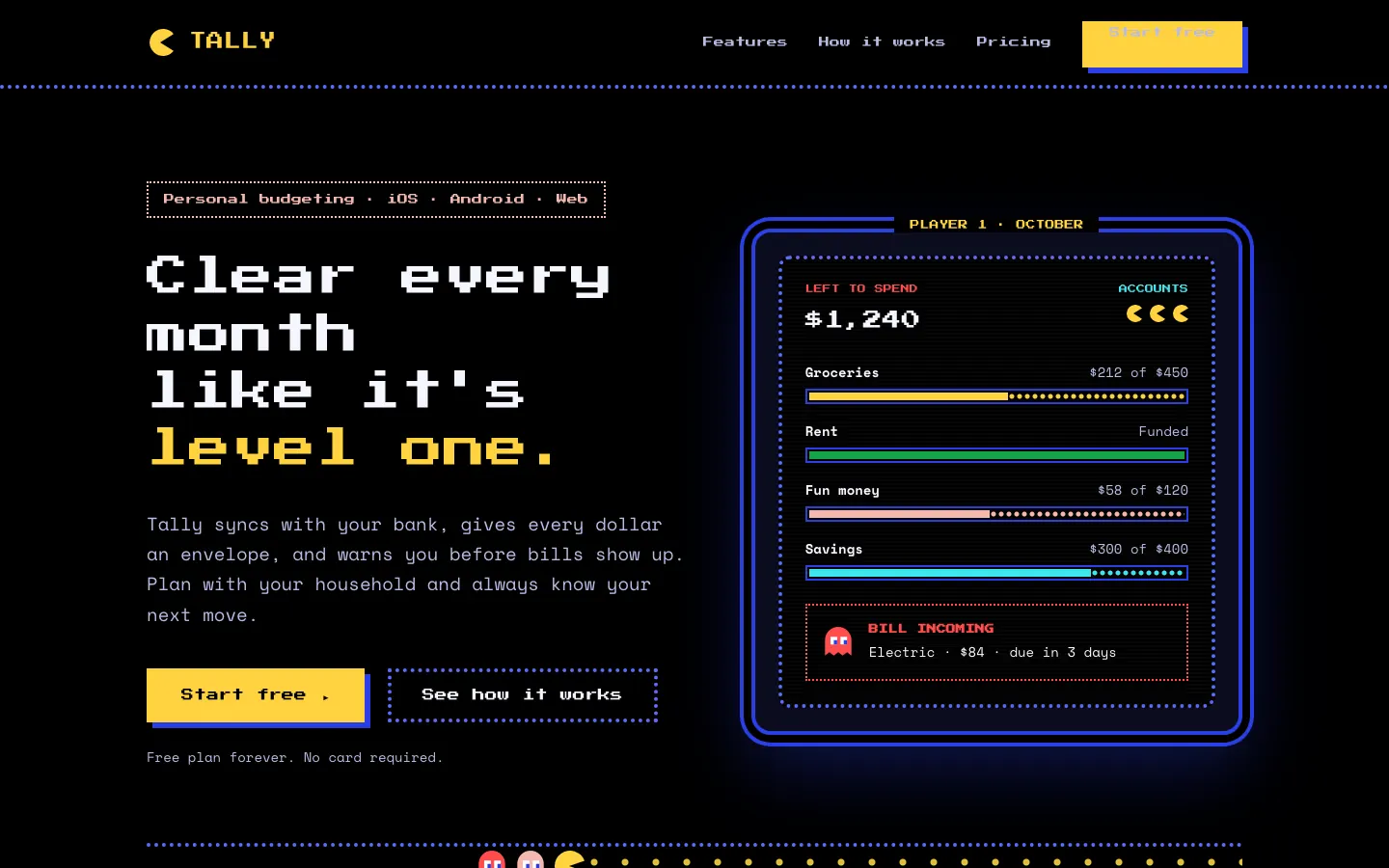
First screen only. Switch to side by side to read the full pages.
Scroll either page; the other follows.
3D Metal Material gives Tally a dark studio look: Instrument Serif headlines with brass accents and a slowly tilting brushed-steel card in the hero, drawn live with WebGL. The dashboard puts the $640 on a machined steel plate and uses steel, brass and copper finishes on the bars and buttons. It feels premium and is consistent across both pages. Pick it when you want one rich 3D centerpiece on a dark product page.
Side by side
| Field | Pac-Man (Awesome Design Skills) | 3D Metal Material (Meng To) |
|---|---|---|
| Fonts |
|
|
| Colors |
|
|
| Pick it for |
|
|
| Skip it for |
|
|
| Observations |
|
|
Install Pac-Man (Awesome Design Skills)
1 Run in your terminal
npx degit bergside/awesome-design-skills/skills/pacman#main .claude/skills/pacman2 Or paste a prompt into Claude Code, Codex, Cursor or Gemini
It tells your tool to install this from its source repository.
This install is for Claude Code only; for other agents use Copy prompt or copy the skill folder.
Copies just this skill's folder into your project's .claude/skills.
Check the source for the latest instructions.
Install 3D Metal Material (Meng To)
1 Run in your terminal
npx degit MengTo/Skills/agent-skills/3d/3d-metal-material#main .claude/skills/3d-metal-material2 Or paste a prompt into Claude Code, Codex, Cursor or Gemini
It tells your tool to install this from its source repository.
This install is for Claude Code only; for other agents use Copy prompt or copy the skill folder.
Copies just this skill's folder into your project's .claude/skills.
Check the source for the latest instructions.