
Clean gives Tally a calm white and slate page with one blue accent, Poppins headings over Roboto, Inconsolata figures and an 8px spacing grid. The dashboard is just as plain: white cards, blue bars and color only where status matters. It is tidy and readable, though it looks like many SaaS templates. Pick it as a safe, neutral starting point.
Clean vs Product Proof SaaS
Awesome Design Skills · Meng To
Tied at 3/5 on the same brief. Pick by fit: the rows below show where each one is stronger.
Both built the Tally landing page in the same Claude Code test, and both design the Minimalist way: white space, one accent, and the confidence to leave things out. Both are best for: visual direction.
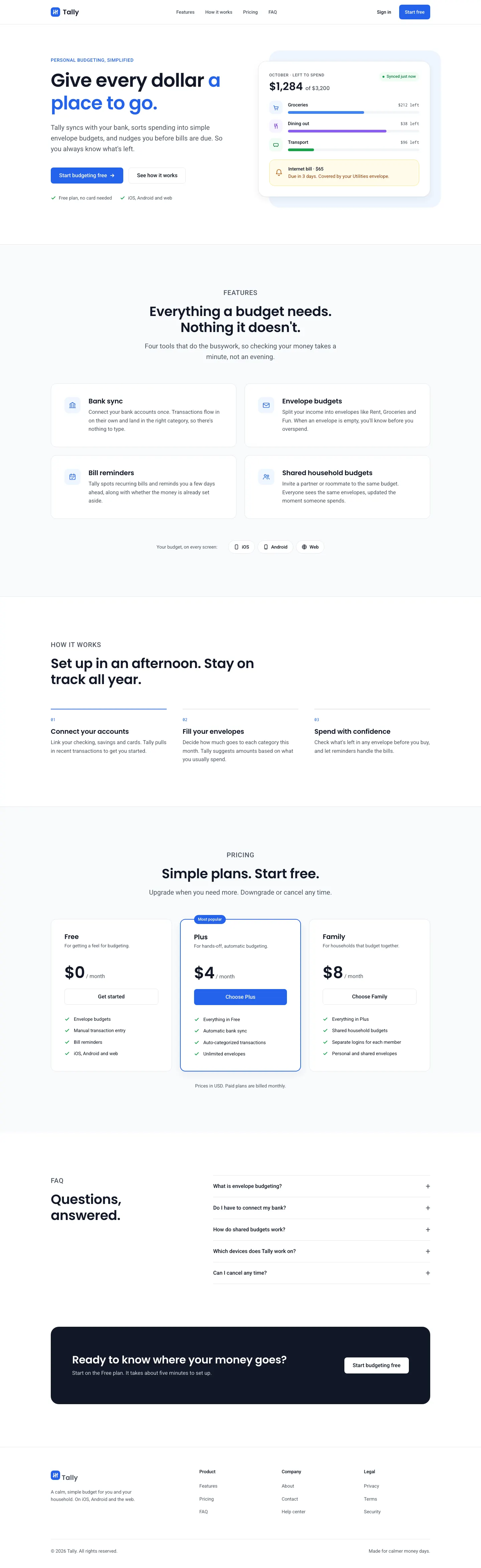
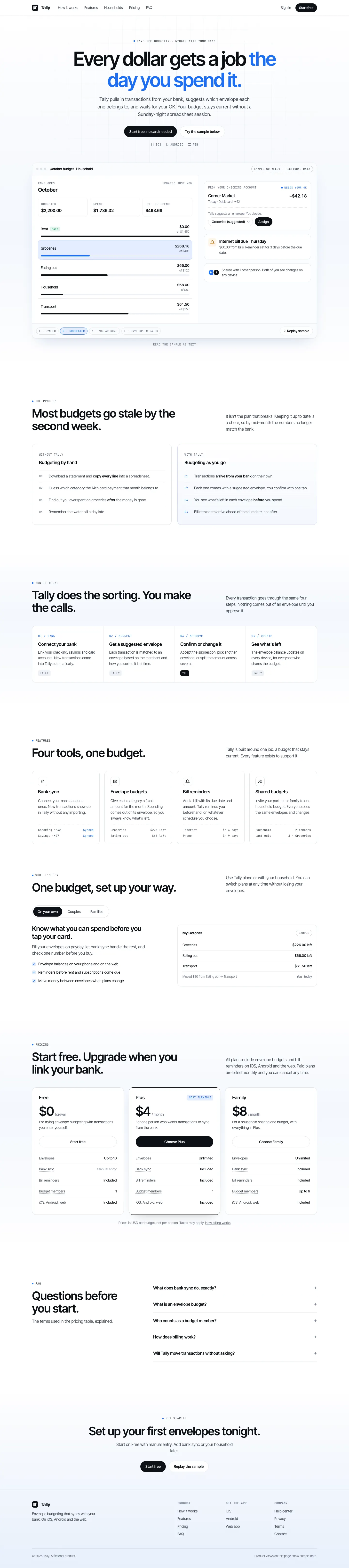

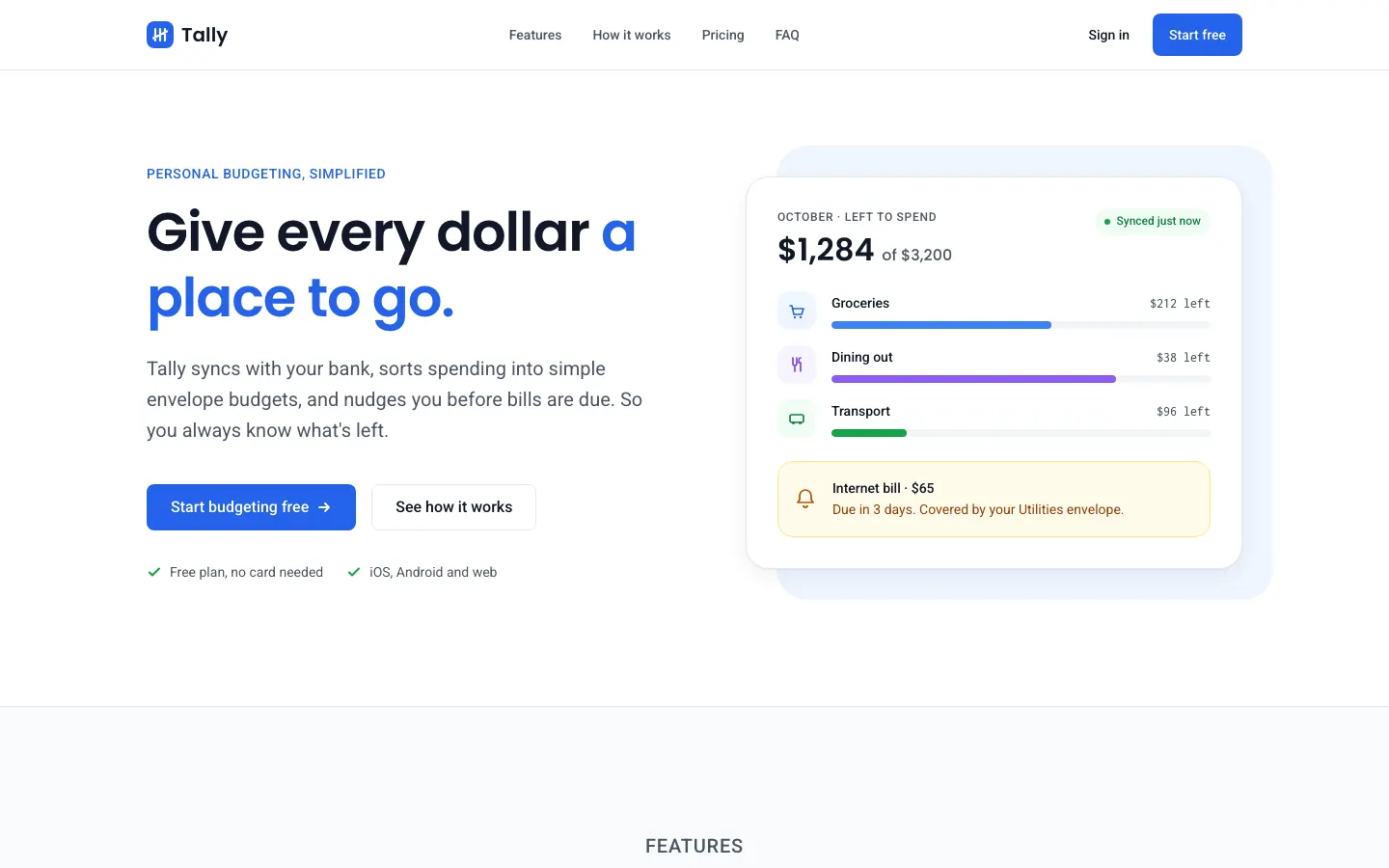
First screen only. Switch to side by side to read the full pages.
Scroll either page; the other follows.
Product Proof SaaS puts the product first: a white page with a large, readable app screen right under the headline, Inter Tight, mono labels and a single blue accent. The dashboard is clean Geist with blue bars and a clear overspend alert. It is focused and credible, if plain, and the mobile dashboard scrolls sideways. Pick it for SaaS pages that need to show the product working.
Side by side
| Field | Clean (Awesome Design Skills) | Product Proof SaaS (Meng To) |
|---|---|---|
| Fonts |
|
|
| Colors |
|
|
| Pick it for |
|
|
| Skip it for |
|
|
| Observations |
|
|
Install Clean (Awesome Design Skills)
1 Run in your terminal
npx degit bergside/awesome-design-skills/skills/clean#main .claude/skills/clean2 Or paste a prompt into Claude Code, Codex, Cursor or Gemini
It tells your tool to install this from its source repository.
This install is for Claude Code only; for other agents use Copy prompt or copy the skill folder.
Copies just this skill's folder into your project's .claude/skills.
Check the source for the latest instructions.
Install Product Proof SaaS (Meng To)
1 Run in your terminal
npx degit MengTo/Skills/agent-skills/web-design/product-proof-saas#main .claude/skills/product-proof-saas2 Or paste a prompt into Claude Code, Codex, Cursor or Gemini
It tells your tool to install this from its source repository.
This install is for Claude Code only; for other agents use Copy prompt or copy the skill folder.
Copies just this skill's folder into your project's .claude/skills.
Check the source for the latest instructions.